Need help?
Do you have a question about the Rexing AUXB0 and is the answer not in the manual?
Lists the components included in the product package.
Instructions for playing music via Bluetooth connection.
Steps for answering, rejecting, and redialing phone calls.
How to activate voice assistants like Siri or Google.
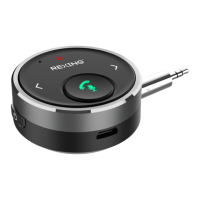
The Rexing AUXB0 Bluetooth Audio Adapter (Receiver) is a versatile device designed to enhance your audio experience, particularly in your car, by enabling wireless music streaming and hands-free calling. This compact and user-friendly adapter allows you to connect your mobile phone, tablet, or gaming console via Bluetooth to your car radio, old speaker, DVD player, or wired earphones, transforming them into Bluetooth-enabled audio systems. Its primary function is to bridge the gap between your Bluetooth-enabled devices and non-Bluetooth audio systems, providing a seamless and high-quality audio connection.
One of the key usage features of the AUXB0 is its ease of setup and operation. To begin using the device, you can simply attach it to your car dashboard using the included hook and loop fastener, or connect it directly to your audio system using the provided 3.5mm audio cable or an optional 3.5mm to 3.5mm audio plug. Powering the device on and off is straightforward, requiring a simple press and hold of the designated button. Once powered on, you can pair it with your mobile device via Bluetooth. After successful pairing, you can start playing music from your phone, and the audio will be transmitted to your connected car stereo, old speaker, DVD player, or wired earphones, delivering crystal-clear sound. The device also includes a play/pause button, allowing you to easily control your music playback with a single press.
Beyond music streaming, the AUXB0 excels as a hands-free kit for phone calls. When an incoming call is received, the device automatically switches from music playing status to hands-free mode, ensuring you don't miss important calls. You can answer or hang up a call with a single press of the designated button. If you need to decline a call, a 3-second press will reject it. For added convenience, the device allows you to redial the last phone call by pressing the button twice. During a conversation, if you wish to switch to a private calling mode, a 3-second press will enable this feature. This hands-free functionality significantly enhances safety and convenience, especially when driving.
Another notable usage feature is the compatibility with voice assistants. The AUXB0 supports the activation of Siri for iOS devices and Google Assistant for Android devices. When your mobile phone is connected via Bluetooth, a long press of the designated button will activate your preferred voice assistant, allowing you to use voice commands for various tasks without needing to interact directly with your phone. This integration further streamlines your in-car experience, making it more intuitive and less distracting. The device is designed with a mini audio remote control, making it easy to manage both music streaming and phone calls without fumbling with your phone. Its compact size and the option to place it on the car dashboard contribute to its user-friendly design, ensuring operations are always within easy reach.
In terms of maintenance, the AUXB0 is equipped with a built-in 150mAh rechargeable battery, which provides up to 10 hours of working time on a full charge. Charging the device is simple: when the battery power is low, an indicator light will flash red, signaling that it's time to recharge. You can charge the Bluetooth receiver using the Micro USB charging cable included in the package. During the charging process, the indicator light will be solid red, and it will turn off once the device is fully charged, indicating that it's ready for extended use. A full charge typically takes approximately 2 hours. To conserve battery life, the device features an auto power-off function; if there is no operation for 5 minutes after disconnection, or 10 minutes after power on, it will automatically power off.
To ensure the longevity and optimal performance of the device, it's important to adhere to certain maintenance guidelines. The product should not be used in moist or underwater conditions, as this can lead to damage. Similarly, avoid using the device near heaters or in high-temperature surroundings, as well as in conditions with direct and strong sunshine. These environmental factors can negatively impact the device's internal components and battery life. Furthermore, it is crucial never to disassemble the product without permission. Unauthorized disassembly may not only damage the device but also void its warranty. By following these simple precautions, you can ensure that your Rexing AUXB0 Bluetooth Receiver continues to provide a reliable and enjoyable audio experience for a long time. The device is designed to be paired as a hands-free kit with any compatible Bluetooth-enabled device, and it can connect with only one Bluetooth device at a time, simplifying its operation and preventing connection conflicts.
 General
| Brand | Rexing |
|---|---|
| Model | AUXB0 |
| Category | Receiver |
| Connectivity Technology | Bluetooth |
| Frequency Response | 20Hz-20kHz |
| Signal-to-Noise Ratio | ≥90dB |
| Bluetooth Range | 10 meters |
| Input Voltage | 5 Volts |

 To Next Page