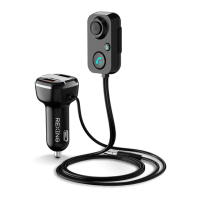
Basic Operations
6
When the device is connected with your mobile phone by Bluetooth, long
press the to activate Siri or Google assistant
1. Press once to Answer/Hang off the phone call when there is incoming call.
2. Press and hold 3 seconds to reject the phone call.
3. Press twice to redial the last phone call.
4. Press and hold 3 seconds during conversation to switch to a private calling.
Music Streaming
Hands-Free Phone Answering
Siri/Google Assistant Activation
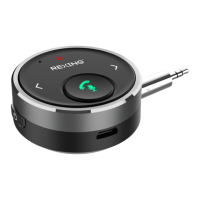
1. Attached the product onto the car dashboard using the included hook and loop
fastener or simply connect the product with your old speaker/DVD player/wired
earphones via the included 3.5mm audio cable or the optional 3.5mm to 3.5mm
audio plug.
2. Press and hold the button to power on/off the device.
3. Pair this product with your mobile phone/tablet/gaming console via Bluetooth;
4. Play your music and then you can enjoy the crystal audio sounds from the car
stereo/old speaker/DVD player/wired earphones.
5. Press once to Play/Pause;


 To Next Page