Need help?
Do you have a question about the Rexing PRD615 and is the answer not in the manual?
Guidance on optimal projector placement and careful handling to prevent damage and ensure quality viewing.
Precautions regarding the power cord to prevent electric shock and fire hazards.
Instructions for cleaning the projector body and lens, and maintaining ventilation.
Warnings about hot surfaces near the air outlet and not looking directly into the lens.
Advice against disassembly, placing objects on the projector, and ensuring proper heat dissipation.
Details on the various input/output ports available on the projector.
Lists compatible image, audio, file, and video encoding formats for USB playback.
Options for selecting the projector's mounting orientation and display direction.
Guide to adjust the image corners for a rectangular picture.
Instructions for setting the aspect ratio for optimal screen fit.
How to enable and select 3D modes for compatible video sources.
Steps to install the necessary app for Android screen mirroring.
Procedure for pairing an Android device with the projector.
How to initiate screen mirroring from an Android device.
Instructions for installing the EShare app on an iPhone.
Steps for connecting an iPhone to the projector via EShare.
How to mirror an iPhone screen to the projector.
Details on the projector's warranty period and registration for extension.
Contact information and expected response times for product inquiries.
Invitation for user feedback to improve products and services.
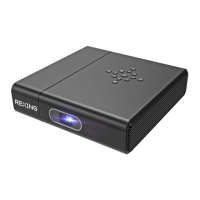
The Rexing PRD615 Projector is a versatile device designed for various projection needs, offering a blend of functionality, user-friendly features, and essential maintenance guidelines to ensure optimal performance and longevity. This projector is suitable for both casual viewing and more structured presentations, providing a clear and engaging visual experience.
The Rexing PRD615 Projector serves as a primary display unit, capable of projecting images, videos, and text onto a screen or flat surface. It is designed to connect with various external devices, expanding its utility across different applications. The core function revolves around transforming digital content into a large-format visual display, making it ideal for home entertainment, educational settings, or small business presentations.
One of its key functionalities is the ability to play media directly from a USB flash drive. Users can insert a USB drive containing audios, videos, and text files into the USB port. The projector's interface allows for easy navigation through these files via the "MediaPlayer" app, enabling direct playback without the need for an additional computer or media player. This feature simplifies the setup process and enhances convenience for users who wish to quickly display content.
Furthermore, the projector supports HDMI signal input, allowing for seamless connection with Blu-ray DVD players, computers, and other HDMI-enabled devices. This capability ensures high-quality video and audio transmission, making it suitable for watching movies, playing games, or delivering presentations from a laptop. The projector offers flexibility in selecting the HDMI input channel, either through the "HDMI" option in the Apps interface or by using the "Source" button on the remote control.
Beyond wired connections, the Rexing PRD615 Projector integrates wireless connectivity options, significantly enhancing its versatility. It can connect to Wi-Fi networks, enabling access to online content and facilitating system updates. This network capability is crucial for maintaining the projector's software and accessing internet-based applications.
The projector also boasts Bluetooth connectivity, allowing users to pair it with compatible Bluetooth devices. This feature is particularly useful for connecting external audio systems, providing an enhanced sound experience without the clutter of cables. The pairing process is straightforward, guided by on-screen instructions within the network settings.
A notable advanced function is its Miracast and iOS Cast capabilities, which enable wireless mirroring from Android and iOS devices, respectively. For Android devices, users can install the EShare app on their mobile device, connect to the same network as the projector, and then mirror their screen wirelessly. Similarly, for iOS devices, the EShare app facilitates screen mirroring, allowing content from iPhones to be displayed on the projector. These wireless mirroring features are invaluable for sharing photos, videos, or presentations directly from a smartphone or tablet, promoting collaboration and convenience.
The projector also includes 3D functionality, allowing for the playback of 3D video sources. Users can select the appropriate 3D mode from the menu during playback, providing an immersive viewing experience. However, it is important to note that 3D function is not supported when Quadrangular Correction is in use, indicating a trade-off between certain advanced features.
The Rexing PRD615 Projector is designed with several features that enhance its usability and adaptability to different environments.
One of the primary usage features is its flexible projection settings. Users can adjust the projection method, such as front projection, to suit their setup. The projector also offers "Quadrangular Correction," which allows for precise adjustment of the four corners of the projected image, ensuring a perfectly rectangular display even when the projector is not perfectly aligned with the screen. This feature is particularly useful in challenging projection environments. Additionally, the "Zooming Ratio" can be adjusted to fit various screen sizes, providing flexibility in image scaling. The projector supports both manual and automatic vertical keystone correction, with the option to perform Gyroscope Level Correction when Auto Correct is turned off, offering fine-tuned image alignment.
The remote control is an integral part of the user experience, providing intuitive navigation and control over the projector's functions. It includes dedicated buttons for power, source selection, volume adjustment, and menu access. A unique feature of the remote is its focus adjustment buttons (F+ and F-), which allow users to electronically focus the image until it is clear, eliminating the need for manual lens adjustments on the projector itself. For first-time use, the remote control needs to be paired with the projector via Bluetooth, a simple process involving pressing and holding specific buttons on the remote.
The projector's interface is organized into "Apps" and "Settings" sections, making it easy to access various functions and configurations. The "Apps" section houses applications like "MediaPlayer," "YouTube," "Netflix," "Google Play," and "HDMI" input selection, providing direct access to entertainment and utility tools. The "Settings" section allows users to configure network settings (Wi-Fi, Bluetooth), projection parameters, system updates, and other device-specific options.
For enhanced control, the projector supports the connection of a mouse and keyboard via its USB interface. This feature significantly improves navigation within the projector's smart interface, especially when interacting with apps or browsing content, offering a more traditional computer-like control experience.
The physical design of the projector includes a "Hole for Stand (1/4 inch)" at the bottom, indicating compatibility with standard projector stands or tripods. This allows for flexible placement and stable projection, further enhancing its usability in various settings.
Maintaining the Rexing PRD615 Projector is crucial for ensuring its longevity and consistent performance. The manual provides clear guidelines for proper care and maintenance.
One of the most critical maintenance aspects is related to power management. Users are advised to be careful with the power cord to prevent excessive bending, which could lead to electric shock or fire. It is also recommended to unplug the power cord after turning off the projector, which helps in conserving energy and preventing potential electrical issues.
Cleaning the projector is another essential maintenance task. The manual specifies that the power cord should be unplugged before cleaning. The shell of the projector can be cleaned regularly with a damp cloth and neutral detergent. For the lens, a glasses cloth or lens paper should be used to avoid scratching. It is explicitly stated that the lens should not be wiped with other materials. Additionally, the projector's vents and speakers should be cleaned regularly with a banister brush to prevent blockages, which could lead to overheating.
Overheating prevention is a significant maintenance consideration. The air inlet and outlet on the projector must not be blocked, as this can cause damage due to overheating, which is not covered by the warranty. To ensure stable heat dissipation, users are instructed to open the height bracket at the bottom of the projector before starting it. This allows for better airflow and prevents the device from getting excessively hot during operation. Users are also warned not to touch the area near the air outlet while the projector is in use or immediately after, as it can get hot.
The manual also includes "Warm tips" that serve as important maintenance guidelines. Users are advised not to disassemble the projector, as this not only poses a risk of electric shock but also affects the warranty. Furthermore, no liquid or heavy objects should be placed on the projector, as this could cause damage to its internal components or exterior.
Regular system updates are also part of the maintenance routine. The projector supports online updates, which can be accessed through the "Settings" interface. Users are encouraged to ensure a smooth network connection and check for the latest software versions to keep the system updated, which often includes performance improvements and bug fixes.
Finally, the recommendation to keep the lens cover closed when the projector is not in use is a simple yet effective maintenance practice. This protects the lens from dust, scratches, and other environmental damage, preserving image clarity over time.
 General
| Contrast Ratio | 1000:1 |
|---|---|
| Lamp Life | 30, 000 hours |
| Keystone Correction | ±15 degrees |
| Aspect Ratio | 16:9 |
| Connectivity | HDMI, USB, AV |

 To Next Page