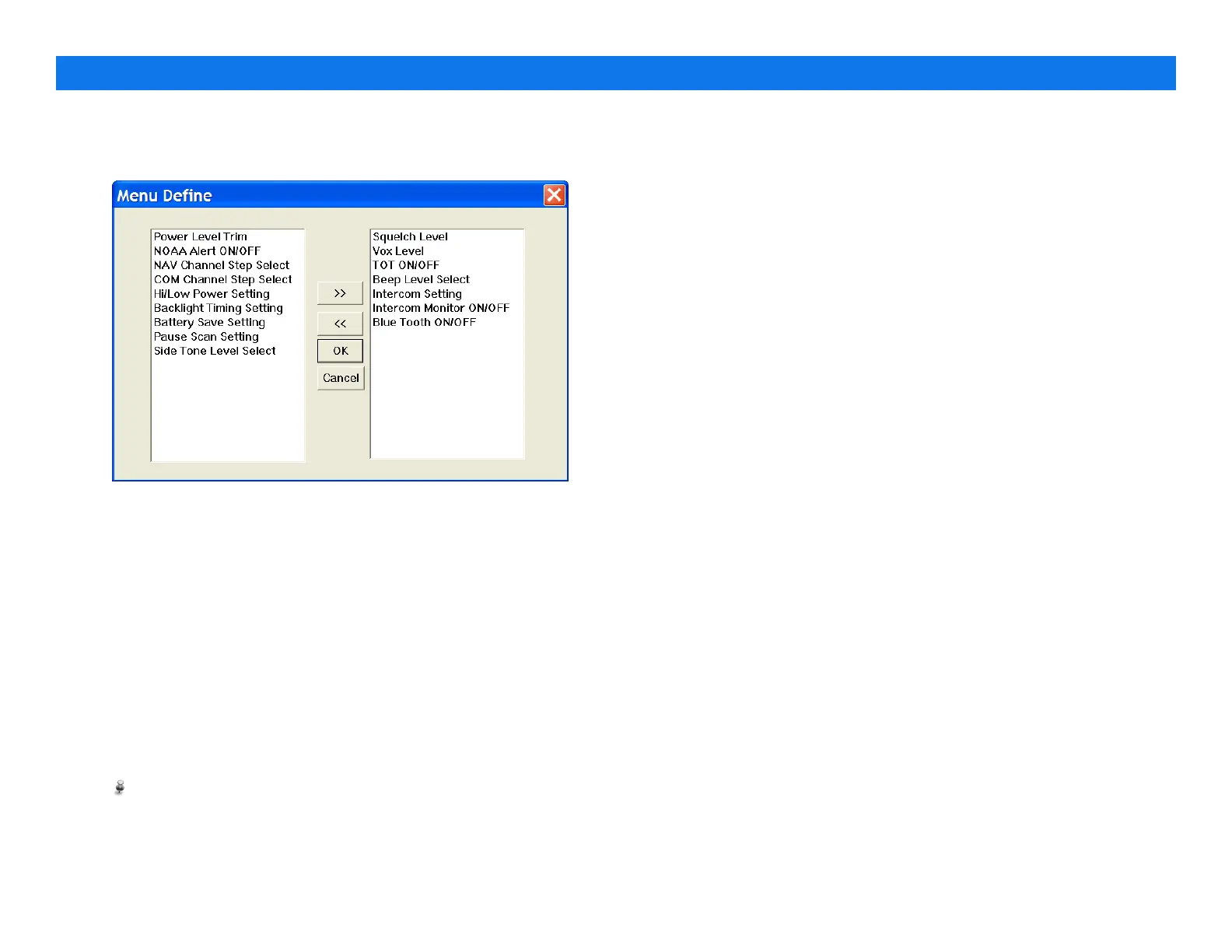
4.2. Menu Definitions
Menu define allowed user to operate specific options in menu
list. Click on desired option in available items and select a
desired option. click on “ >> “ to add the feature for user.
•
Squelch Level – The option change squelch level (from 0 to 9
in 1 step).
•
VOX Level – The option is allowed to change VOX Level
(from 0 to 9).
•
TOT on/off – enable/disable the TOT(time out timer).
•
Beep On/Off– Beep sound is allowed to turn On/Off.
•
Intercom Setting on/off – enable/disable the intercom
feature.
•
Intercom Monitor on/off – enable/disable the intercom
monitor.
•
Blue-Tooth on/off – enable/disable the blue-tooth power.
•
Power Level Trim – this option trim the power level
DOES NOT CHANGE THIS PARAMETER WITHOUT TECHNICAL
SUPPORT.
•
NOAA Alert on/off – enable/disable the alert while base
station announce the alert.
•
NAV Channel Step Select – the option sets frequency step on
NAV channel.
•
COM Channel Step Select – the option sets frequency step
on COM channel.
•
Hi/Low Power Setting – toggles the RF power level (High/Low)
•
Backlight Timing Setting – set backlight timing, the backlight
keep lighting during the time setting from 0-15 seconds in 1s
step.
•
Battery Save Setting – enable/disable the power saving.
•
Pause Scan Setting – select the scan type (busy/pause).
•
Side Tone Level Select – set side tone level (from 0-15 in 1
step).
PROGRAMMING GUIDE V1.31
Page 6


 To Next Page