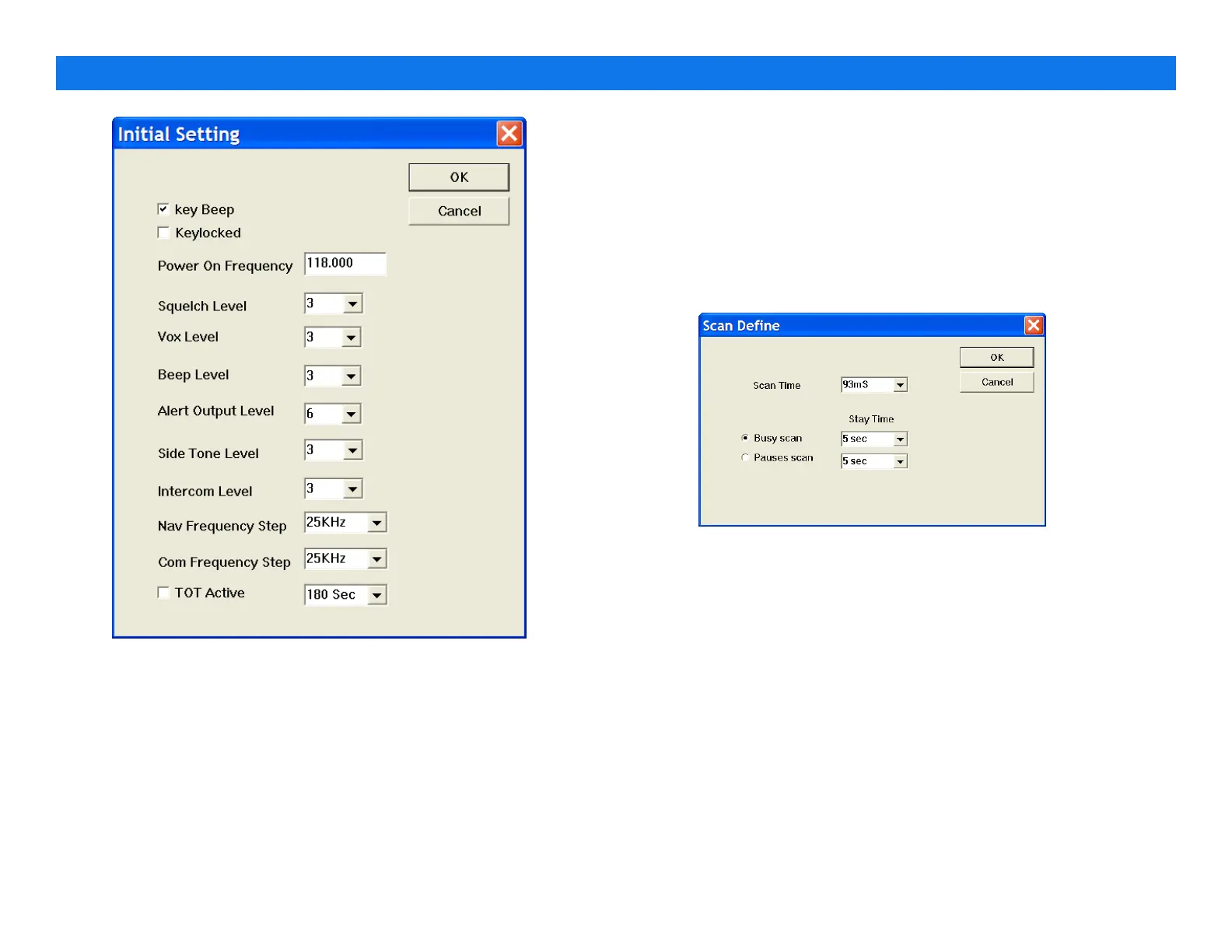
4.2.1. Power On Initialization
RHP530 will be initialized to enable when power on.
•
Key Beep– enables the beep sound while pressing the
button.
•
Keylocked– keypad is locked.
•
Power on frequency – sets initial frequency
•
Squelch level– sets initial squelch level (from 0 –9 in 1 step).
•
VOX level– sets initial VOX level (from 0 –5 in 1 step).
•
Beep level– sets initial beep level (from 0 –6 in 1 step).
•
Alert Output level– sets initial alert (from 1 –6 in 1 step).
•
Side Tone Level– sets initial side tone level (from 1 –6 in 1
step).
•
Intercom level– sets initial intercom level (from 1 –6 in 1 step).
•
Nav frequency Step – sets frequency step in navigation
band, the step is from 5K,8.33K,10K,20K,25K,50K and 100KHz.
•
Com frequency Step –sets frequency step in communication
band, the step is from 5K,8.33K,10K,20K,25K,50K and 100KHz.
•
TOT Active – enable the Time Out Timer.
4.3. Scan Define
4.3.1. Time
•
Scan Time– the time set a period of normal channel scan for
per channel
4.3.2. Scan Type
•
Busy Scan– the RHP530 always land on busy channel unless
channel free. When the channel is free, RHP530 resumes
scan after the timer expired.
•
Pauses Scan– the RHP530 landed on busy channel. RHP530
resume scan after the timer expired.
PROGRAMMING GUIDE V1.31
Page 7


 To Next Page