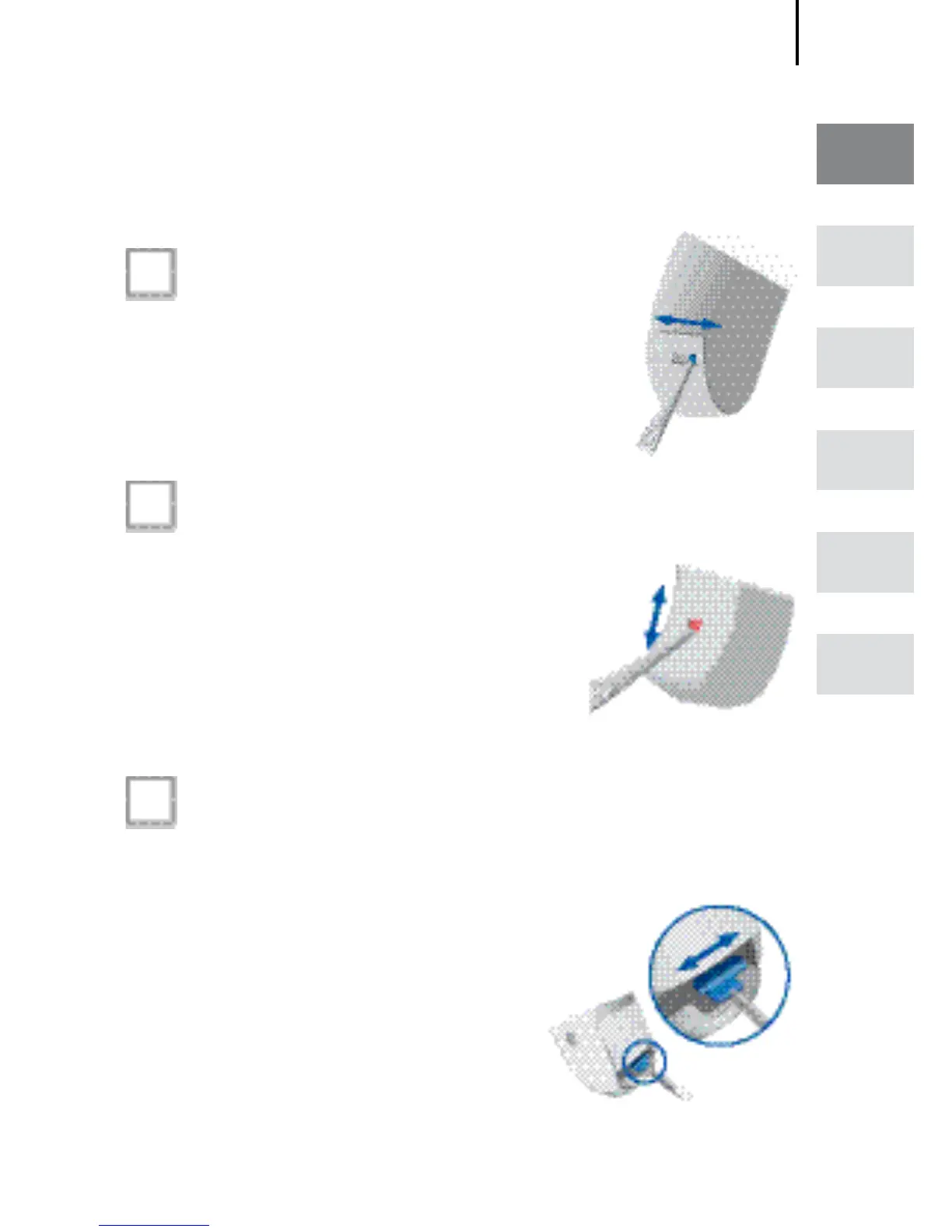
Locking and unlocking the battery compartment
13
EN
HU
RO
FR
DE
AR
Option 1
Locking
Push the small slide to the right.
Unlocking
Push the small slide to the left.
Option 2
Locking
Push the small slide to the
bottom.
Unlocking
Push the small slide to the
top.
Option 3
Locking
Push the slide to the right with a suitable pointed
tool.
Unlocking
Push the slide to the left
with a suitable pointed
tool.
Close the battery compart-
ment completely.
Locking and unlocking the
battery compartment








 To Next Page