EasyManua.ls Logo

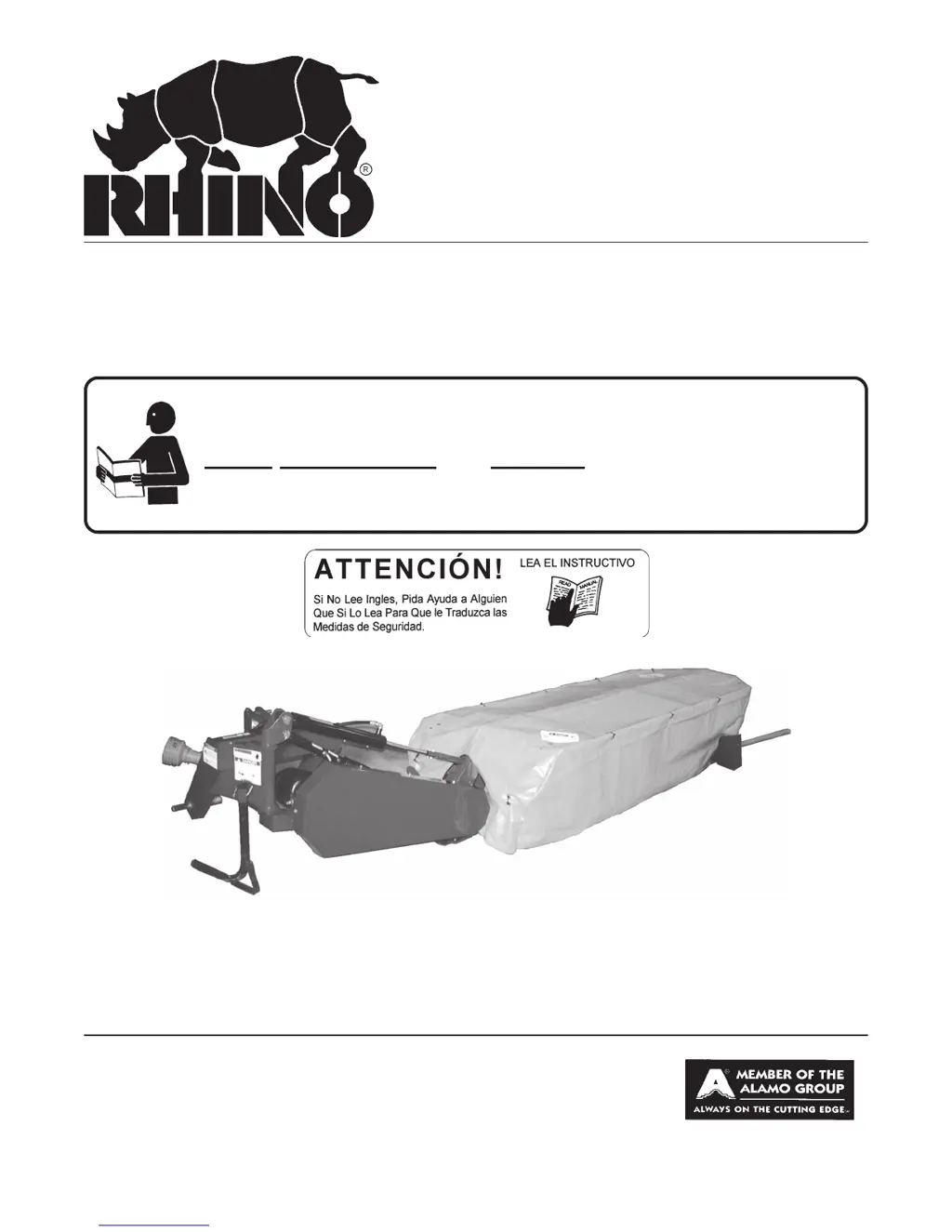
RHINO DM112 - User Manual

RHINO DM112
106 pages
Print Icon
To Next Page IconTo Next Page
Loading...
DM82, DM95, DM112 &
DM124 Disc Mower
OPERATOR'S MANUAL
Published 04-14-03 Effective S/N DM82 20000- Current Part No.4909WC
DISC MOWER
Effective S/N DM95 20201- Current
OPERATOR'S MANUAL
This Operator's Manual is an integral part of the safe operation
of this machine and must be maintained with the unit at all times.
READ, UNDERSTAND, and FOLLOW the Safety and Operation
Instructions contained in this manual before operating the
equipment.
© 2004 Alamo Group Inc.
RHINO
®
1020 S. Sangamon Ave.
Gibson City, IL 60936
800-446-5158
Email: parts@servis-rhino.com
$0.00

Questions and Answers

  • D
    David JohnsonJul 30, 2025
    How to fix a RHINO DM112 that does not cut properly?
    • B
      Bryan HoustonJul 30, 2025
      If your RHINO Lawn Mower does not cut properly, there are several potential causes. Dull, worn, or broken blades can be the issue; in this case, replace the blades or the blade set. If the ground speed is too fast, reduce it. Check the belt tension if the blades aren't turning when the PTO is running. Improper belt tension may also be the problem; inspect for broken drive parts and adjust the belt tension accordingly.
  • M
    Maxwell JacksonAug 9, 2025
    What to do if my RHINO DM112 streaks or gives ragged cut?
    • G
      Gregory DrakeAug 9, 2025
      If your RHINO Lawn Mower is leaving streaks or ragged cuts, it could be due to broken or worn blades, which would need sharpening or replacing. Excessive ground speed can also cause this, so reduce your speed. Lower the cutting height, but be careful the blades do not hit the ground. Clean any dirt buildup between the rock guards. Also, ensure the blades are installed correctly with the cutting edge in the correct position.
  • L
    Lisa KingAug 19, 2025
    Why is my RHINO DM112 Lawn Mower throwing objects?
    • S
      stephanie36Aug 19, 2025
      If your RHINO Lawn Mower is throwing objects, it could be due to several reasons. Excessive clutch slippage can be resolved by adjusting the belt tension. Ensure proper shielding by replacing the cover if it's damaged. Avoid cutting too close to the ground, and raise the cutting height. Replace worn clutch discs. Prevent blades from hitting the ground by raising the cutting height, tilting the mower rearward. Also, remove any material wrapped around the disc.

Summary

Safety Section

Safety Information

Provides essential safety information, including general precautions and the meaning of safety alert symbols and signal words.

Assembly Section

ASSEMBLY

Step-by-step instructions for assembling the mower, including connecting major components and safety precautions.

Operation Section

Connecting the Mower to the Tractor

Instructions for attaching the mower to the tractor's 3-point hitch, including PTO and hydraulic connections.

IID Shaft Installation and Adjustment

Guidance on installing the PTO driveline (IID shaft), adjusting its length, and ensuring proper angles.

Maintenance Section

Disk and Blade Maintenance

Procedures for checking, replacing, and maintaining mower blades and discs for optimal performance and safety.

Troubleshooting

Common problems encountered during operation, their probable causes, and recommended solutions.

RHINO DM112 Specifications

General IconGeneral
BrandRHINO
ModelDM112
CategoryLawn Mower
LanguageEnglish

Related product manuals