12 13
WARMING
Once the pressure inside the appliance is completely released, float valve will drop down and
appliance will automatically switch to warm mode. Warming stage will light up, timer will display
00:00 and will start counting up by increment of 1 minute for up to 24 hours. Once maximum time
is reached, appliance will beep and automatically turn o. Use extreme caution when opening the
lid to avoid scalding.
COOKING TIME CHART
COOKING
FUNCTIONS
PRESET
COOKING TIME
(minutes)
ADJUSTABLE
COOKING TIME
RANGE
PRESSURE /
TEMPERATURE
WARM
Meat 25 1 to 60 min 60 Kpa
24 hours
Poultry 15 1 to 60 min 60 Kpa
Bean 30 1 to 60 min 60 Kpa
Root vegetable 17 1 to 60 min 60 Kpa
Soup 20 1 to 60 min 60 Kpa
Sauté 20 1 to 60 min 170 - 175 ˚C
Steam 8 1 to 60 min 97 - 100 ˚C
Yogurt 480 4 to 20 h 35 - 40 ˚C
Programmable 20 1 to 60 min
High: 65 Kpa
Low: 50 Kpa
Warm
Timer counts up to
24 hours
-
65 - 75 ˚C
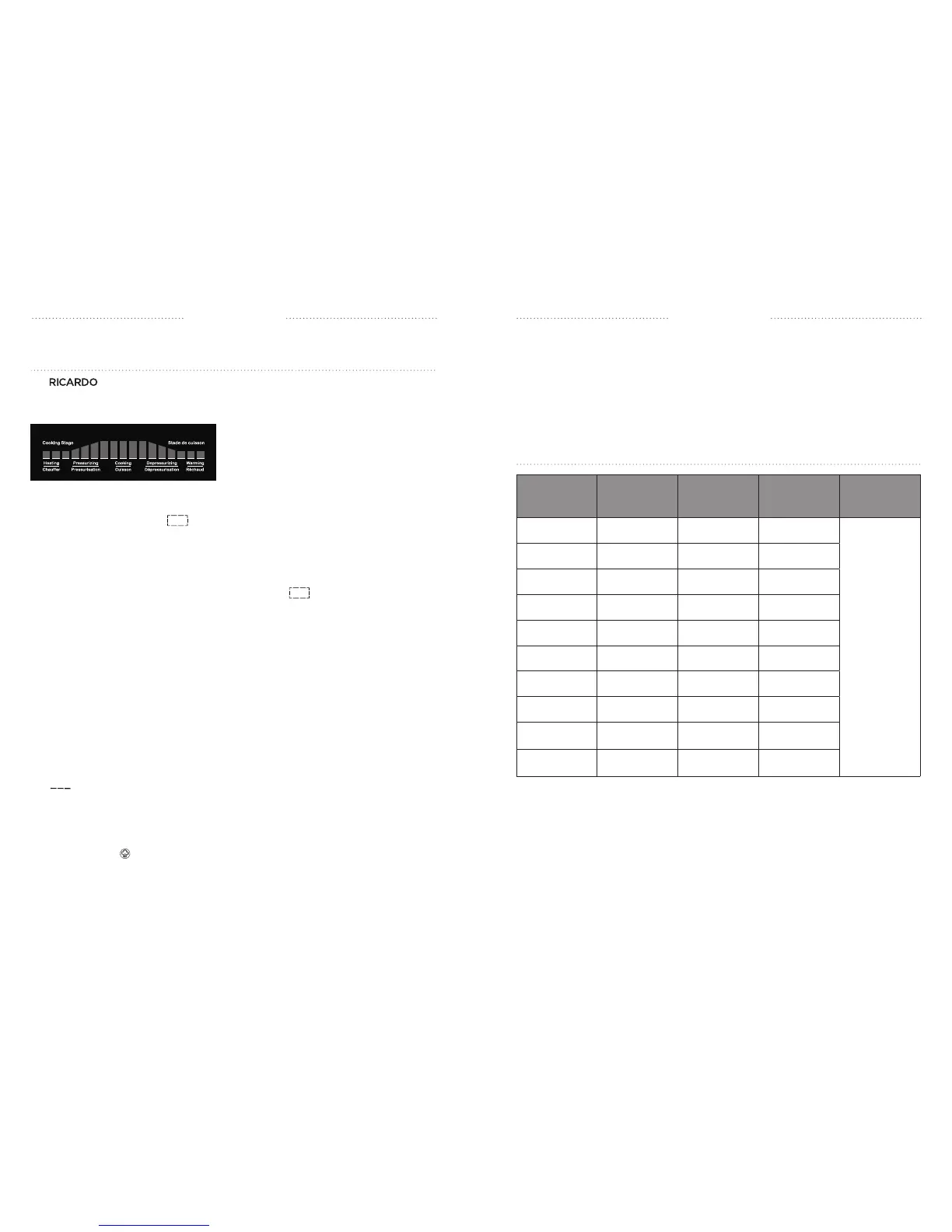
DIGITAL COOKING PROGRESS DISPLAY
The electric pressure cooker is designed with a unique feature that allows to cook
any meal with peace of mind. The digital cooking progress display allows to follow the cooking
stage every step of the way!
HEATING
Heating will start immediately after a cooking function is selected. Heating stage will light up
and display will show rolling bars indicating that the heating stage has started. During the
heating stage, the appliance will gradually reach maximum temperature. Heating time may vary
depending on food and quantity as well as external factors such as ambient temperature.
PRESSURIZING
Once heating stage is completed, pressurizing stage will light up and pressure will start to build
inside the appliance. Display will continue showing rolling bars . Pressurizing time may
vary depending on food and quantity as well as external factors such as ambient temperature
(between 7-10 minutes). The float valve (red button on the lid) will rise indicating the appliance is
pressurized.
COOKING
The appliance will switch to cooking stage once the set pressure or temperature is reached.
Display will show the pre-set cooking time for the selected function and will start counting down.
Cooking time displayed represents the time required for the cooking stage only, not total time.
Float valve will remain up indicating the appliance is pressurized. Do not open the lid while the
appliance is in use. When in operation, hot steam can escape from the steam vent, do not
place unprotected skin over the steam release valve.
DEPRESSURIZING
The appliance will beep 5 times when cooking time is over and will automatically switch
to depressurizing mode. Depressurizing stage will light up and the display will show rolling
bars indicating that the appliance has started releasing internal pressure. This may take
between 15-30 minutes depending on food and quantity. Do not try to force the lid open, allow
the appliance to cool down completely. Do not place unprotected skin over the steam release
valve when depressurizing.
For a quick manual release, using protective oven mitts, carefully turn the pressure release valve to
the “release” position . Always ensure the float valve is down before opening the lid.


 To Next Page
 Loading...