
 Need help?
Do you have a question about the Rice Lake Digi DS-160 and is the answer not in the manual?
Procedure for unlocking the scale, involving removing and installing screws.
Details power source, operating temperature, humidity, weighing device, and dimensions.
Lists the standards the DS-160 model complies with.
Details internal and display resolution, and single interval method.
Specifies the A/D conversion method, sampling rate, and load cell ranges.
Steps for initial setup, including removing covers, soldering load cell wires, and connecting power.
Procedure for starting the scale, including software version display and low voltage indication.
Instructions for setting SPEC data related to RS232C communication.
Procedure for setting SPEC data for weight and measure functions.
Explains the two procedures for entering and modifying SPEC data values.
Provides a comprehensive list of SPEC numbers and their corresponding data settings for RS-232C and W&M.
Detailed procedure for performing weight calibration, including pre-checks and step-by-step adjustments.
Description of the primary function keys: ON/OFF, RE-ZERO, T, ^, and ←.
Explains the indicator lamps: ZERO Lamp, TARE Lamp, and STABLE Lamp.
Procedure for resetting the zero point of the scale after placing weight on the platform.
Step-by-step guide for using the one-touch tare function with an example.
Instructions for setting a digital tare weight by adjusting individual digits.
Lists common error codes, their probable causes, and recommended remedies.
A table detailing key operations for maintenance checks like LCD, SPAN SW, and SPEC settings.
Overview of the RS-232 data output function for transmitting weight data to external units.
Defines transmission parameters for RS-232, including baud rate, data bits, and parity.
Lists text commands used in ASCII code for data transmission, like CR, LF, and numeric data.
Details the 8-pin modular connector and pin configuration for RS-232 communication.
Describes the structure and format of transmitted data, including net weight, tare weight, and examples.
Illustrates the communication flow and procedures between the DC160 and PC using ACK, NAK, ERROR.
Steps for disassembling the indicator block, including removing screws from housing and PCBs.
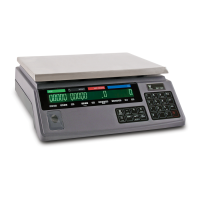
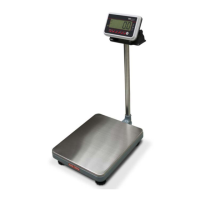
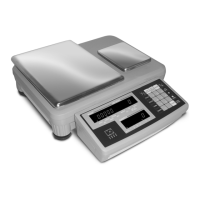
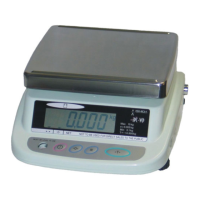
The DS-160 is a digital weighing scale designed for benchtop use, offering a range of features for accurate and efficient weighing operations. It is suitable for various industrial applications where precise weight measurement is crucial.
The primary function of the DS-160 is to provide accurate digital weight measurements. It operates by converting the output from a load cell into a digital display, allowing users to read weights in a clear and precise manner. The scale supports both net and tare weight measurements, which are essential for many weighing tasks. It also includes a zero-setting function to ensure that measurements start from a true zero point, compensating for any initial load or drift.
A key capability of the DS-160 is its RS-232C interface, which enables data output to peripheral units such as a personal computer (PC). This feature is vital for data transaction and analysis, allowing for the recording, processing, and management of weighing data. The scale can transmit various data types, including net and tare weight, in a standard ASCII code format. This connectivity makes the DS-160 an integral part of automated or data-driven weighing processes.
The device also supports remote display functionality, allowing for the connection of up to four external displays, which can be beneficial in environments where the primary display is not easily visible or where multiple viewing points are required. For level detection, an Hg (Mercury) SW I/F is available, ensuring that the scale is properly leveled for accurate readings.
The DS-160 is designed for ease of use with a straightforward operation panel. It features five operation keys: [ON/OFF], [RE-ZERO], [T], [↑], and [←].
The scale's display consists of a 7-segment, 6-digit LCD panel, providing clear visibility of weight readings and operational messages. Several sign lamps indicate the scale's status:
The DS-160 offers both one-touch and digital tare weight reduction. One-touch tare involves placing the tare weight on the platform and pressing the [T] key. Digital tare allows users to manually input a tare weight using the arrow keys, which is useful when the tare weight is known beforehand or cannot be placed on the platform.
The scale also includes an "Animal mode" (SPEC 11 BIT 0), which, when activated, locks out calibration, suggesting a specialized function for weighing live animals where a stable reading might be challenging to obtain.
The DS-160 incorporates several features to facilitate setup, calibration, and troubleshooting, ensuring long-term accuracy and reliability.
Setup Procedure: Initial setup involves removing the rear lid and a shield sheet to access the PCB, where load cell wires are soldered to specified points. This process ensures proper electrical connections for the weighing device. The manual provides detailed instructions for connecting the load cell wires, including specific color codes and soldering points (e.g., BLK for F.G., GRN* for LOAD CELL OUTPUT(+)).
Start-up and Diagnostics: Upon power-on, the scale displays its software version number, followed by a segment count-up and an "all 8's" display, indicating a successful self-test. The "Lo-Vol" display error warns of insufficient input voltage, preventing mal-function. This diagnostic feature helps identify power supply issues early.
Calibration (SPAN Adjustment): The scale requires weight calibration for proper operation. This involves a multi-step process:
SPEC Data Setting: The DS-160 allows for detailed configuration through "SPEC Data Setting." This includes:
Error Display: The scale provides error messages to assist in troubleshooting:
Quick Maintenance Operation Table: This table provides shortcuts for common maintenance tasks, such as:
Disassembly: The manual includes instructions for disassembling the indicator block, which involves removing screws from the housing cover and the PCB. This information is valuable for technicians performing repairs or component replacements.
Overall, the DS-160 is a robust digital weighing scale with comprehensive features for accurate measurement, data integration, and user-friendly maintenance, making it suitable for demanding industrial environments.
 General
| Display Type | LCD |
|---|---|
| Material | Stainless steel |
| Interface | RS-232 |
| Display Size | 0.5 in |
| Power Supply | AC adapter |
| Units | kg, lb |
| Operating Temperature | -10°C to 40°C |




 To Next Page