TIMER
TIMER
Setting the Air Conditioner to Turn ON:
• Plug in the air conditioner and use the remote to power it on.
• Use the remote to set the desired mode, temperature, fan speed, etc.
• Use the remote to power off the air conditioner.
• Press TIMER on the remote and use the UP, DOWN buttons to set the desired delay time until the air
conditioner turns ON. The delay time can be set from 0 to 24 hours in one-hour increments.
• Press TIMER again to enter the delay time. The TIMER LED on the air conditioner illuminates, and the
delay time appears on the remote.
Setting the Air Conditioner to Turn OFF:
• Plug in the air conditioner and use the remote to power it on.
• Use the remote to set the desired mode, temperature, fan speed, etc.
• Press TIMER on the remote and use the UP, DOWN buttons to set the desired delay time until the air
conditioner turns ON. The delay time can be set from 0 to 24 hours in one-hour increments.
• Press TIMER again to enter the delay time. The TIMER LED on the air conditioner illuminates, and the
delay time appears on the remote.
To cancel TIMER:
• Press the TIMER button again; when a Beep is heard and the indicator disappears, the TIMER mode has
been canceled.
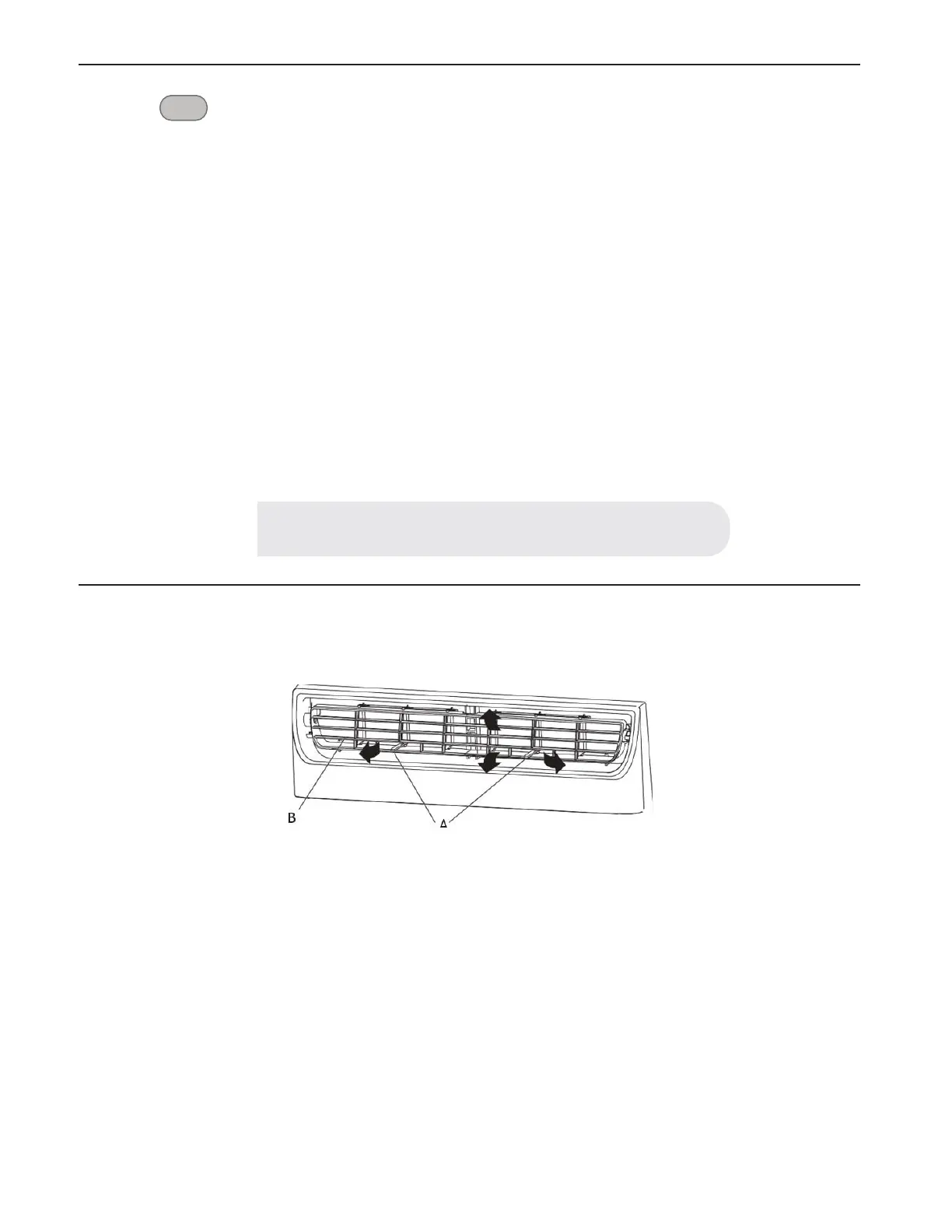
3. Changing Air Direction
• Use the Vertical Level Vane (A) to direct the air right or left. Use the whole cartridge (B) to direct air up, down or straight ahead.
NOTE:
The TIMER function can only be set using the remote.
C)
.-
(r,r
r
r·:-
I
B
I
ii
ff
~
\
'I
,,
1
),
"'
,
111/)
"
!!
'If/ I
-
~
;,
7'
~/
/



 To Next Page