Getting Started
20
1
7.
Control panel
See p.23 “Control Panel”.
8.
Front cover
Open to access the inside of the machine.
9.
Paper tray (tray 1-3)
Load paper here.
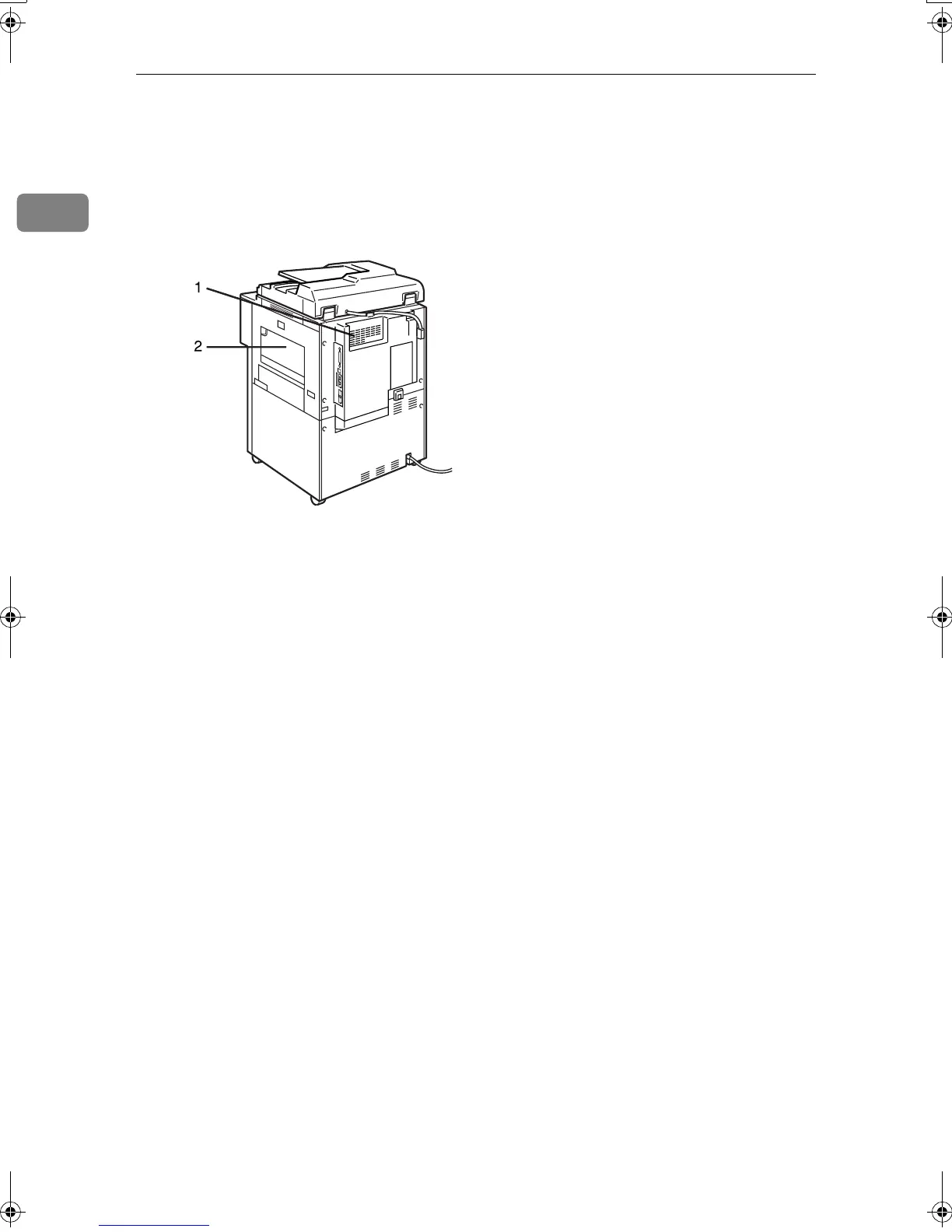
1.
Ventilation holes
Prevent overheating. Do not obstruct the
ventilation holes by placing an object
near it or leaning things against it. If the
machine overheats, a fault might occur.
2.
Bypass tray
Use to print on OHP transparencies, label
paper (adhesive labels), translucent pa-
per, postcards and custom size paper.
ADH002S
MartiniC2_ENzen_F_pre_FM.book Page 20 Tuesday, July 27, 2004 1:24 PM









 To Next Page