EasyManua.ls Logo

Ricoh Aficio SP 3400N - User Manual

Ricoh Aficio SP 3400N
2 pages
Print Icon
To Next Page IconTo Next Page
Loading...
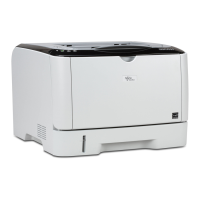
Ricoh Aficio SP 3400N/SP 3410DN
B/W Laser Printer
A Remarkably Robust and Economical
Desktop Printing Solution
network
compact
simple

Other manuals for Ricoh Aficio SP 3400N

Questions and Answers

  • E
    Eric PerezSep 12, 2025
    What does 'Paper Size Mismatch Paper of the selected paper size is not supported for the [Duplex] feature' mean on Ricoh Aficio SP 3400N Printer?
    • A
      Amy WongSep 12, 2025
      If your Ricoh Printer displays 'Paper Size Mismatch Paper of the selected paper size is not supported for the [Duplex] feature', it means 2-sided printing could not be performed because the tray does not contain the valid size paper, which are A4, Letter or Legal. Specify the tray containing the A4, Letter or Legal size paper in the printer driver setting.
  • P
    powersjasonAug 23, 2025
    What does 'Unit Not Detected' mean on my Ricoh Aficio SP 3400N?
    • J
      Jessica JonesAug 23, 2025
      If your Ricoh Printer displays 'Unit Not Detected', it means the print cartridge is not set correctly, or not set.
  • J
    Jason ColeAug 25, 2025
    What to do if my Ricoh Aficio SP 3400N is printing slowly due to memory overflow?
    • R
      rsheltonAug 25, 2025
      If printing on your Ricoh Printer is interrupted due to memory overflow, it means the data is too large or complex to print. If using the PCL 6 printer driver, set [Resolution] in [Print Quality] to [600 x 600 dpi]. If using the PostScript 3 printer driver, set [Print Quality] in [Printer Features] to [600 x 600 dpi].
  • A
    Andrea CarterAug 27, 2025
    What to do if the Ricoh Printer says 'No Toner'?
    • C
      caitlin11Aug 27, 2025
      If your Ricoh Printer indicates 'No Toner', it means the printer is out of toner. The solution is to replace the print cartridge.
  • T
    Terry ButlerAug 29, 2025
    What to do if Ricoh Aficio SP 3400N Printer says 'Cover Open'?
    • H
      horncourtneyAug 29, 2025
      If your Ricoh Printer displays a 'Cover Open' message, it means the front or rear cover is open. To resolve this, open and then close the front cover or rear cover as indicated.
  • S
    Stephanie WhitneyAug 31, 2025
    What to do if my Ricoh Aficio SP 3400N Printer displays 'Paper Size Mismatch'?
    • J
      Jordan GrantAug 31, 2025
      If your Ricoh Printer shows a 'Paper Size Mismatch' error, it means the paper size setting in the tray differs from the actual paper size in the tray. To fix this, load paper of the selected size in the tray, and then change the paper size setting with printer driver or Smart Organizing Monitor.
  • S
    Samantha WheelerNov 26, 2025
    How to fix paper misfeed on Ricoh Aficio SP 3400N Printer?
    • R
      Ronald BaldwinNov 27, 2025
      If your Ricoh Printer is experiencing a paper misfeed, the solution is to remove the misfed paper. If the message indicates [Rear Cover], and if there is no paper, open the Front Cover and pull out the Print Cartridge to remove any misfed paper. If the message indicates [Bypass Tray], pull out the loaded paper and remove any misfed paper. If the message indicates [Tray 1], pull out the indicated unit, and push the Duplex Path Release Lever away to remove any misfed paper. If the message indicates [Tray 2], pull out the indicated unit and remove any misfed paper; if there is no paper, open the Front Cover and pull out the Print Cartridge to remove any misfed paper. If the message indicates [Front Cover], pull out Print Cartridge, then remove any misfed paper. If no paper, pull out Tray 1, t...
  • C
    Craig DavisSep 13, 2025
    What does 'Paper Type Mismatch Paper of the selected paper type is not supported for the [Duplex] feature' mean on Ricoh Aficio SP 3400N Printer?
    • C
      Cathy WrightSep 13, 2025
      If your Ricoh Printer displays 'Paper Type Mismatch Paper of the selected paper type is not supported for the [Duplex] feature', it means you cannot select duplex printing if the paper type is set to [Thick Paper 2], [Bond paper], [Cardstock], [Labels], [OHP], or [Envelope]. Select a paper type that allows duplex printing.
  • J
    Jennifer AllenSep 10, 2025
    What does 'Independent-supplier toner has been set' mean on Ricoh Aficio SP 3400N?
    • D
      Dr. Justin SolisSep 10, 2025
      If your Ricoh Printer displays 'Independent-supplier toner has been set', it means a non-supported print cartridge is installed. Remove it and replace it with a print cartridge specified by an authorized dealer.
  • M
    maryshortSep 7, 2025
    What does 'Print Cartridge is near empty' mean on Ricoh Aficio SP 3400N Printer?
    • T
      Timothy StevensSep 7, 2025
      If your Ricoh Printer displays 'Print Cartridge is near empty', it means the print cartridge is almost empty. It is recommended to prepare a new print cartridge.

Ricoh Aficio SP 3400N Specifications

General IconGeneral
BrandRicoh
ModelAficio SP 3400N
CategoryPrinter
LanguageEnglish

Related product manuals