143
MO-C1 Training
Slide 143
General Operation Sequence
4. Printing
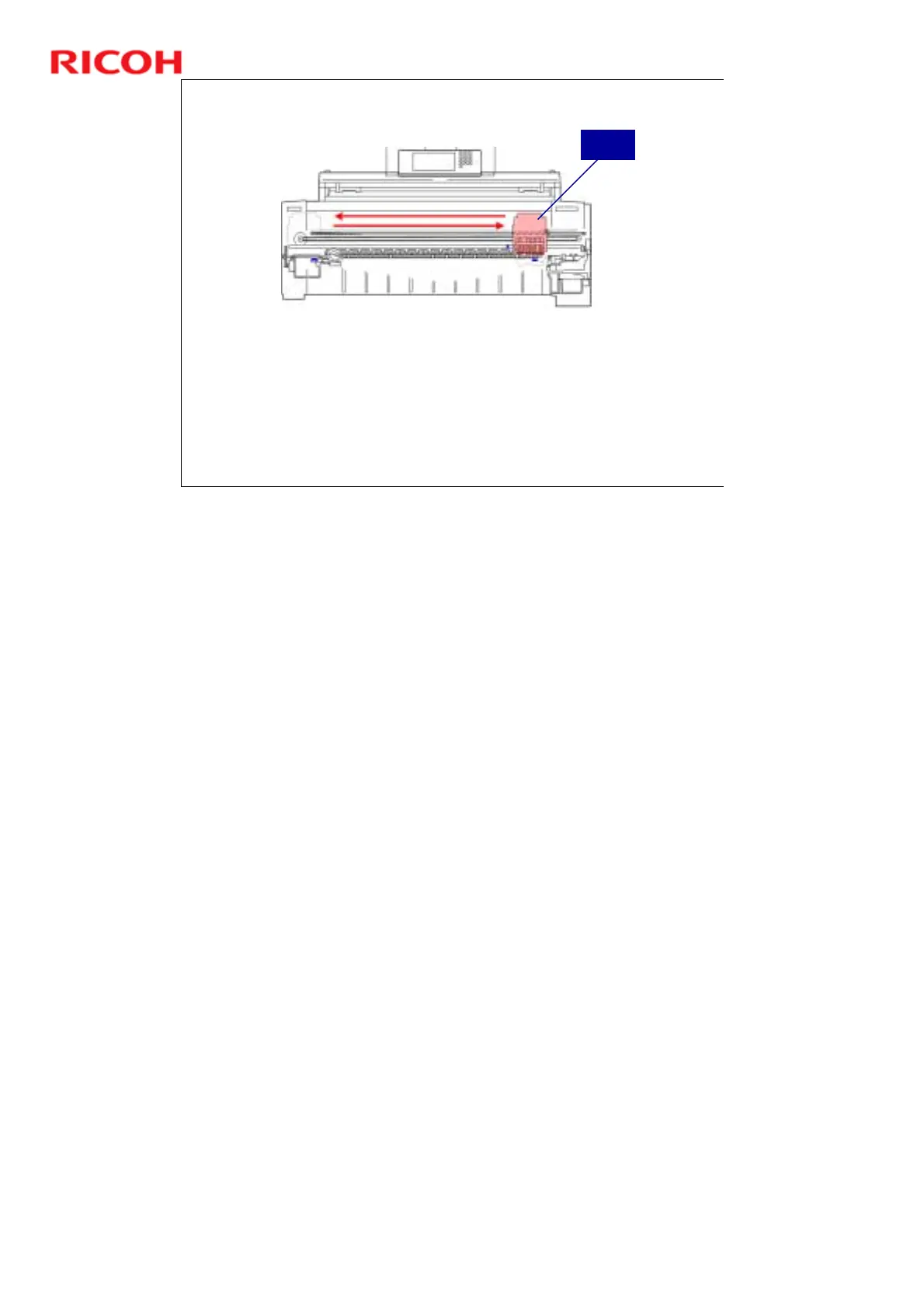
The carriage unit moves left and right.
The print heads mounted on the carriage unit lay down ink on the paper.
Each print head unit in the carriage contains sub tanks that hold the ink.
The paper transport fan remains on and holds the paper tightly on the platen, so it
does not shift during printing.
If black-and-white printing was selected, only the first two print heads K1 and K2
(both black) are used.
If color printing was selected, then the K2, C, Y, and M print heads are used. (K1
is not used.)
If uni-directional printing is selected, then the print heads lay down ink only when
the carriage unit passes from right to left. If bi-directional printing was selected,
the print heads lay down ink on both passes, right to left and then left to right.
Carriage
Unit
Uni-directional vs bi-directional printing.
For copy jobs, the type of printing depends on the paper type, and for paper
types that require uni-directional printing (translucent, matte film, coated, or
special paper types), the setting cannot be changed.
Print jobs always use uni-directional printing, and cannot be switched to bi-
directional.
Bi-directional printing is not allowed if the print heads are raised (if either the
"Strong“ or "Weak“ setting is selected).
¾ For more on raising the print heads, see ‘Print Head Gap Adjustment ‘ in
‘Ink Supply and Printing’.



 To Next Page