145
MO-C1 Training
Slide 145
General Operation Sequence
5. Cutting
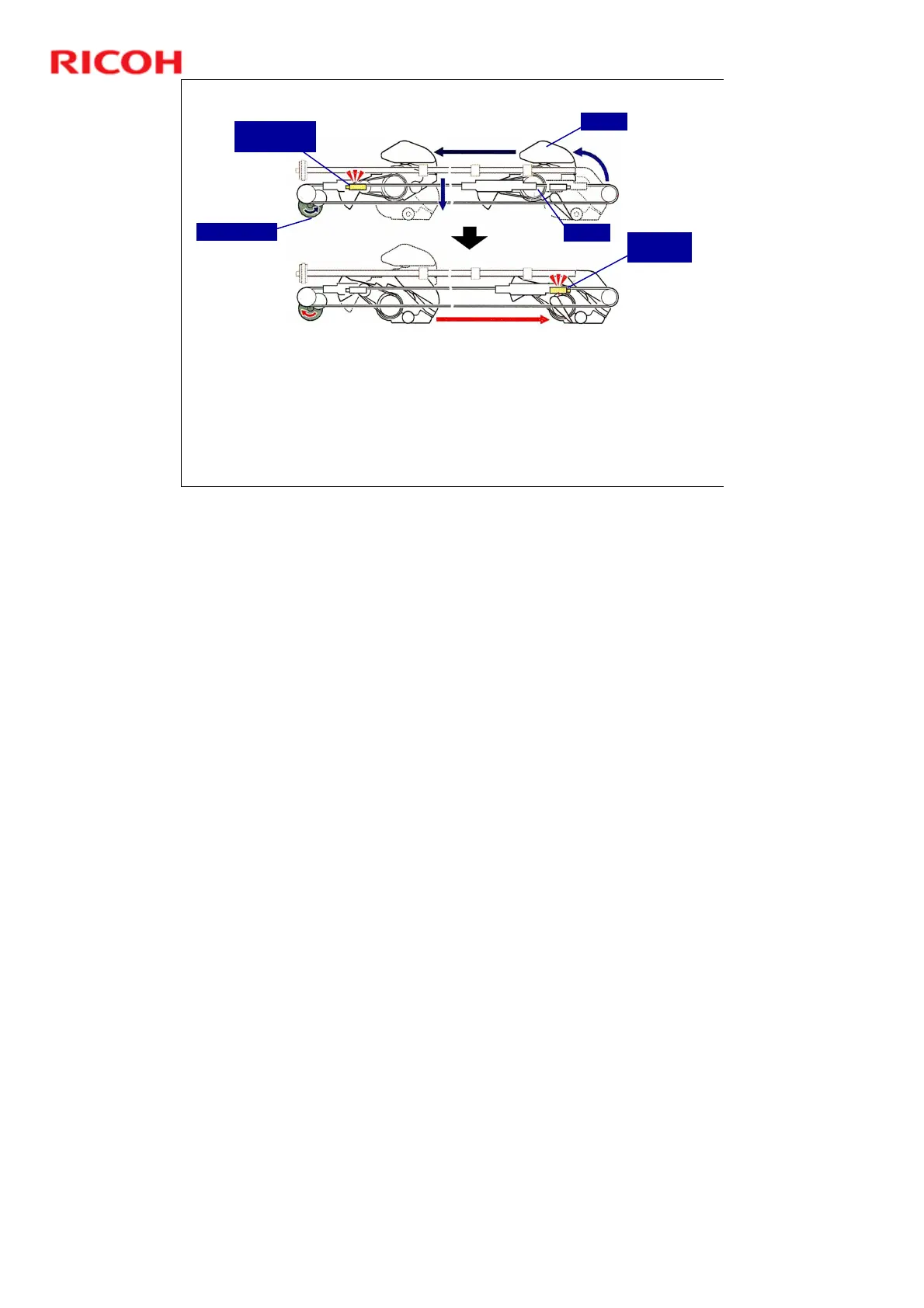
1. When printing is finished, the print head moves away from the platen, so that the cutter can cut the paper.
If the last line printed ends on the left side, the carriage moves to the left side of the machine.
If the last line printed ends on the right side (bi-directional printing), the carriage moves the right to its home
position.
2. Paper feeds a short distance and stops.
3. Normally, there is no delay before the cut is done, except for tracing paper (15 s delay).
4. If you need a delay to allow the ink on the paper to dry before it is cut, adjust with SP 3140 (Ink Drying
Time Setting). There is a setting for each paper type.
If a long delay (more than 30 sec.) has been specified by the operator, the horizontal motor will switch ON
and move the carriage back to its home position so that the print heads can be capped to prevent them
from drying out.
Cutter Motor
Cutter
Blade
Cutter Return
Switch
Cutter HP
Sensor
No additional notes



 To Next Page