
 Need help?
Do you have a question about the Ricoh Pentax K-50 and is the answer not in the manual?
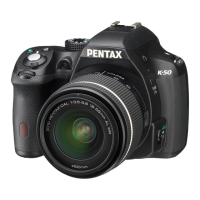
This document is a service manual for the PENTAX K-50 digital single-lens reflex (DSLR) camera, covering various aspects from preparation and assembly to technical specifications and maintenance. The manual details procedures for servicing and adjusting the camera, ensuring its proper function and performance.
The PENTAX K-50 is a DSLR camera designed for photography enthusiasts, offering a range of features for capturing high-quality images. The service manual outlines the internal structure and operational flow necessary for its maintenance and repair. It covers the disassembly and reassembly of the main body and front housing, as well as specific adjustments required for optimal performance. The camera's functions include various shooting modes, image processing capabilities, and data storage on SD cards. The manual also touches upon firmware updates and battery consumption, which are crucial for the camera's operation.
The manual provides insights into the technical requirements for servicing the K-50. For software installation, it specifies compatibility with Windows XP SP2, requiring a CPU of 1GHz or more, RAM of 512MB or more, and a free disk space of 500MB or more. USB2.0 port is also required. The camera uses SD cards (16MB or above) for firmware.
Regarding battery consumption, the manual details current draw under various conditions. For instance, in Main SW/OFF, the current is 100 µA or less. When the Main SW is ON, it draws 500mA (Meter OFF) or 600mA (Meter ON). After auto power off, it consumes 100 µA. During charging flash, it draws 3,200mA. Driving AF motor (phase difference AF) consumes 2,800mA (SDM) or 1,600mA (Bulb). Releasing shutter draws 2,800mA. Recording image after release consumes 600mA. Displaying menu, playback image, and reading playback image in card or via USB communication typically draw 600mA or 400mA. During Live view, it draws 800mA. Stand by for Movie draws 900mA, Recoding Movie draws 1,000mA, and Playback Movie draws 600mA. These values are provided for both DC6.0V and DC8.4V power supplies, indicating the camera's power requirements and efficiency.
The manual also lists specific product numbers for different color variations:
While primarily a service manual, it implicitly highlights several usage features through its adjustment and maintenance procedures. The camera supports various adjustments such as SR (Shake Reduction) unit adjustment, metering, battery check, M100 adjustment (AF), digital part adjustment, shutter speed adjustment by histogram, and level zero/image shift adjustment. These adjustments ensure the camera's accuracy in capturing images, stabilizing shots, and managing power. The flow chart for assembly and disassembly indicates the complexity and modularity of the camera's design, which allows for detailed servicing. The camera also supports firmware updates, which can enhance its functionality and fix bugs over time. The use of an SD card for firmware updates and data storage is a standard feature.
The service manual is a comprehensive guide for maintaining the PENTAX K-50. It outlines detailed preparation steps, including the use of jigs, tools, and testers for disassembly and assembly. It emphasizes the importance of proper adjustment procedures, such as preparing for adjustments and installing adjustment software.
Key maintenance procedures include:
The manual also provides cautions regarding handling components, such as applying anti-static mat and wrist strap to prevent static failure of circuits, and using white-tinged solder. It highlights the importance of using specific parts and following the outlined procedures to ensure proper repair and functionality. The detailed circuit block diagram aids in understanding the internal wiring and connections of the camera, facilitating troubleshooting and repair.
 General
| Brand | Ricoh |
|---|---|
| Model | Pentax K-50 |
| Category | Digital Camera |
| Language | English |




 To Next Page