EasyManua.ls Logo

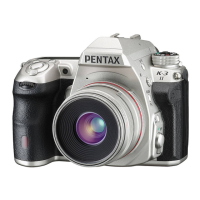
Ricoh Pentax K-3 II - User Manual

Ricoh Pentax K-3 II
116 pages
Print Icon
To Next Page IconTo Next Page
Loading...
e_kb570_cover_5.4mm.fm Page 1 Tuesday, May 12, 2015 3:50 PM
Specifications and external dimensions are subject to change without notice.
OPK3II101-EN Copyright © RICOH IMAGING COMPANY, LTD. 2015
FOM 01.05.2015 Printed in Europe
RICOH IMAGING COMPANY, LTD.
2-35-7, Maeno-cho, Itabashi-ku, Tokyo 174-8639, JAPAN
(http://www.ricoh-imaging.co.jp)
RICOH IMAGING EUROPE
S.A.S.
Parc Tertiaire SILIC 7-9, avenue Robert Schuman - B.P. 70102,
94513 Rungis Cedex, FRANCE
(http://www.ricoh-imaging.eu)
RICOH IMAGING AMERICAS
CORPORATION
633 17th Street, Suite 2600, Denver, Colorado 80202, U.S.A.
(http://www.us.ricoh-imaging.com)
RICOH IMAGING CANADA
INC.
5520 Explorer Drive Suite 300, Mississauga, Ontario, L4W 5L1, CANADA
(http://www.ricoh-imaging.ca)
RICOH IMAGING CHINA CO.,
LTD.
23D, Jun Yao International Plaza, 789 Zhaojiabang Road, Xu Hui District,
Shanghai, 200032, CHINA
(http://www.ricoh-imaging.com.cn)
This contact information may change without notice.
Please check the latest information on our websites.
SLR Digital Camera
Operating Manual
To ensure the best performance from your
camera, please read the Operating Manual
before using the camera.
Introduction
1
2
Getting Started
3
Shooting
4
Playback
5
Settings
6
Appendix

Table of Contents

Questions and Answers

  • J
    Jessica DavisJul 26, 2025
    What to do if the shutter cannot be released on Ricoh Pentax K-3 II Digital Camera?
    • K
      Kevin WoodJul 27, 2025
      If the shutter of your Ricoh Digital Camera cannot be released, it might be due to several reasons. First, the memory card may be full; try inserting a memory card with available space or delete unwanted images. Second, data might be processing; wait until processing is finished. Third, the lens aperture ring may be set incorrectly; set it to the 9 position or select [Enable] in [26. Using Aperture Ring] of the E4 menu. Lastly, if the autofocus mode is set to x or z and the subject is not in focus, set the focus method to w and adjust focus manually.
  • B
    btaylorAug 12, 2025
    Why my Ricoh Digital Camera does not turn on?
    • B
      barberaustinAug 12, 2025
      If your Ricoh Digital Camera does not turn on, it could be due to the battery. Ensure the battery is installed properly, checking its orientation. If the battery power is low, charge the battery.

Summary

How to Use This Manual

Names and Functions of the Working Parts

Identifies and describes all external and internal camera components and their purposes.

How to Change Function Settings

Details methods to adjust camera functions via direct keys, control panel, and menus.

Getting Started

Attaching a Lens

Instructions for correctly mounting and removing camera lenses, ensuring proper alignment.

Using the Battery and Charger

Guide on charging the camera's lithium-ion battery and safe handling of the charger.

Inserting a Memory Card

Instructions for inserting SD, SDHC, SDXC, Eye-Fi, and Flucards into the camera.

Initial Settings

Covers turning the camera on and performing essential initial configurations like language and date.

Basic Shooting Operation

Explains fundamental steps for taking pictures in the default Green mode.

Shooting

Configuring the Capture Settings

Settings for memory cards, image capture, and movie capture parameters like format and pixels.

Taking Still Pictures

Guide to selecting suitable exposure modes (P, S, A, M) for still photography.

Recording Movies

Step-by-step instructions for recording video, including focus and sound options.

Playback

Settings

Appendix

Ricoh Pentax K-3 II Specifications

General IconGeneral
Sensor TypeCMOS
Sensor Size23.5 x 15.6 mm
Effective Pixels24.35 MP
Max Resolution6016 x 4000
Image Ratio w:h3:2
ISO Range100 - 51200
Lens MountPentax KAF2
Focal Length Mult.1.5x
Autofocus Points27
Continuous Shooting Speed8.3 fps
Viewfinder TypeOptical (Pentaprism)
LCD Screen Size3.2"
Screen Dots1, 037, 000
Articulated LCDNo
Max Shutter Speed1/8000 sec
Video Resolution1920 x 1080
Battery Life720 shots
Weight800 g (1.76 lb)
Camera TypeDigital SLR
FormatJPEG, RAW
Storage TypesSD/SDHC/SDXC
USBUSB 2.0

Related product manuals