EasyManua.ls Logo

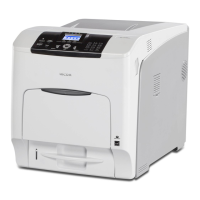
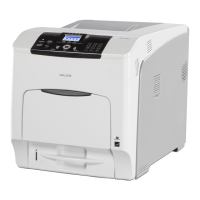
Ricoh SP C435DN - User Manual

Ricoh SP C435DN
100 pages
Print Icon
To Next Page IconTo Next Page
Loading...
For safe and correct use, be sure to read the Safety Information in
Read This First before using the machine.
Troubleshooting
Loading Paper
Getting Started
User Guide

Table of Contents

Other manuals for Ricoh SP C435DN

Questions and Answers

  • D
    Diana HerreraSep 23, 2025
    What to do if an error on the Ethernet is detected on Ricoh SP C435DN?
    • W
      williamreyesSep 23, 2025
      Turn the Ricoh Printer off, and then turn it on again. If the problem persists, contact your sales or service representative.
  • S
    Susan ClarkAug 23, 2025
    What to do if Ricoh SP C435DN says 'There is no paper in the specified tray'?
    • R
      Robert ReedAug 23, 2025
      If your Ricoh Printer displays the message 'There is no paper in the specified tray', load the specified paper in the tray and press [JobReset] to reset the job.
  • N
    Nancy MccallAug 25, 2025
    Why is my Ricoh Printer printing faded images?
    • J
      John BrooksAug 25, 2025
      If the printed image from your Ricoh Printer is faded across the entire page, it could be because the paper is unsuitable. Printing on coarse or treated paper might result in a faint print image. Use recommended paper.
  • C
    Carla GreenAug 26, 2025
    Why does my Ricoh SP C435DN take so long to print?
    • J
      john24Aug 27, 2025
      If it takes a long time to complete the print job on your Ricoh Printer, it may be because photographs and other data-intensive pages take a long time for the printer to process. Simply wait when printing such data.
  • C
    Christina GarciaAug 27, 2025
    Why does my Ricoh SP C435DN take so long to resume printing?
    • L
      Lori BerryAug 28, 2025
      If your Ricoh Printer takes too long to resume printing, it is because the printer was in Energy Saver mode or Sleep mode. The printer must warm up, and this takes time until printing starts.
  • T
    theresa72Sep 18, 2025
    What to do if the proxy user name or password is incorrect on Ricoh SP C435DN Printer?
    • B
      Brandon FoleySep 18, 2025
      Check the proxy server settings, and then change the user name and/or password if they are incorrect.
  • W
    William HardinSep 15, 2025
    How to fix Ricoh SP C435DN when the toner is not fixed?
    • C
      cpearsonSep 15, 2025
      If the toner is not fixed by your Ricoh Printer, for PCL 5c: On the printer driver's [Paper] tab, select a proper paper type in the [Type:] box. For PCL 6/PostScript 3: On the printer driver's [Detailed Settings] tab, click [Paper] in "Menu:", and then select a proper paper type in the "Paper Type:" list.
  • D
    Dr. Michael MurraySep 16, 2025
    What to do if updating the @Remote certificate failed on Ricoh SP C435DN?
    • B
      buckleycarlSep 16, 2025
      Turn the Ricoh Printer off, and then turn it on again. If the problem persists, contact your sales or service representative.
  • R
    rbowenSep 6, 2025
    Why are images cut off when printing from my Ricoh Printer?
    • R
      Roger JonesSep 7, 2025
      If the images are cut off or excess is printed by your Ricoh Printer, it might be because you are using paper smaller than the size selected in the application. Use the same size paper as selected in the application. If you cannot load paper of the correct size, use the reduction function to reduce the image, and then print.
  • G
    gwilkinsSep 3, 2025
    What to do if Ricoh SP C435DN waste toner bottle is full?
    • T
      Timothy AndersonSep 4, 2025
      If your Ricoh Printer displays a message indicating that the waste toner bottle is full, you should replace the waste toner bottle.

Ricoh SP C435DN Specifications

General IconGeneral
Print TechnologyLaser
Color OutputColor
Print Resolution1200 x 1200 dpi
Operating System CompatibilityWindows, Mac OS, Linux
AirPrint EnabledYes
Automatic DuplexingYes
ConnectivityEthernet, USB
InterfaceUSB, Ethernet
Media TypePlain Paper, Recycled Paper, Label Paper, Envelope, Transparency
Media SizesA4, A5, A6, B5, B6, Letter, Legal, Executive, Folio
Envelope SizesC5, C6, DL, Monarch

Related product manuals