EasyManua.ls Logo

ricoo S2922 User Manual

ricoo S2922
18 pages
To Next Page IconTo Next Page
Page #1 background imageLoading...
Page #1 background image
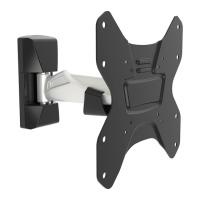
Vollbewegliche TV Wandhalterung
English
Deutsch
MONTAGEANLEITUNG
v.16.10
25kg
(55lbs)
MAX
S2922
75x75
100x100
200x100
200x200
ACHTUNG: NIEMALS DAS MAXIMAL
ZULÄSSIGE BELASTUNGSGEWICHT
ÜBERSCHREITEN. MISSACHTUNG
KANN ZU SACHSCHÄDEN ODER
SCHWEREN VERLETZUNGEN FÜHREN!
Question and Answer IconNeed help?

Do you have a question about the ricoo S2922 and is the answer not in the manual?

ricoo S2922 Specifications

General IconGeneral
ModelS2922
CategoryRacks & Stands
TypeTV Stand
Adjustable HeightNo
Number of Shelves2
Assembly RequiredYes
VESA compatibilityNo
MaterialMetal
ColorBlack

Summary

Full Motion TV Wall Mount

General Safety and Installation Warnings

Package Contents and VESA Preparation

Component Checklist

List of all included parts and hardware for the TV wall mount.

VESA Hole Spacing Measurement

Instructions to measure VESA hole spacing on the TV before mounting.

Wall Mounting - Step 1a

Wall Mounting - Step 1b

Assembly Steps 2 and 3

Step 2: Attaching Arm Components

Attaching specific components (C, D) to the wall-mounted bracket.

Step 3: Connecting Arm to Wall Bracket

Connecting the articulated arm to the wall bracket.

TV Plate Attachment - Steps 4a and 4b

Step 4a: TV Plate Attachment (Variant 1)

Attaching the TV plate using specific screws (M-E, M-A, M-F, M-B, M-C, M-D).

Step 4b: TV Plate Attachment (Variant 2)

Attaching the TV plate using different screws (M-D, M-F, M-G).

Hanging TV on Wall - Step 5

Finalizing Installation - Steps 6 and Done

Step 6: Securing the TV

Securing the TV to the bracket using component B.

Final Adjustments

Performing final adjustments for tilt, swivel, and rotation of the mounted TV.

Related product manuals