EasyManua.ls Logo

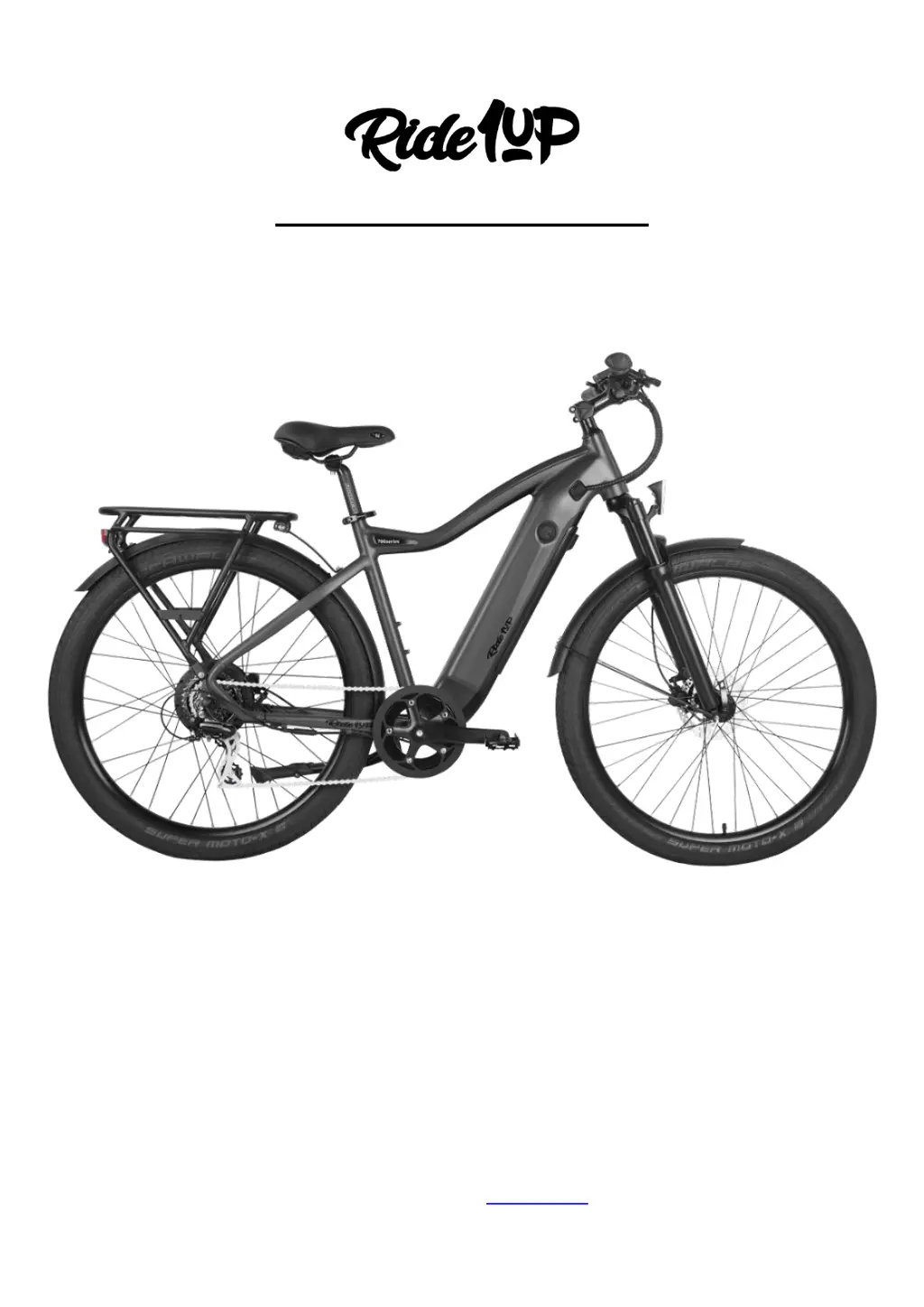
Ride1up 700 Series - User Manual

Ride1up 700 Series
23 pages
Print Icon
To Next Page IconTo Next Page
Loading...
For the most up to date documents, bike models, additional information, instructional videos,
and more, visit us at Ride1up.com
E-bike Owner’s Manual
Model: 700 Series

Questions and Answers

  • A
    angela92Jul 29, 2025
    How to check battery voltage on Ride1up 700 Bicycle?
    • A
      Alexander SheaJul 29, 2025
      If your Ride1up Bicycle isn't performing as expected, the battery voltage might be the issue. Use the display to check the real-time voltage output. Alternatively, you can use a multimeter. If the battery is old and has been charged/discharged frequently, consider replacing it, as the cause may be that the battery is not supplying the required voltage to power the display and motor.
  • M
    michelletranAug 5, 2025
    What to do if EBS (electronic brake shut-off) error appears on Ride1up 700?
    • S
      Sara ThompsonAug 5, 2025
      If you are experiencing an EBS (electronic brake shut-off) error on your Ride1up Bicycle, disconnect the electronic brake shut-offs. This issue often occurs after a crash or if the bike is dropped. The likely cause is a magnet sensor issue.
  • R
    Richard BookerAug 13, 2025
    What to do if there is Motor Communication error on Ride1up 700 Bicycle?
    • M
      Mark MartinezAug 13, 2025
      If you're encountering a motor communication error on your Ride1up Bicycle, check the motor cable connection point by the chainstay and where it connects to the internal controller. Ensure the wire is properly connected and undamaged. Reconnect the motor cable if necessary. Another possibility is damage to the motor cable as it exits the axle, perhaps if the wheel was dropped on the cable.
  • D
    davismatthewAug 20, 2025
    What to do if motor sensor error appears on Ride1up 700 Bicycle?
    • V
      Vanessa YoungAug 20, 2025
      If a motor sensor error appears on your Ride1up Bicycle, check the cable connecting the rear hub motor to the system. Ensure it's free from grit or contaminants and firmly connected. This error can occur if the cable isn't reconnected after removing the rear wheel, such as after a tire change or bike transport. The cause may also be that at least one of the motor wires has been damaged or is disconnected.

Summary

Safety Notes

Personal Safety

Rider's responsibility for bike assembly, inspection, and safe riding practices.

E-bike Safety

Age restrictions, weight limits, water submersion, and awareness of increased speed.

Electrical Safety

Proper use of charger, avoiding modifications, checking cords, and safe charging environment.

Brake Safety

Regular brake checks, careful use, effect of wet weather, and surface variations.

Maintenance

Importance of tightening bolts, regular professional checks, tire pressure, and post-accident inspection.

Additional Warnings

Night riding lights, age limits, professional assembly, avoiding distractions, and riding under influence.

Notable Bike Parts

Whats in the Box?

Nuts & Bolts: Where do they go?

Visual guide showing correct placement of various nuts and bolts during assembly.

Installation Steps: Assembling Your Bike

Fork Assembly

Step-by-step guide for installing the fork, headset, stem, and handlebars correctly.

Front Wheel Assembly

Instructions for aligning the disc rotor, installing the front wheel, and securing the quick release skewer.

Seat Post Assembly

Steps for inserting and adjusting the seat post height and securing the seat clamp.

Seat Clamp Assembly

Proper method for sliding the saddle into the clamp and tightening the seat post bolt.

Pedal Assembly

Guidance on applying grease, installing left and right pedals correctly, and final tightening.

Chainring Assembly

Instructions for installing crank arms, chainring, and ensuring proper torque.

Detailed Torque Settings

Specific torque values for saddle clamp, crank arms, compression cap, stem, and handlebar clamps.

Adjust Derailleur and Shifter

How to tune the derailleur and shifter for smooth gear changes and prevent chain issues.

Test and Adjust Front and Rear Brakes

Procedures for testing and adjusting brakes after assembly and ensuring rotor alignment.

Spoke Tension

Recommended spoke tension values for front and rear wheels using a tension meter.

Battery Connection & Removal

Charging the Battery

Battery Basics & Care

Common Assembly;Unboxing Issues

Fork and Headset

Guidance on correctly installing the fork and headset to prevent dangerous situations.

Fenders

Tips for adjusting fenders to prevent rubbing or rattling against the wheel.

Bent Derailleur Hanger

How to check and straighten a bent derailleur hanger to prevent damage.

Noise When Riding

Identifying common sources of noise like gears, fenders, brakes, or front hub grease.

Display Instructions

General Operation

How to turn the e-bike system on/off, use the throttle, and adjust pedal assist levels.

Error Code Troubleshooting

Error Codes;Source of the Error

A table listing error codes, their meanings, and potential causes or solutions.

Warranty Information

How to Handle Warranty Claims

Procedures for filing warranty claims, including shipping damage and defective parts.

Ride1up 700 Series Specifications

General IconGeneral
Motor750W Geared Hub Motor
Range30-50 miles
Frame6061 Aluminum Alloy
BrakesTektro Hydraulic Disc Brakes
Weight62 lbs
Top Speed28 mph (with pedal assist)
Tires27.5" x 2.4"
GearsShimano 8-Speed
Battery48V 14Ah / 672Wh

Related product manuals