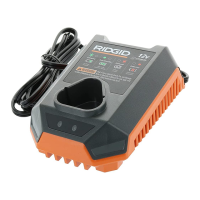
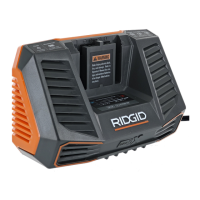
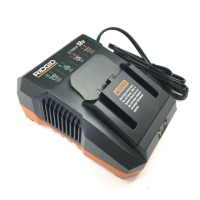
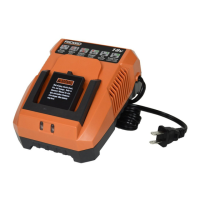
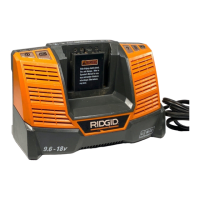
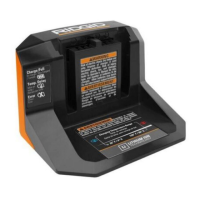
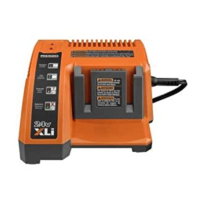
This document is the operator's manual for the RIDGID Dual Port Battery Charger, Model No. 140276002.
Function Description
The RIDGID Dual Port Battery Charger is designed to charge RIDGID slide battery packs. It features two charging ports, allowing for the simultaneous charging of two batteries. The charger is engineered for dependability, ease of operation, and operator safety, aiming to provide years of rugged, trouble-free performance when properly cared for.
Important Technical Specifications
- Model Number: 140276002
- Charger Voltage: 9.6 Volt, 12 Volt, 14.4 Volt, and 18 Volt DC
- Charger Input: 120 V, 60 Hz, AC only
- Charge Rate: 30 minutes (for a fully discharged battery under normal usage)
- Compatibility: Fits all RIDGID slide battery packs (specifically 9.6 Volt, 12 Volt, 14.4 Volt, and 18 Volt RIDGID slide batteries).
Usage Features
The charger incorporates several features to ensure safe and efficient operation:
LED Functionality:
The charger uses LED indicators to communicate its status:
- Power (ON/OFF): Indicates if the charger is connected to power.
- Power (Red ON, Green OFF): Ready to charge battery pack.
- Evaluate (Flashing Red, Green OFF): Indicates various battery conditions:
- Hot battery pack: Charger begins fast charge mode when the battery pack reaches a cooled temperature.
- Cold battery pack: Charger begins fast charge mode when the battery pack reaches a warmed temperature.
- Deeply discharged: Charger pre-charges the battery until normal voltage is reached, then begins fast charge mode.
- Thermistor shorted or open: If the red LED continues flashing for more than 90 minutes and the green LED remains off, this may indicate a damaged battery.
- Charging (Red ON, Green Flashing): Fast charging in 30 minutes.
- Full (Red OFF, Green ON): Fast charging is complete; charger maintains charge mode.
Charging Process:
- Power Connection: Ensure the charger is connected to a normal household voltage (120 volts, 60 Hz, AC only).
- Battery Insertion: Attach the battery pack to the charger by aligning the raised ribs on the battery pack with the grooves in the charger, then slide the battery pack onto the charger until it clicks into place. Note that 9.6 Volt, 12 Volt, and 14.4 Volt battery packs will not slide all the way down onto the charger port but should align with the line on the charger.
- Automatic Charging: The charger automatically begins fast charge mode once the battery pack is inserted and its temperature is within the normal range (above 41°F/5°C and below 104°F/40°C).
- Cool Down/Warm Up: If a battery pack is hot (from continuous use), it should cool down for approximately 20 minutes before recharging. If it's cool (below 41°F/5°C), the charger will wait for it to warm up before starting fast charge.
- Full Charge Indication: Once fully charged, the green LED will be continuously lit.
- Removal: Unplug the charger from the power supply and remove the battery pack when charging is complete.
Safety Features:
- Wet Conditions Alert: Do not expose to rain or use in damp locations.
- Eye Protection: Always wear safety goggles or glasses with side shields, or a full face shield when operating this product.
- Safety Alert: Precautions that involve user safety are highlighted.
- Damaged Battery Indication: The charger can indicate a damaged battery if the red LED flashes for an extended period (over 90 minutes) and the green LED remains off.
- Damaged Charger/Cord: Do not operate with a damaged cord or plug. If damaged, have it replaced by an authorized serviceman. Do not operate if the charger has received a sharp blow, been dropped, or otherwise damaged.
- Disassembly Warning: Do not disassemble the charger; take it to an authorized serviceman for repair.
- Unplugging: Unplug the charger from the outlet before maintenance or cleaning, and when not in use, to reduce the risk of electric shock and damage.
Convenience Features:
- Key Hole Hanging Feature: The charger has a "key hole" hanging feature for convenient, space-saving storage. Screws should be installed with a center distance of 4-1/8 inches.
Maintenance Features
General Maintenance:
- Cleaning Plastic Parts: Avoid using solvents when cleaning plastic parts, as they can damage, weaken, or destroy plastic. Use clean cloths to remove dirt, dust, oil, grease, etc.
- Keeping Vents Clean: The charger's fan operates more efficiently if air vents and ports are kept clean and dust-free. Periodically check and clean the vents using a fine nylon-bristle brush.
- Battery Pack Vents: Battery pack intake and exhaust vents should also be kept free of dust and debris; clean with a fine nylon-bristle brush.
- Metal Contact: Do not allow metal to come into contact with any of the vents or ports of the charger or battery pack during cleaning.
Battery Maintenance and Storage:
- Nickel-Cadmium Batteries: The tool uses nickel-cadmium rechargeable batteries. Do not disassemble battery packs or attempt to replace the batteries.
- Optimal Battery Life: Remove the battery pack from the charger once it is fully charged.
- Long-Term Storage:
- Store battery packs where the temperature is below 80°F.
- Store battery packs in a "discharged" condition.
Battery Pack Removal and Preparation for Recycling:
- Recycling: To preserve natural resources, recycle or dispose of batteries properly. Nickel-cadmium batteries must be recycled or disposed of properly, as local, state, or federal laws may prohibit their disposal in ordinary trash. Consult local waste authorities for recycling options.
- Safety During Removal for Recycling:
- Cover the battery pack's terminals with heavy-duty adhesive tape upon removal.
- Do not attempt to destroy or disassemble the battery pack or remove any of its components.
- Never touch both terminals with metal objects or body parts, as this can cause a short circuit.
- Keep away from children. Failure to comply with these warnings could result in fire and/or serious injury.
Service and Warranty:
- Authorized Service: For parts or service, contact the nearest RIDGID authorized service center. Do not attempt to repair parts not listed in the parts list.
- Warranty: The product comes with a 3-year limited service warranty covering defects in workmanship or materials and normal wear items. A 90-day satisfaction guarantee policy allows for a full refund or exchange within the first 90 days of purchase. Proof of purchase is required for warranty service.

 Need help?
 General

 To Next Page