EasyManua.ls Logo

RIDGID K-40 - User Manual

RIDGID K-40
21 pages
Print Icon
To Next Page IconTo Next Page
Loading...
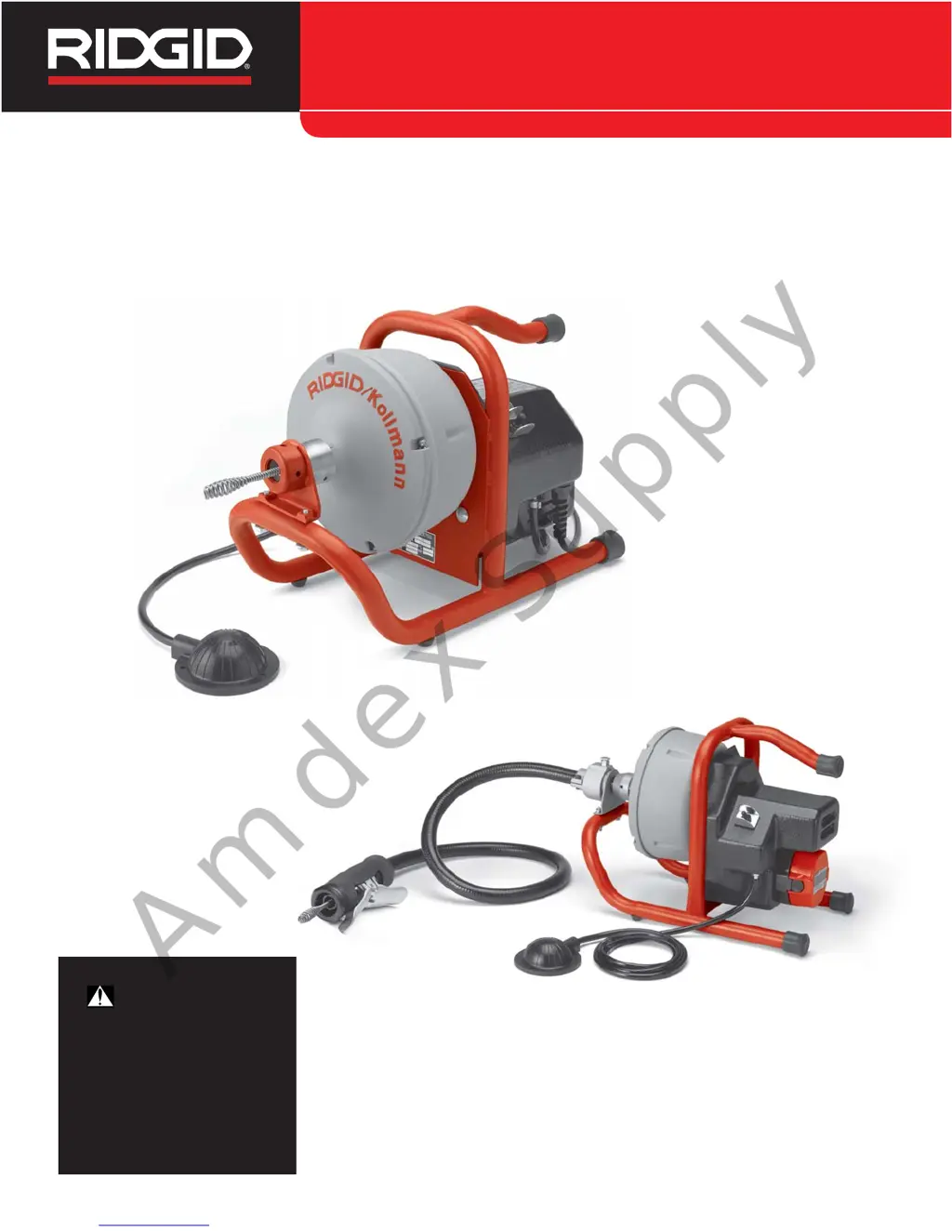
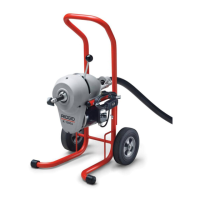
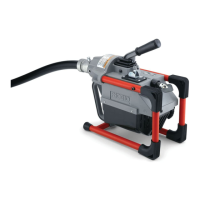
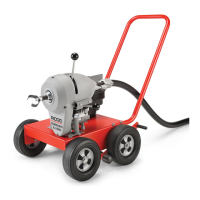
Drain Cleaning Machine
Français – 19
Castellano – pág. 41
WARNING
Read this Operator’s Manual
carefully before using this
tool. Failure to understand
and follow the contents of this
manual may result in electri-
cal shock, fire and/or serious
personal injury.
K-40/K-40AF/K-40BManual
Amdex Supply

Other manuals for RIDGID K-40

Questions and Answers

  • S
    shannon71Aug 19, 2025
    What to do if my RIDGID Tools machine wobbles while cleaning drain?
    • P
      pbyrdSep 12, 2025
      If your RIDGID Tools machine wobbles or moves while cleaning a drain, it could be due to a couple of reasons. First, check if the bumpers are not on the ground; if so, place the machine on a level, stable surface. Alternatively, the ground itself might not be level, so ensure you place the machine on a level, stable surface.
  • X
    xmooreAug 21, 2025
    Why does my RIDGID Tools cable keep kinking or breaking?
    • J
      John HornAug 21, 2025
      Several factors can cause a RIDGID Tools cable to kink or break. You might be forcing the cable, so let the cutter do the work. The cable might be used in the incorrect pipe diameter, so use the correct cable. The motor could be switched to reverse (use reverse only if the cable gets caught in the pipe). The cable might be worn out, so replace it if it is. Finally, the cable might not be properly supported; make sure to support the cable properly, following the instructions.
  • D
    Deborah WilsonAug 23, 2025
    What to do if my RIDGID Tools drum stops while the foot switch is depressed?
    • N
      Nathan AguirreAug 23, 2025
      There are a few potential reasons why the drum on your RIDGID Tools might stop while the foot switch is depressed. The cable might not be evenly distributed, so try pulling all the cable out and refeeding it in, distributing it evenly. Alternatively, the motor could be switched to reverse, so use reverse only if the cable gets caught in the pipe.
  • R
    rodriguezrebekahAug 26, 2025
    What to do if AUTOFEED doesn’t work on RIDGID K-40 Ultrasonic Jewelry Cleaner?
    • J
      jose92Aug 26, 2025
      If the AUTOFEED on your RIDGID Ultrasonic Jewelry Cleaner isn’t working, it might be full of debris. Try cleaning the AUTOFEED. It may also need lubrication, so lubricate the AUTOFEED.
  • P
    Patricia AllenAug 28, 2025
    Why is the cable kinking or breaking on my RIDGID K-40 Ultrasonic Jewelry Cleaner?
    • E
      Elizabeth GilmoreAug 28, 2025
      If the cable is kinking or breaking on your RIDGID Ultrasonic Jewelry Cleaner, it could be due to several reasons. Do not force the cable; let the cutter do the work. Ensure you are using the correct cable for the pipe diameter. Only use reverse if the cable gets caught in the pipe. Clean and oil cables routinely to prevent damage from acid exposure. If the cable is worn out, replace it. Ensure the cable is properly supported according to the instructions. If the cable is not evenly distributed, pull all the cable out and refeed it evenly.
  • G
    Greg GillespieAug 29, 2025
    What to do if RIDGID Tools AUTOFEED doesn't work?
    • O
      Olivia ReyesAug 30, 2025
      If the AUTOFEED on your RIDGID Tools isn't working, there are a couple of things to check. First, the AUTOFEED might be full of debris, so try cleaning it. Also, the AUTOFEED may need lubrication, so lubricate it.
  • C
    Charles WaltersSep 1, 2025
    Why does the Ground Fault Circuit Interrupter trip on my RIDGID Tools?
    • S
      Shannon MitchellSep 1, 2025
      If the Ground Fault Circuit Interrupter (GFCI) trips when your RIDGID Tools machine is plugged in or when the foot pedal is depressed, it could be due to a few reasons. The power cord may be damaged, in which case you should replace the cord set. Alternatively, the Ground Fault Circuit Interrupter itself may be faulty, requiring you to replace the cord set that includes a Ground Fault Circuit Interrupter. Moisture in the motor, switch box, or on the plug can also cause this issue.
  • J
    Joseph CampbellSep 3, 2025
    Why is my RIDGID Tools motor turning, but the drum isn't?
    • S
      Sara GutierrezSep 3, 2025
      If the motor of your RIDGID Tools is turning but the drum isn't, it could be that the belt is not on the pulley. Re-install the belt to resolve this.
  • J
    James HernandezSep 5, 2025
    What to do if my RIDGID Tools drum turns in one direction but not the other?
    • M
      Michael DavisSep 5, 2025
      If the drum on your RIDGID Tools turns in one direction but not the other, the reverse switch may be faulty. In this case, replace the switch.
  • D
    David GonzalezSep 7, 2025
    Why does my RIDGID K-40 wobble or move?
    • J
      Jonathan HaneySep 7, 2025
      If the RIDGID Ultrasonic Jewelry Cleaner wobbles or moves while cleaning, ensure that the bumpers are on a level, stable surface. If the ground is not level, place the cleaner on a level, stable surface.

Summary

Safety Symbols

General Safety Rules

Comprehensive safety guidelines for operating power tools.

Work Area Safety

Rules for maintaining a safe and clear workspace.

Electrical Safety

Precautions for safe use of electrical components and grounding.

Personal Safety

Guidelines for operator alertness, proper attire, and avoiding hazards.

Tool Use and Care

Proper methods for operating, maintaining, and storing the tool.

Service

Guidelines for qualified personnel performing tool maintenance.

Specific Safety Information

Drain Cleaner Safety

Safety measures specific to operating the drain cleaning machine and cable.

Battery and Charger Safety

Warnings and instructions for safe battery charging and handling.

Description, Specifications and Standard Equipment

Description

Overview of the K-40 Drain Cleaning Machine's features and capabilities.

Specifications

Technical details, line capacity, weight, and speed of the machine.

Standard Equipment

Items included with the K-40 Drain Cleaning Machine.

Machine Assembly

Mounting Guide Hose To K-40

Step-by-step instructions for attaching the guide hose assembly.

Machine Inspection

Procedures for inspecting the machine and safety equipment before use.

K-40 Battery Charger

Machine and Work Area Set-Up

Battery Charger and Work Area Setup

Setting up the battery charger, drain cleaner, and ensuring a safe work environment.

Using Manual Feed Machine

Starting the cable in the drain

Initial steps for feeding the cable into the drain.

Operating Instructions

General Operating Precautions

Essential safety measures before and during machine operation.

Using Machines with Guide Hose and AUTOFEED

Starting the cable in the drain

How to begin feeding the cable using the AUTOFEED system.

Cleaning the Drain

Steps for effectively cleaning drains with the machine.

Working the blockage

Techniques for clearing obstructions with the cable.

Operational Procedures

Handling a Stuck Tool

Procedures for dealing with a jammed cutting tool in the drain.

Freeing a Stuck Tool

Methods to dislodge a stuck cutting tool from a blockage.

Retrieving the Cable

Steps for safely removing the cable from the drain after cleaning.

Maintenance Instructions

Cables Maintenance

Proper flushing and storage of cables to prevent corrosion.

AUTOFEED Maintenance

Cleaning and lubricating the AUTOFEED mechanism.

Changing Cable

Changing Inner Drum

Steps to access and change the inner drum for cable replacement.

Loading Cable into Inner Drum

Instructions for properly coiling and loading new cable into the inner drum.

Accessories

Batteries

Battery Handling and Disposal

Guidelines for battery life, storage, and environmentally sound disposal.

Machine Storage

Service and Repair

Trouble Shooting

Warranty Information

Warranty Coverage Details

Explanation of what is covered, how long, and how to obtain service.

Warranty Limitations

What is not covered, local law influence, and no other express warranty.

RIDGID K-40 Specifications

General IconGeneral
BrandRIDGID
ModelK-40
CategoryUltrasonic Jewelry Cleaner
LanguageEnglish

Related product manuals