EasyManua.ls Logo

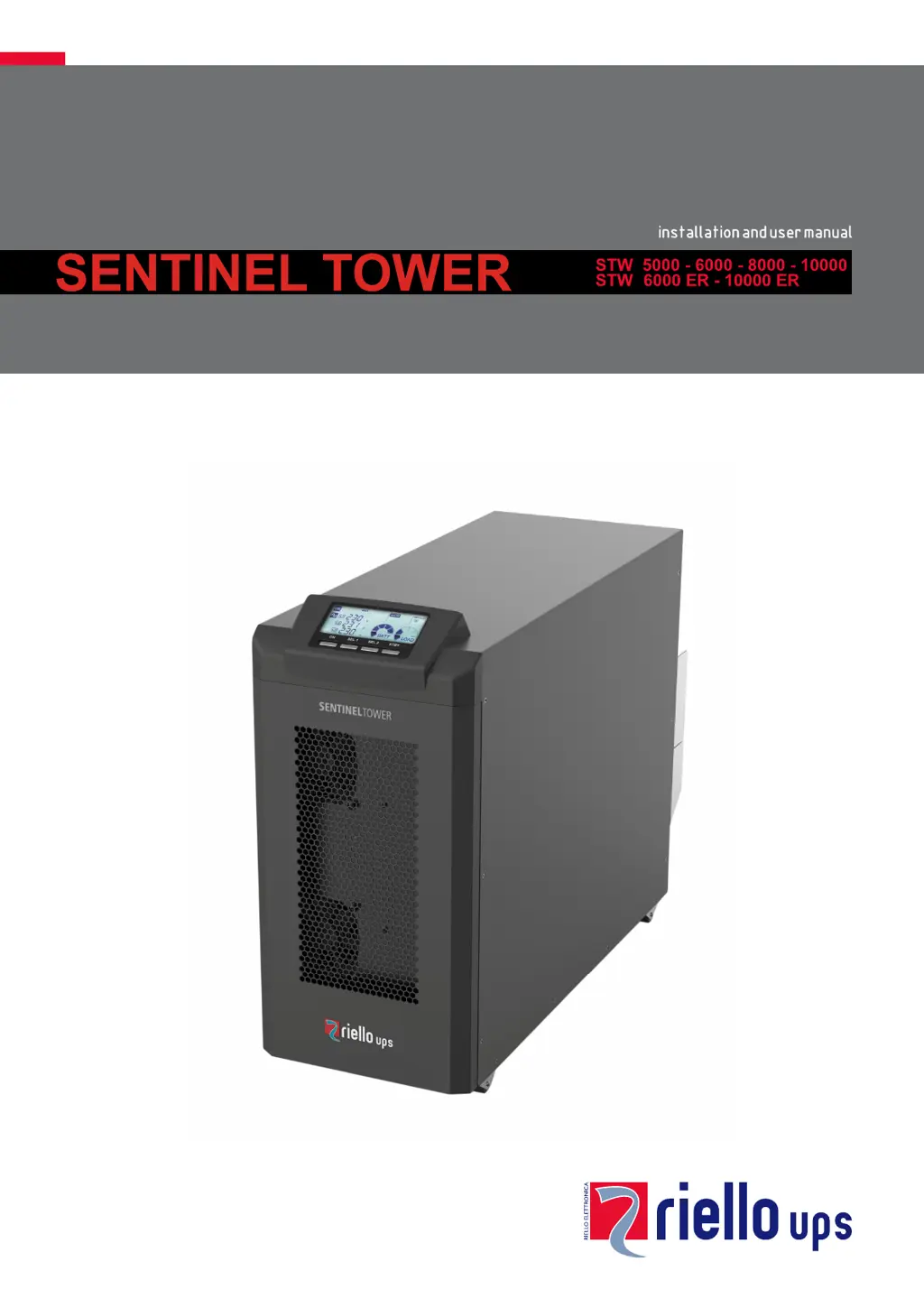
Riello UPS Sentinel Tower STW 10000 - User Manual

Riello UPS Sentinel Tower STW 10000
40 pages
Print Icon
To Next Page IconTo Next Page
Loading...

Questions and Answers

  • T
    Travis CarrNov 27, 2025
    Why won't my Riello UPS Sentinel Tower STW 10000 Power distribution unit switch to standby mode?
    • A
      anelsonNov 28, 2025
      If your Riello UPS Power distribution unit is connected to the mains but doesn't switch to standby mode (the display doesn't light up), several issues could be the cause: * A missing connection to the input terminal: Connect the mains to the terminals following the instructions in the “POWER CONNECTION” section. * A missing neutral connection: The UPS requires a neutral connection to function. Connect the mains to the terminals as explained in the “POWER CONNECTION” section. Note: the absence of this connection can damage the UPS and/or the load. * The isolator (SWIN) is open: Close the isolator. * Mains power is missing (blackout): Ensure the mains power is present. If necessary, perform a battery start-up to power the load. * The upstream protection device has been triggered: ...
  • T
    tanyastrongAug 25, 2025
    What does it mean if my Riello UPS Sentinel Tower STW 10000 display shows F37 or L37?
    • M
      Misty WoodsAug 25, 2025
      If your Riello UPS Power distribution unit display shows one or more of the following codes: F37, L37, it could be due to several factors: * Ambient temperature exceeding 40°C. * Heat sources positioned too close to the UPS. * Obstructed ventilation slits or proximity to walls. * A fault within the temperature probe or in the battery charger cooling system. To address this, eliminate the cause of the overtemperature. Activate the maintenance bypass (SWMB) if present, open the battery fuse holder isolators (SWBATT), and allow the battery charger heat sink to cool down. Then, close the battery fuse holders. If the problem continues, contact your nearest service center. Warning: Never open the SWBATT fuse holder isolators during battery operation.
  • T
    toddbuckleyAug 27, 2025
    What does it mean if my Riello UPS Sentinel Tower STW 10000 shows codes F03, F04, F05, A08, A09, or A10?
    • K
      karen92Aug 27, 2025
      If your Riello UPS Power distribution unit display shows one or more of the following codes: F03, F04, F05, A08, A09, A10, check the connection on the phases, ensuring that with the three-phase connection the switch is in the “? 3~” position and that Phase 2 and Phase 3 are correctly connected. If you are using a single-phase connection, make sure the switch is in the “? 1~” position. If the issue persists, it is possible that the internal protection fuses on the phase or on the input relay are broken, and you should contact the nearest service centre.
  • A
    Alexandra LoweAug 27, 2025
    What to do if my Riello UPS Power distribution unit display shows code A26?
    • C
      Christina HudsonAug 27, 2025
      If the Riello UPS Power distribution unit display shows the code A26, it indicates that the battery fuses are blown or the fuse holder isolators are open. Replace the fuses or close the battery fuse holder isolator (SWBATT). If necessary, replace the fuses with others of the same type.
  • S
    stephanierobersonAug 30, 2025
    What to do if my Riello UPS Power distribution unit has no power to the load?
    • J
      Jared BakerAug 30, 2025
      If no power reaches the load from your Riello UPS Power distribution unit, it might be due to a few reasons: * A missing connection to the output terminal: Connect the load to the terminals. * The UPS is in standby mode: Run the start-up sequence. * The STAND-BY OFF mode is selected: Change the operating mode, as this mode only powers the loads during a blackout. * A malfunction of the UPS with the automatic bypass out of use: Insert the maintenance bypass (SWMB) and contact the nearest service centre.
  • J
    Julia MitchellSep 23, 2025
    What does it mean if my Riello UPS Sentinel Tower STW 10000 Power distribution unit display and fans are off but the load is powered?
    • M
      Mitchell WernerSep 23, 2025
      If the display is off, the fans are off, but the load is powered on your Riello UPS Power distribution unit, it indicates a fault in the auxiliary power supplies, with the UPS in bypass supported by the redundant power supply. Activate the maintenance bypass (SWMB) if present. Switch off the UPS, wait for a minute, and turn the UPS back on. If the display does not turn on or if the sequence fails, contact the nearest service centre, leaving the UPS in manual bypass mode.
  • D
    Darryl GarciaSep 17, 2025
    What to do if my Riello UPS Sentinel Tower STW 10000 Power distribution unit display shows the code L11?
    • D
      David WalkerSep 17, 2025
      If the Riello UPS Power distribution unit display shows the code L11, it indicates a static bypass rupture or fault. Activate the maintenance bypass (SWMB) if present, turn the UPS off and back on again, and exclude the maintenance bypass. If the problem persists, contact the nearest service centre.
  • G
    Gary WilliamsSep 18, 2025
    What to do if my Riello UPS Power distribution unit display is not working properly?
    • R
      reynoldsgabrielaSep 18, 2025
      If the display of your Riello UPS Power distribution unit shows nothing or provides incorrect information, it indicates that the display has power supply problems. Activate the maintenance bypass (SWMB), shut down the UPS completely, and wait for a few seconds. Turn ON the UPS again and verify display regular operation. Exclude the maintenance bypass. If the fault persists, contact the nearest technical support centre.
  • M
    Michael WagnerSep 8, 2025
    What to do if my Riello UPS Sentinel Tower STW 10000 Power distribution unit display shows code C01?
    • C
      Catherine WilsonSep 9, 2025
      If the Riello UPS Power distribution unit display shows the following code: C01, it means that the jumper is missing from the R.E.P.O. connector or it is not inserted correctly. Assemble the jumper or make sure that it is inserted correctly.
  • T
    Thomas GriffithSep 6, 2025
    What does it mean if my Riello UPS Sentinel Tower STW 10000 display shows code A13?
    • W
      wendywhiteSep 6, 2025
      If the Riello UPS Power distribution unit display shows the code A13, the issue is due to the protection device upstream from the bypass line being open (only if the bypass is separate) or the bypass isolator being open (SWBYP only if the bypass is separate). Restore the protection device upstream, ensuring there is no overload or short circuit at the output of the UPS. Also, close the isolator.

Summary

Installation

Removal of the UPS (or Battery Box) from the Pallet

Step-by-step guide on how to safely remove the UPS or Battery Box from its shipping pallet.

Installation Environment

Specifies the required conditions for installing the UPS and Battery Box, including ventilation, temperature, and humidity.

UPS Placement (or Battery Box)

Guidance on positioning the UPS or Battery Box, considering space, wheels, and airflow.

Power Connection

Instructions for connecting the UPS to the electrical power supply, with specific guidance for 5-6 kVA models.

Instructions for 5-6 kVA Models

Detailed steps for accessing terminals and making electrical connections for the 5 and 6 kVA UPS models.

Instructions for 8-10 kVA Models

Detailed steps for accessing terminals and making electrical connections for the 8 and 10 kVA UPS models.

Internal Protective Devices of the UPS

Details the internal fuses used for protection of the UPS's input stage, output stage, and batteries.

External Protective Devices

Recommendations for external protective devices like magnetothermal switches and fuses for input line protection.

Connection Cables Cross Section Details

Provides specifications for the minimum cross-section of input and output cables for various UPS models.

Connections

Illustrates terminal board connections for 5-6 kVA and 8-10 kVA models, including three-phase and single-phase setups.

Wiring Diagrams for Connecting to the Electrical System

Presents schematic diagrams for connecting the UPS to the electrical system under different conditions.

Battery Box Installation

Instructions for installing and connecting Battery Boxes in series for extended runtime.

Configuring the Rated Battery Capacity

Explains the need to configure the UPS for Battery Box capacity using software before installation.

Use

Switching On for the First Time

Step-by-step instructions for powering on the UPS for the very first time.

Switching On from the Mains

Procedure for starting the UPS operation from the mains power supply.

Switching On from the Battery

How to power on the UPS and connected equipment using battery power.

Switching Off the UPS

Instructions on how to properly shut down the UPS unit.

UPS Configuration

Troubleshooting

Status; Alarm Codes

Technical Data

Riello UPS Sentinel Tower STW 10000 Specifications

General IconGeneral
BrandRiello UPS
ModelSentinel Tower STW 10000
CategoryPower distribution unit
LanguageEnglish

Related product manuals