60
COMMUNICATION PORT
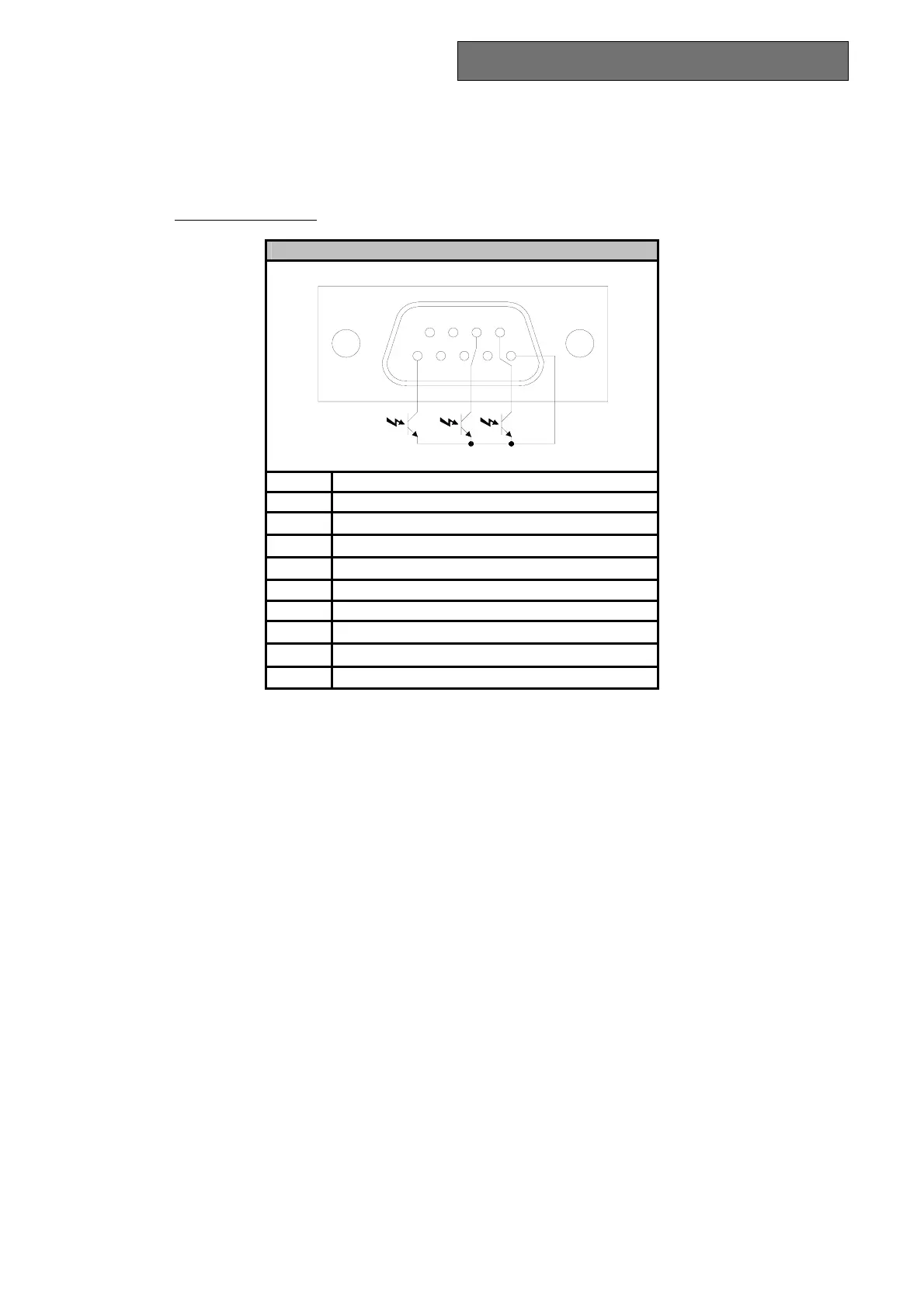
RS232 INTERFACE
With the RS232 serial interface the UPS can be connected to a PC (COM interface) by means of a pin-to-pin
serial cable (if a different cable is used, this must be of the pin-to-pin type with a maximum length of 3 metres).
The interface (with factory settings)
has the following characteristics:
RS232 CONNECTOR
21345
7
986
PIN SIGNAL (factory settings)
1 Contact closed: UPS Failure/Alarm
(d)
2 TXD
3 RXD / SD (remote shutdown)
(a)
4 Programmable input
(e)
5 GND
6 +12Vdc (80mA)
7 PNP signal
8 Contact closed: battery low pre-alarm
(c)
9 Contact closed: battery mode
(b)
a) SD: With the UPS in battery mode, if +5~15Vdc is applied for at least 20 seconds (between PIN 3 and PIN 5),
the UPS will shut down completely
b) B.W. = contact closed in battery mode (values max:25mA +35Vdc Vce sat max: 1.5V @ 25mA)
c) B.L. = contact closed when battery is flat (values max:25mA +35Vdc Vce sat max: 1.5V @ 25mA)
d) UPS Failure/Alarm = contact closed in the event of failure or signalling of alarms by the UPS (maximum
values: 25mA +35Vdc Vce sat max: 1.5V @ 25mA)
e) Input programmable via RS232: +(5 - 15) Vdc.
USB PORT
The USB port is used to establish communication between the UPS and a PC. When the communication cable is
installed, the management software (Powershield
3
) can exchange information with the UPS. The software can
provide detailed information on the UPS operating status. In the event of a mains power supply failure, the
software can save the data and shut down the computer.
Note: The USB port and the RS232 serial interface, located on the rear of the UPS, cannot be used at the same
time, as the use of one excludes the other.
COMMUNICATION SOCKET
All UPS are provided with an expansion slot for optional communication cards so that the unit is compatible with
the main communication standards.
Some examples:
• Serial port duplexer
• Ethernet network agent with TCP/IP, HTTP and SNMP protocol
• RS232 + RS485 port with JBUS / MODBUS protocol
For more information on the options available, please visit the manufacturer’s website.



 To Next Page