65
REPLACING THE BATTERY
DIALOG VISION DUAL
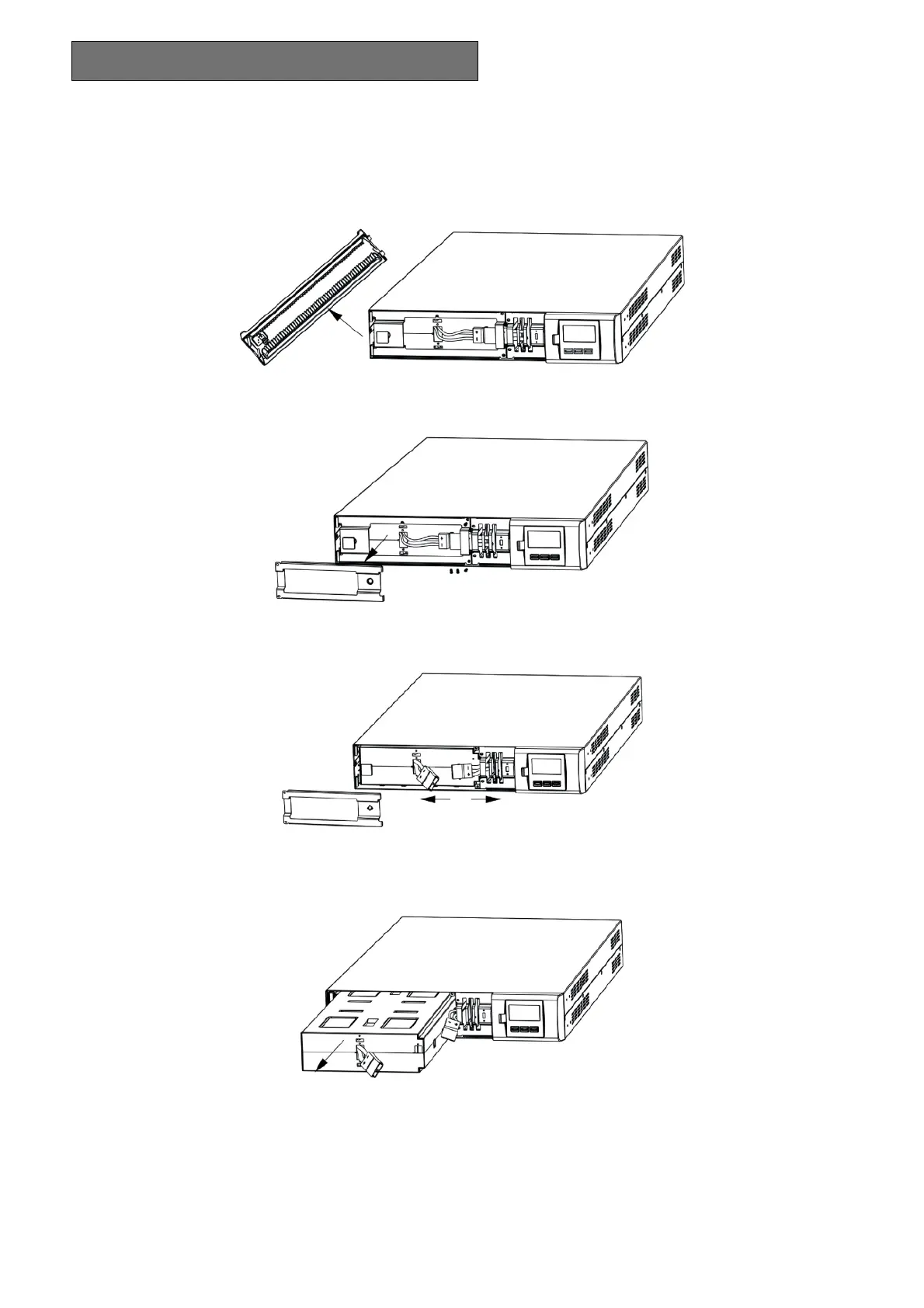
1. Remove the front panel of the UPS by pulling with both hands.
2. Undo the screws securing the support to the UPS and remove the plate securing the batteries.
3. Disconnect the cable.
4. Remove the batteries on a flat surface.
5. Insert the new batteries in the UPS.
6. Reconnect the battery cable and secure the support.
7. Replace the front panel of the UPS.



 To Next Page