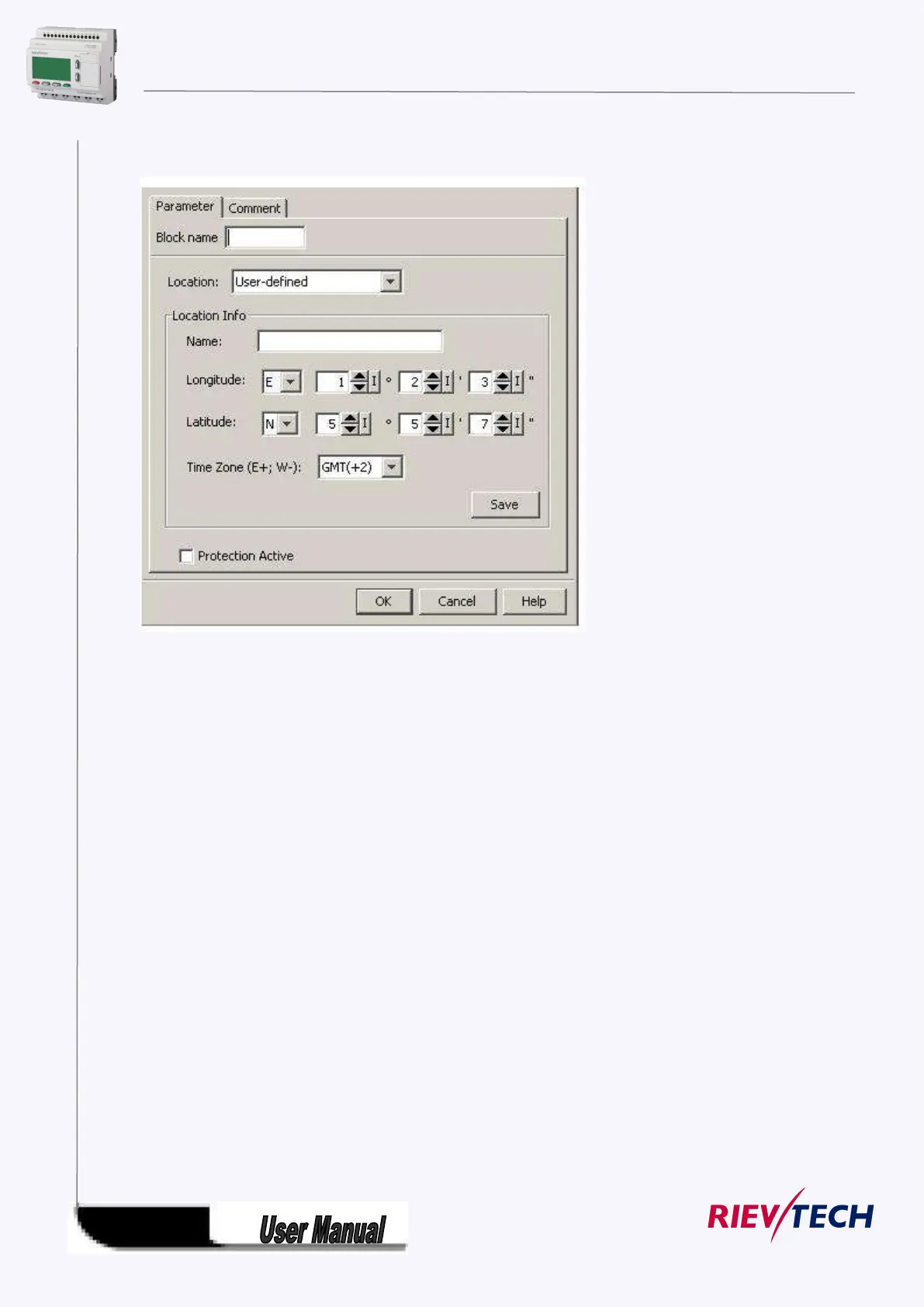
In the astronomical clock dialog, you can select the location of the xLogic device. You can select one of
following pre-defined time zone locations:
Beijing
Berlin
London
Rome
Moscow
Tokyo
Washington
Ankara
Madrid
Amsterdam
If you select one of these locations, xLogicsoft uses the latitude, longitude, and time zone of your
selection.
Alternatively, you can configure a specific latitude, longitude, and time zone for your location, and
provide a name for this custom location.
Based on the location and time zone, xLogic calculates the absolute sunrise and sunset time for the
current day. The block also takes summer time/winter time into consideration, if it is configured on the
computer where xLogicsoft is installed. To do such configuration, you should select check box of
"Automatically adjust clock for daylight for saving changes" in the "Date and Time Properties" dialog.
Timing diagram



 To Next Page