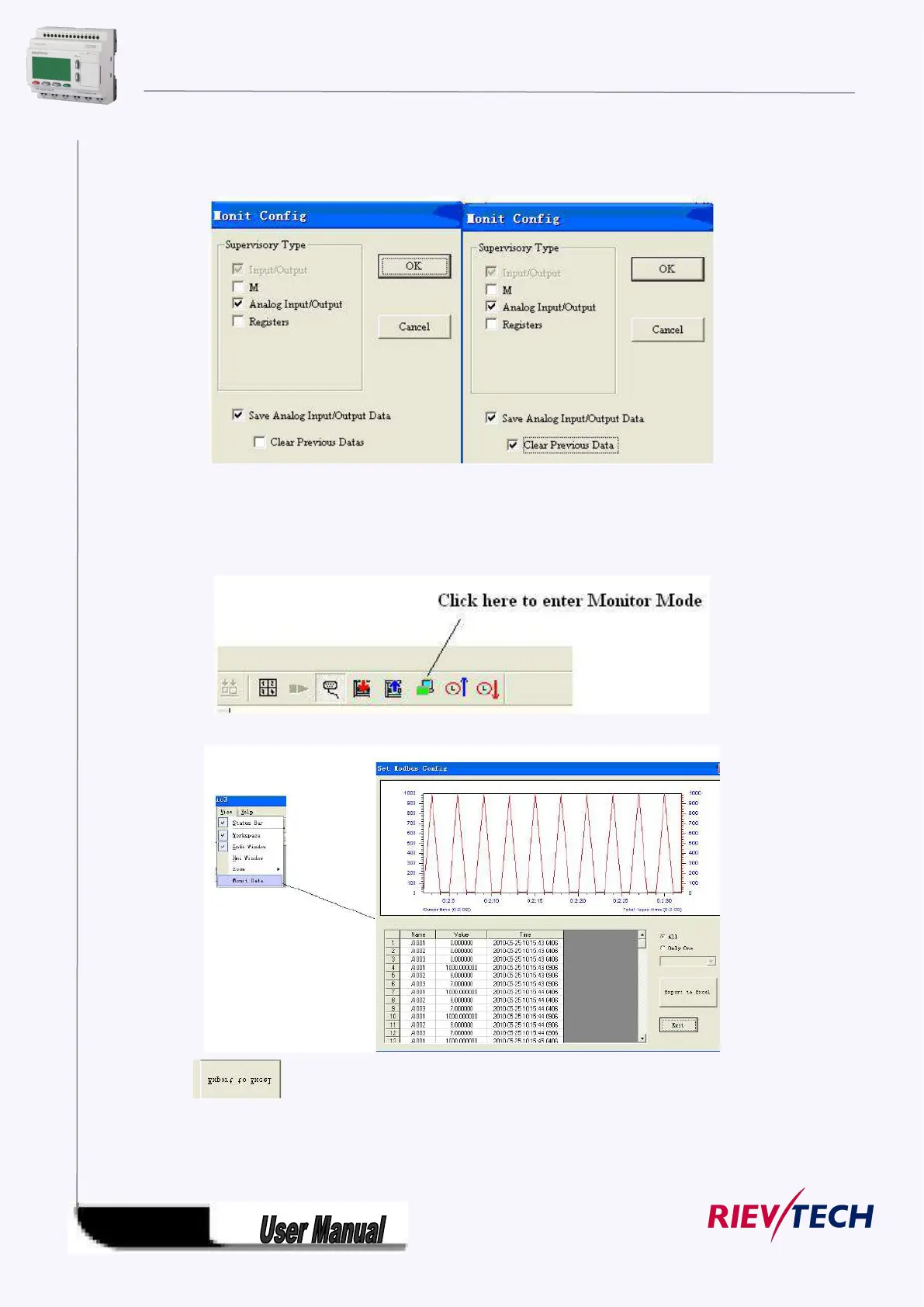
As below configuration shows, all history data of AI/AQ under monitor mode can be automatically saved
to one EXCEL file for user’s reference.
Caution: If the “clear previous data” is selected as well, then the history data cannot be saved, and then
only the current monitor data can be saved, furthermore, the history data (previous monitor data) would
be simultaneously cleared.
2. Click here to enter Monitor Mode
3. View the data by clicking View-> Monit data.
4. Click to transfer data into one excel file (it contains AI1/AQ number, value and the
corresponding time.).



 To Next Page