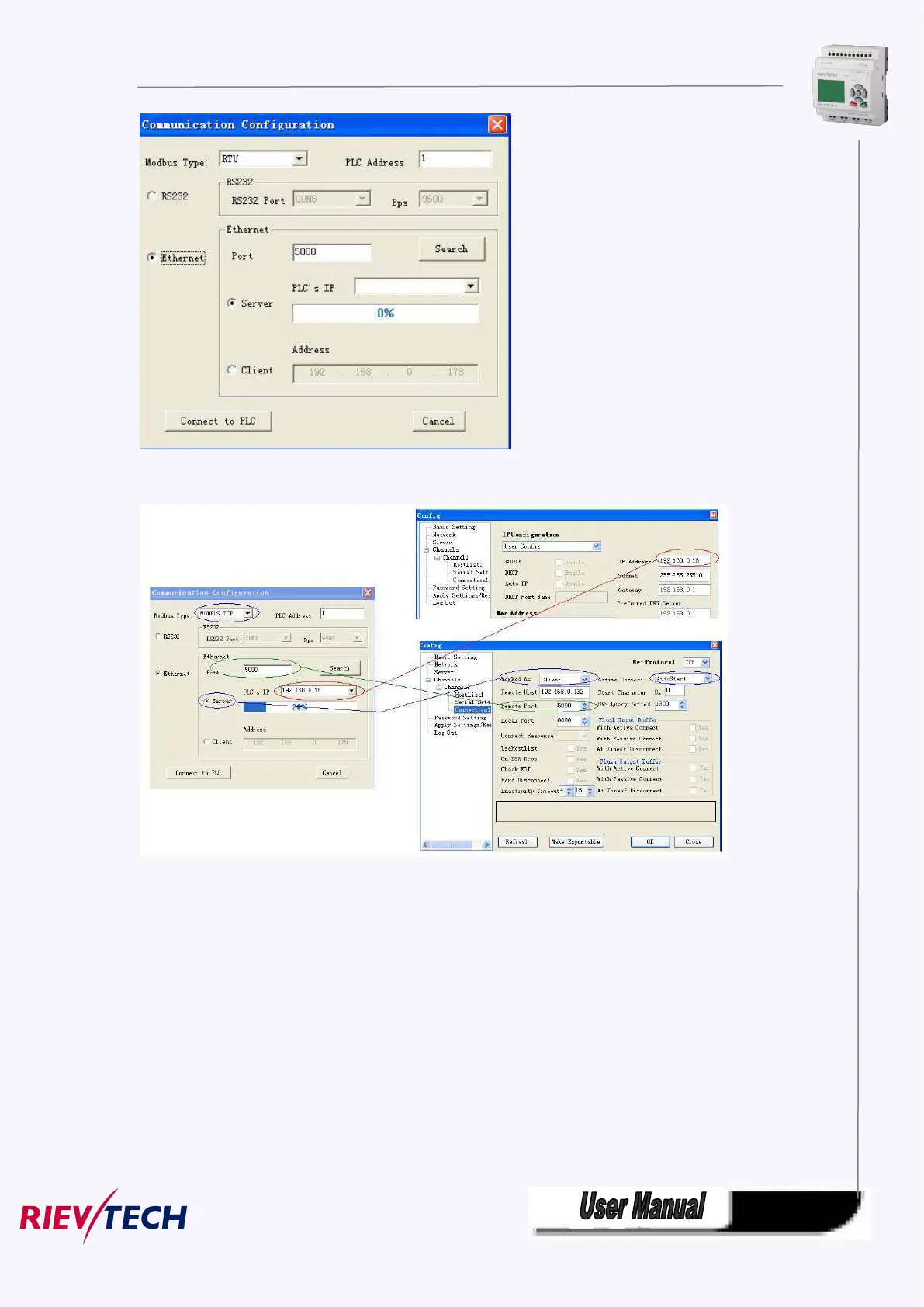
4. To search “PLC’s IP” by clicking “Search” button
xLogicSoft Com port setting dialog box LAN port setting in Device manager
Port number and PLC’s IP pre-configure in Device manager shall be configured as above figure shows
Notes:
1.The remote host IP address is the same as that of the PC in which the xLogicSoft being
installed .
2.Modbus Type in xlogic shall be MODBUS TCP
3. Active Connect must be “AutoStart” in device manager.
5. Click "Connect to PLC" button, and then the Ethernet module and PC will be linked.
After the ELC-12DC-DA-R-N and PC being linked, many features can come true, e.g. downloading user



 To Next Page