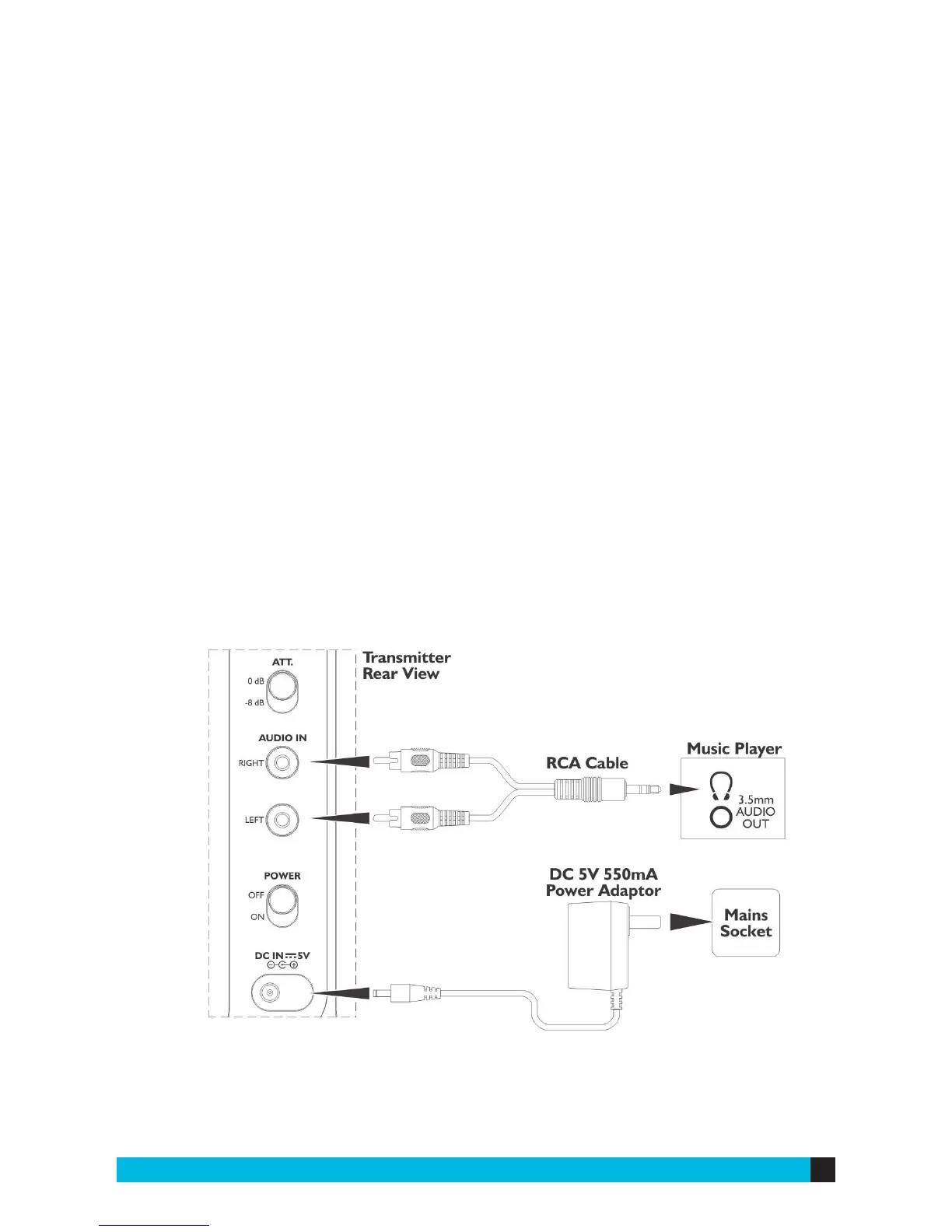
SET UP THE TRANSMITTER
1) Plug the AC / DC power adapter into the DC jack at the rear of the transmitter,
then plug the other end of the adapter into a wall outlet.
2) Locate the right and left sockets for audio in at the rear of the transmitter and
securely connect the RCA cable to those ports.
3) Connect the opposite end to the audio output jack of your TV, computer,
smartphone, etc.
4) There is a switch at the rear of the transmitter with labels “0dB” and “-8dB”. For
TV / DVD / Hi-Fi, switch to “-8dB”. For portable devices, switch to “0dB”.


 To Next Page