Rigaku
This chapter describes the procedures for turning on and
off
SmartLab SE.
I Turning on
Smartlab
SE
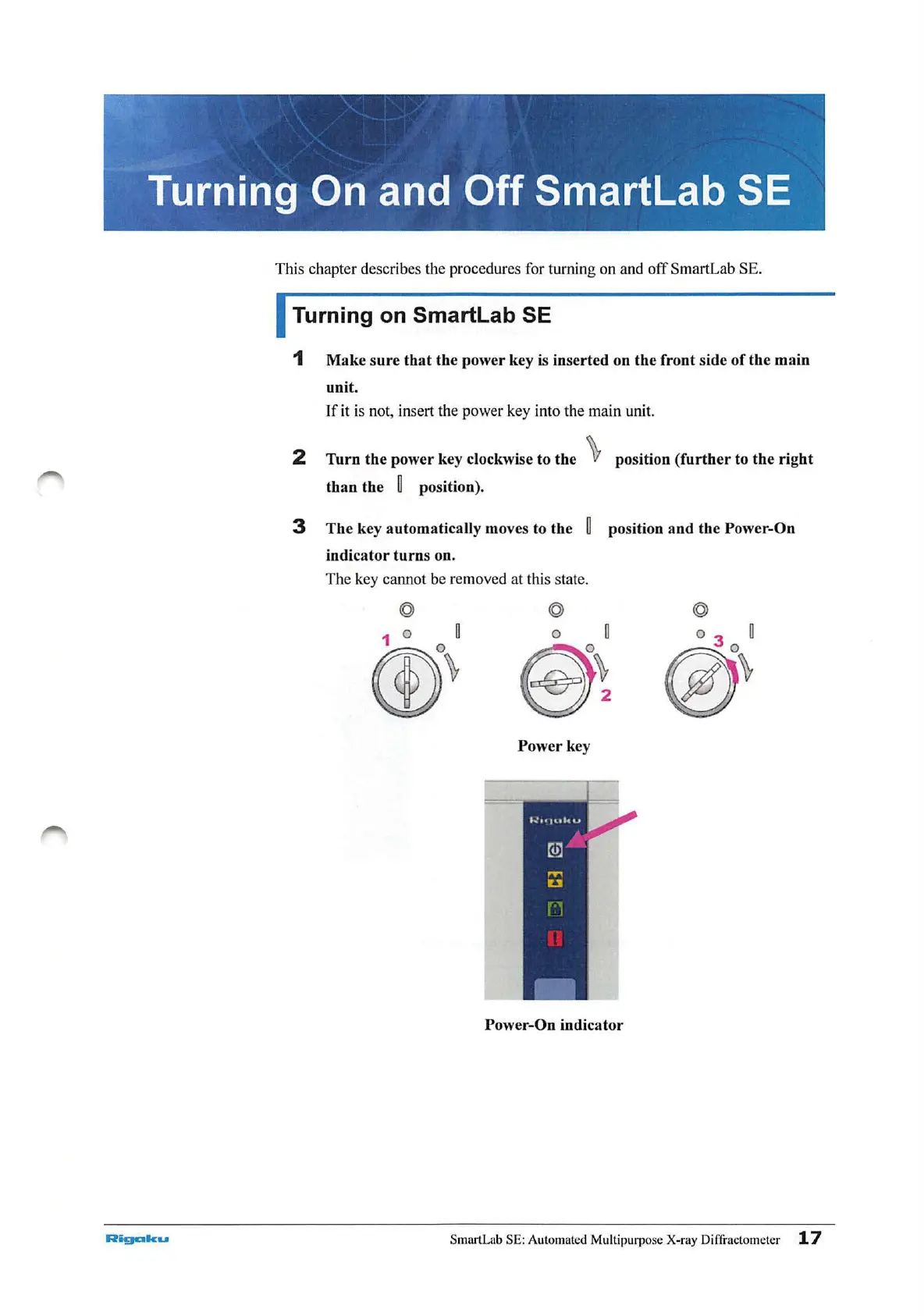
1
Make
sure
that
the power key is inserted on the front side
of
the
main
unit.
If
it is not, insert the power key into the main unit.
2
Turn
the
power key clockwise to the \ position
(further
to
the
right
than
the
~
position).
3
The
key automatically moves to the
~
position
and
the Power-On
indicator
turns
on.
The key cannot be removed at this
sta
te.
© ©
1
o a
(f)~
o a
e~
Power
key
Power-On indicator
SmartLab SE: Automated Multipurpose X-ray Diffractometer
17



 To Next Page