Turning On
and
Off
SmartLab
SE
I Turning off
Smartlab
SE
If
SmartLab
SE
is unused for a while, turn
off
SmartLab SE according to the
following procedure.
1 Make sure
that
the status
of
SmartLab
SE
are
the following.
•
Mea
surements have been completed.
• X-ray generation
is
turned off.
• All controls have ended.
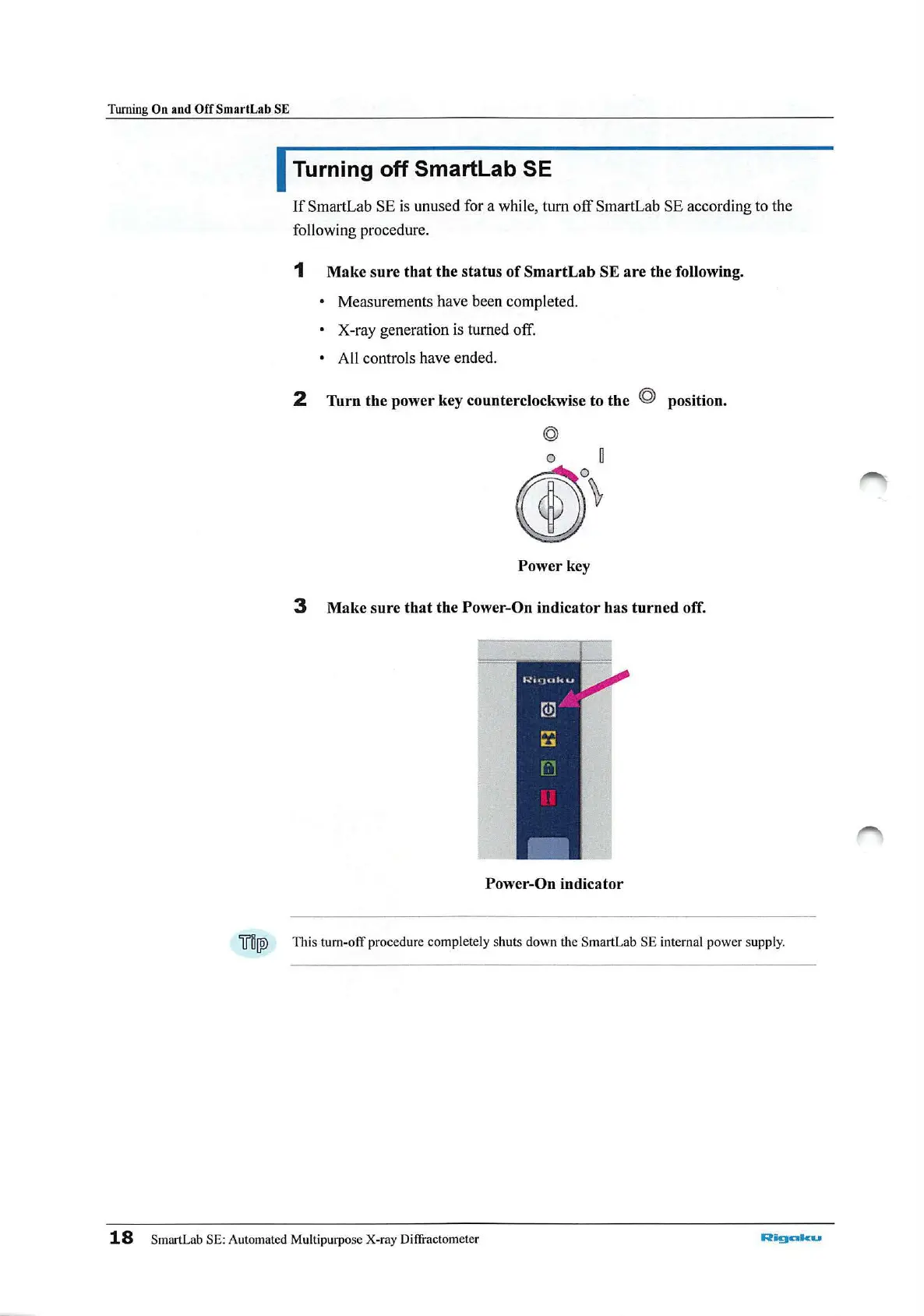
2 Turn the power key counterclockwise to the © position.
Power
key
3 Make sure
that
the Power-On indicator has
turned
off.
Power-On indicator
ifl!jW
This tum-off procedure comple
tel
y shuts down the SmartLab SE internal power supp
ly.
18
SmartLab SE: Automated Multipurpose X-ray Diffractomet
er
Riigalku



 To Next Page