Rigaku
This section introduces the names
of
optical devices and describes how they are
installed.
Connecting
and
removing
optical
device
cable
By connecting the cable from each optical device to the corresponding connector
on the connector box, SmartLab Studio
II
recognizes the optical configuration.
Connecting
optical
device
cable
1 Check the optical device
name
on the cable end
and
also check the
name
on
the corresponding connector
of
the connector box.
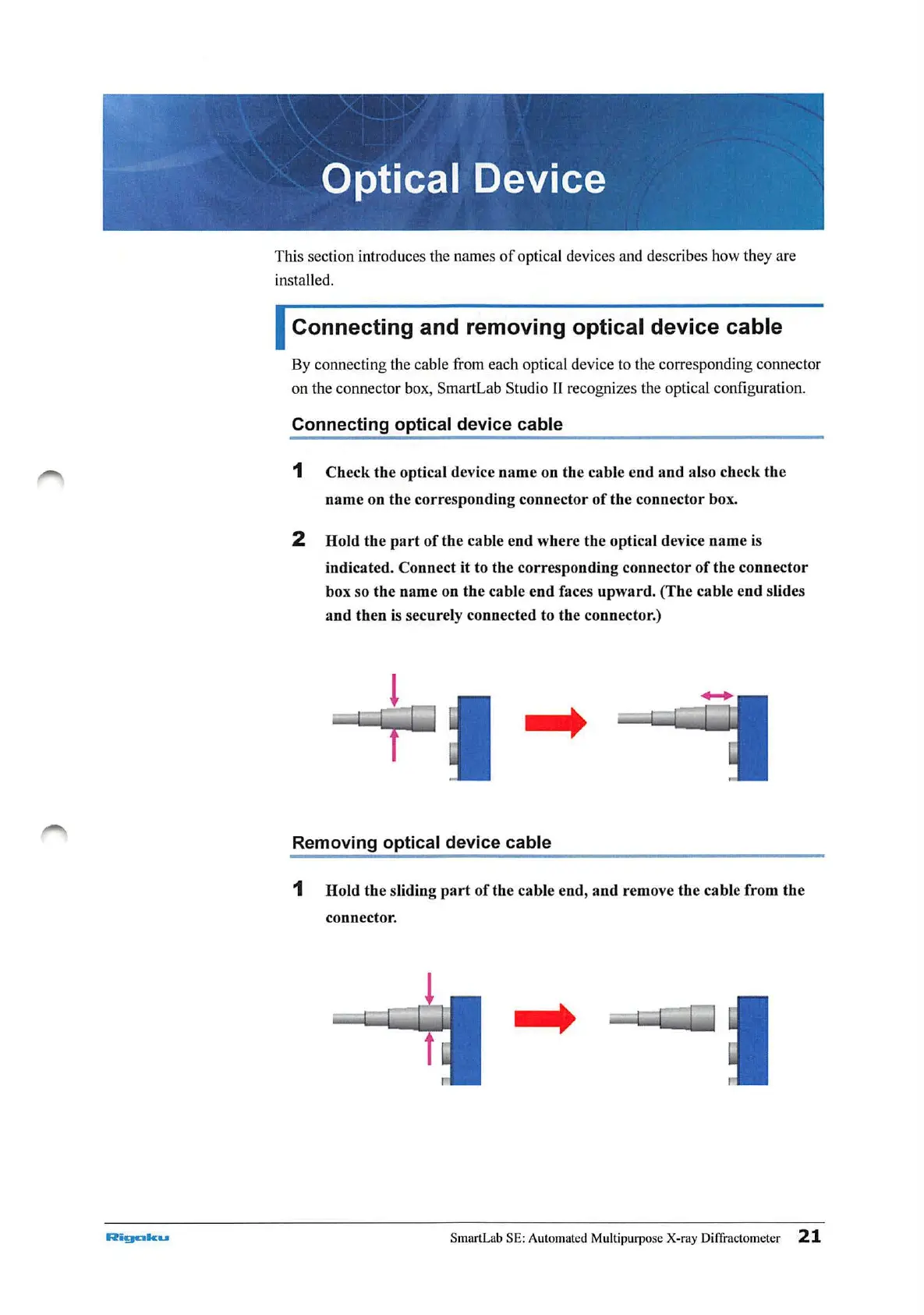
2 Hold the
part
of
the cable end where the optical device name is
indicated. Connect
it
to the corresponding connector
of
the
connector
box so the name on the cable end faces
upward
. (The cable end slides
and
then is securely connected
to th
e connector.)
....
Removing
optical
device
cable
1
Hold
the sliding
part
of
the cable end,
and
remove the cable from
the
connector .
....
SmartLab SE: Automated Multipurpose X-ray Diffractomet
er
21



 To Next Page