Rigaku
Knife edge
I Knife edge
The knife edge is effective to reduce backgrounds in a
ID
measurement with
D/teX Ultra250.
0
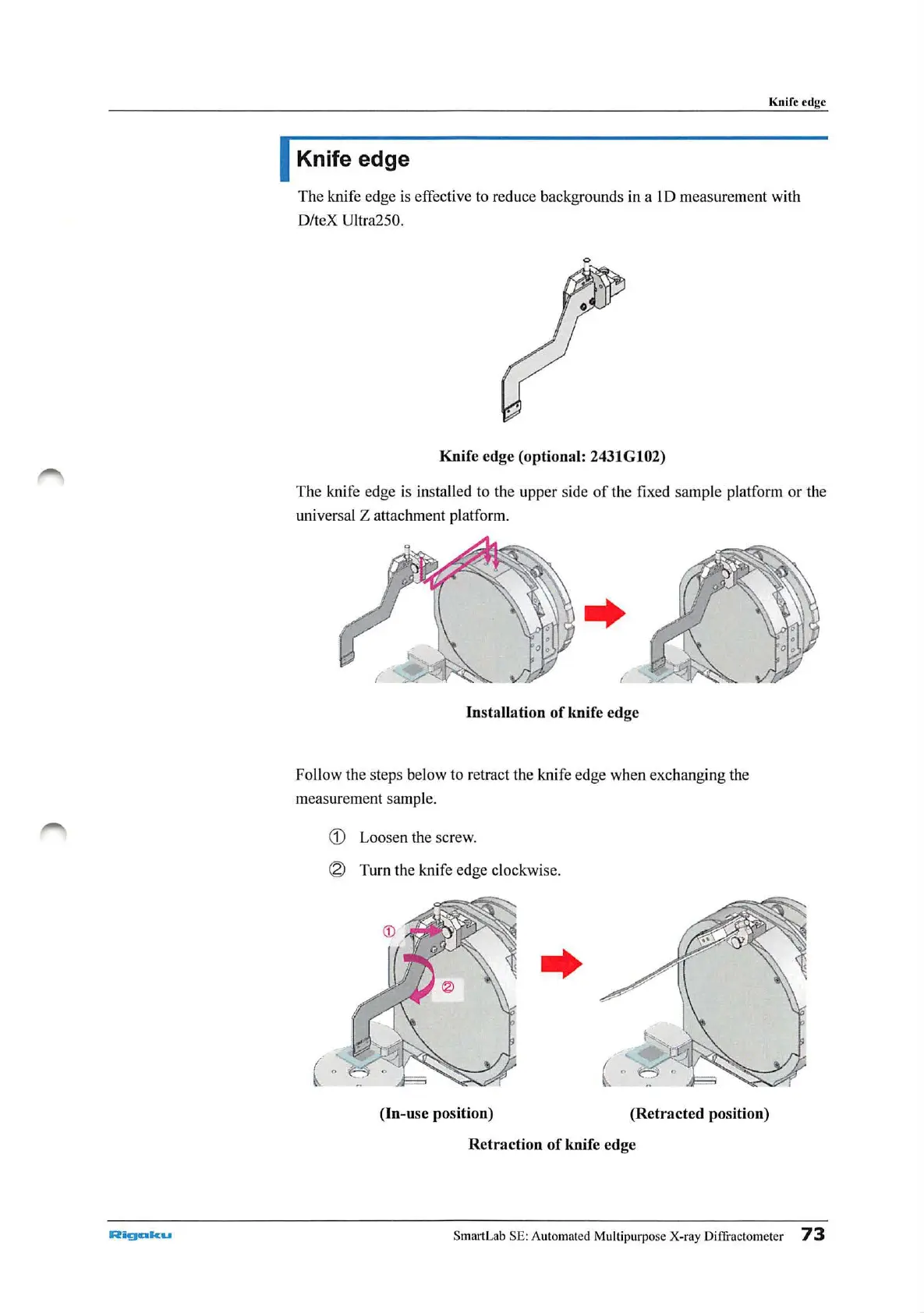
Knife edge (optional: 2431Gl02)
The knife edge is installed to the upper side
of
the fixed sample platform
or
the
univer
sa
l Z attachment platform.
Installation
of
knife edge
Follow the steps below to r
et
ract the knife edge when exchanging the
measurement
sa
mple.
G)
Loosen the screw.
® Turn the knife edge clockwise.
(In-use position)
(Retracted position)
Retraction
of
knife edge
SmartLab SE: Automated Multipurpose X-ray Diffractometer
73



 To Next Page