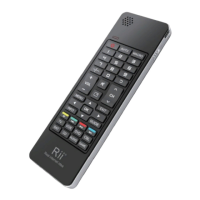
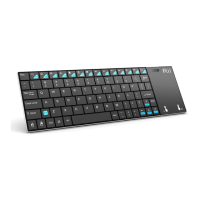
EasyManua.ls Logo

Rii K13 - User Manual

Rii K13
2 pages
Print Icon
To Next Page IconTo Next Page
Loading...
Overview
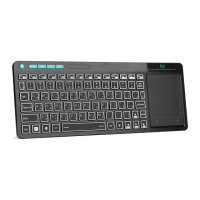
Thank you for purchasing the Mini Multifunction
Keyboard! , Wireless Mini QWERTY Keyboard & Air
Mouse & IR remote & Audio chat Combo, with USB
interface receiver. And Built-in advanced lithium-ion
battery, energy-efcient
You can use it for emails, chat, or to enjoy your favorite
games. It is compatible with HTPC,TV BOX running
Android systems.It also supports the Sony Playstation3.
Use it with your HTPC on your Sofa or browse the
internet in the most comfortable fashion.
This is also a universal infrared remote controller
with learning function.The remote control has a
powerful ability to identify unknown format with a
wide and reliable range of learning formats which
means about 99.9% TV infrared remote control on
the market can be learnt .After learning the signals
can be transmitted with high precision with a wide
learning range(20kHz~60kHz) and a small frequency
error(±1kHz).
Features
8-channel infrared remote control learning
function
Source code quickly learn other remote control
via infrared remote control of the device
Windows multimedia control keys the (GOOGLE
TV hotkey)
Wireless audio and online voice dialogue
Introduction
Product overview
Package contents
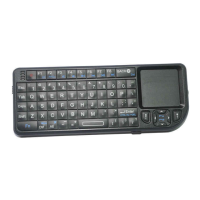
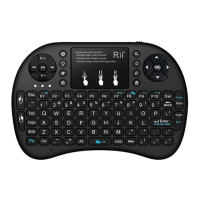
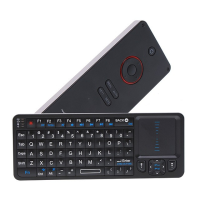
Multifunction Keyboard
USB Wireless Receiver
User Manual
• USB charge cable
Applicable equipment list
• HID compatible device
• USB port
• Windows 2000
• Windows XP
• Windows Vista ,Windows CE, Windows 7
• Linux(Debian-3.1,Redhat-9.0 Ubuntu-8.10
Fedora-7.0 tested)
• Android OS (With standard USB interface)
• HD Player,TV set
• Set-Top BOX ,DVD/VCD/CD equipment.
• Air Conditioning Remote Control.
Appendix
Technical parameters
Specication
• Dimensions keyboard: 156*49.5*10mm
• Dimensions RF receiver: 19 x 14.3 x 6.15mm
• Weight: 74g
Function parameters
(wireless keyboard and air mouse)
• Frequency range: 2401-2480MHz
• Operational Range: up to 10 meters
• Transmit power : +4db Max.
• Operation voltage: 3.3V
• Operation current: < 50mA
• Charging current: < 300mA
• Sleep current: < 50μA
Multifunction keyboard
Installation & User Manual
Ver:K13/1.1
PC Devices
HTPC/IPTV
Android TV BOX
XBOX360/PS3 ect.
TV ect.
K13说明书.indd 1 2013/1/21 16:22:52
Question and Answer IconNeed help?

Do you have a question about the Rii K13 and is the answer not in the manual?

Summary

Product Overview and Features

Overview

Details the Mini Multifunction Keyboard, its compatibility with HTPC, Android, and PS3, and its comfort for internet browsing.

Features

Highlights the 8-channel infrared remote learning function and wireless audio/voice dialogue capabilities.

Package Contents

Lists the items included in the product package: keyboard, receiver, manual, and charge cable.

Applicable Equipment List

Specifies the range of devices compatible with the multifunction keyboard, including PCs, Android OS, and media players.

Technical Specifications

Technical Parameters

Provides key specifications like keyboard dimensions (156*49.5*10mm) and receiver dimensions (19 x 14.3 x 6.15mm).

Function Parameters (Wireless Keyboard & Air Mouse)

Details operational range (up to 10 meters), transmit power, voltage, and current consumption for wireless functions.

Function Parameters (IR Remote)

Lists parameters for the IR remote function, including rated voltage (DC 3V), voltage range (2.3V~3.6V), and operation current (<2µA).

Operation and Usage

Installation

Simple steps to connect the USB receiver to a PC and turn on the keyboard for automatic installation.

Using Air Mouse

Explains how to activate and use the air mouse functionality, with gestures controlling cursor movement.

Matching Mode

Describes the process of pairing the keyboard with the USB receiver for a stable connection.

Auto Sleep and Wake Feature

Details the keyboard's power-saving mode, which activates after inactivity and can be woken by pressing any key.

Charging the Battery

Provides guidance on charging the built-in lithium-ion battery and notes on usage during charging.

G-Sensor Calibrate Feature

Instructions for calibrating the G-sensor if the cursor drifts, ensuring accurate movement control.

CPI Adjustment

Explains how to adjust the cursor speed (CPI) by pressing Fn and Spacebar simultaneously.

LED Display Mode

Describes the meaning of different LED light patterns indicating RF connection, low power, or pairing status.

How to Operate the Infrared Remote Control

Step-by-step guide on learning IR remote signals, including aiming, button presses, and confirmation.

Safety, Maintenance, and Disposal

Warning

Essential safety precautions, including avoiding liquids and not attempting self-repair.

Maintenance

Advice on cleaning the device with a damp cloth and avoiding harsh chemicals.

Disposal

Guidance on properly disposing of the product at a recycling centre instead of household waste.

Notes

General notes on 2.4G technology, interference, and manufacturer's right to amend specifications.

Rii K13 Specifications

General IconGeneral
TypeWireless Keyboard
ConnectivityWireless
Wireless Technology2.4 GHz RF
Operating Range10 meters
Power Source2 x AAA batteries
LayoutQWERTY
InterfaceUSB receiver
BacklightNo
Key SwitchMembrane
Special FeaturesMultimedia keys
CompatibilityWindows, Android

Related product manuals