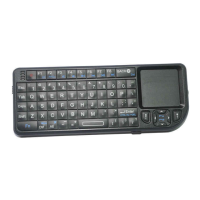
When the keyboard is turned on, the mode keeps the same before the
last power o. The Blue indicator ashes, it means on the Bluetooth mode.
The green indicator ashes, it means on the 2.4G mode. Press the MODE
key to switch the modes between the Bluetooth and 2.4G. The Bluetooth
mode name on the device: K18S BLE keyboard, and then select it to pair.
If you want to connect two dierent devices by Bluetooth mode, you
could press FN+F1 into Bluetooth pairing mode to connect the second
one .
In 2.4G mode, the green light will be on or ashing. Plug the USB receiver,
and it will connect automatically. The green light will be on when connected.
If the receiver is lost and a new receiver is needed to repair, and the
repair method: press FN+F1, the green light will ash, then plug the
+
VI
Operation instruction
Bluetooth-installation
2.4G-installation


 To Next Page