EasyManua.ls Logo

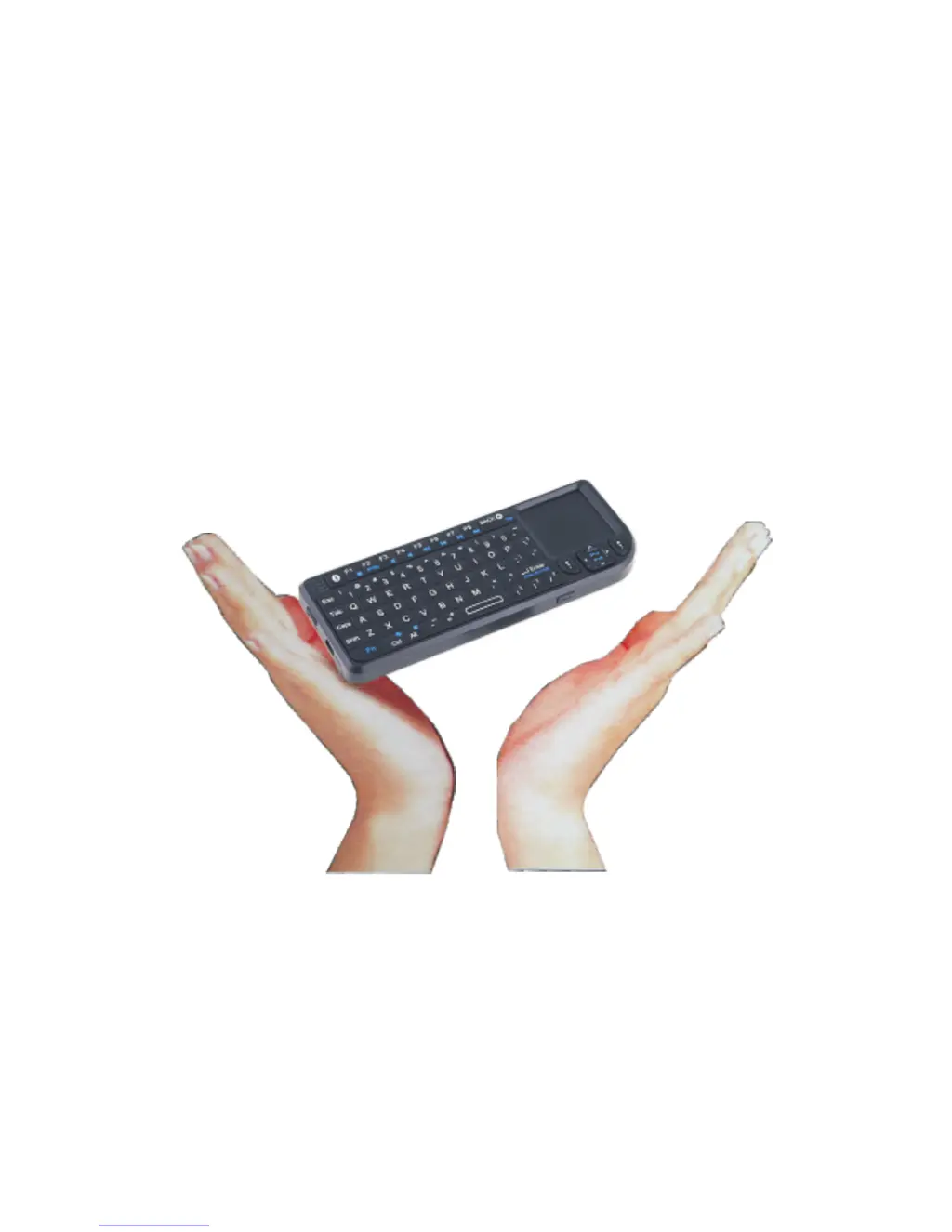
Riitek Rii Mini-[2.4GHz] - User Manual

Riitek Rii Mini-[2.4GHz]
9 pages
Print Icon
To Next Page IconTo Next Page
Loading...
Rii Mini-[2.4GHz]
Users Manual
Ver:2.0

Questions and Answers

  • A
    Austin WeaverJul 26, 2025
    What to do if my Riitek Rii Mini-[2.4GHz] Keyboard does not respond?
    • D
      Danielle NelsonJul 27, 2025
      If your Riitek Keyboard isn't responding, it could be due to low battery power. Try charging the device for at least 15 minutes. Also, make sure the unit is turned on by checking if the switch is in the 'ON' position.
  • B
    beardbeckyAug 3, 2025
    How to fix Riitek Rii Mini-[2.4GHz] Keyboard when it cannot connect to the receiver?
    • L
      Lindsey PetersonAug 3, 2025
      If your Riitek Keyboard can't connect to the receiver, first, ensure the receiver is properly inserted into the USB port by disconnecting and reconnecting it. If the issue persists, wireless interference might be the cause. Try changing the device's channel by pressing and holding the Fn+F1 key for 10 seconds to allow the unit to reconnect.
  • J
    Jonathon BarberAug 10, 2025
    Why is the mouse pointer on my Riitek Rii Mini-[2.4GHz] Keyboard moving erratically?
    • G
      George MacdonaldAug 10, 2025
      An erratic or unresponsive mouse pointer on your Riitek Keyboard could be due to the device being too far from the receiver; try bringing the unit closer. Alternatively, dust or oil on the touchpad might be the issue. Clean the touchpad with a damp cloth.
  • S
    Stephanie DavisAug 18, 2025
    What to do if my Riitek Keyboard does not charge?
    • F
      floresangelaAug 18, 2025
      If your Riitek Keyboard isn't charging, verify that the device is securely connected to the charger. If the problem persists, it may be a defective battery. Contact your local dealer for a replacement.

Summary

Safety Precautions

Safety Guidelines

Covers general safety, traffic, aircraft, hazardous areas, and hospital use.

Overview

Interference and Accessories

Discusses potential interference affecting performance and recommends using factory-specified accessories.

Product Features

Product View and Controls

Details the keyboard layout, multimedia controls, special function keys, and indicators.

Touchpad Functionality

Explains the touchpad's dual-mode operation and innovative mouse wheel function for enhanced navigation.

Operation and Maintenance

Connecting and Using the Device

Guides on connecting the receiver, enabling backlight, and understanding sleep/wake features.

Power Management and Charging

Covers switching off the device, charging the battery, and low voltage indicators.

Appendix

Specifications and System Requirements

Lists technical parameters like dimensions, weight, voltage, and compatible computer systems.

Maintenance Guidelines

Provides instructions on device care, battery handling, cleaning, and avoiding environmental damage.

Troubleshooting

Common Device Issues

Addresses problems like unit unresponsiveness, connection failures, and erratic pointer movement.

Charging and Power Problems

Solves issues related to the unit not charging, checking connections and battery status.

Riitek Rii Mini-[2.4GHz] Specifications

General IconGeneral
BrandRiitek
ModelRii Mini-[2.4GHz]
CategoryKeyboard
LanguageEnglish

Related product manuals