EasyManua.ls Logo

Riken Keiki RX-8500 - User Manual

Riken Keiki RX-8500
58 pages
Print Icon
To Next Page IconTo Next Page
Loading...
PT0E-1371
Portable Multi-Gas Monitor
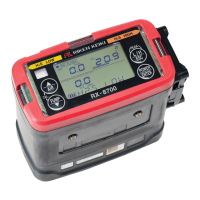
RX-8500/RX-8700
Data Logger Management Program
SW-RX-8500/8700(EX)
Operating Manual

Table of Contents

Questions and Answers

  • M
    Michael BakerAug 2, 2025
    What to do if my Riken Keiki Microphone displays a low flow rate alarm [FAIL LOW FLOW]?
    • K
      Kara HallAug 2, 2025
      If your Riken Keiki Microphone displays a low flow rate alarm, it could be due to several reasons. First, check the gas sampling hose for any damage or signs of water or oil being drawn in. Second, inspect the gas sampling hose for any blockages, clogs, or twists. If the gas monitor was powered on at a low temperature or hasn't been used for a while, try cycling the power several times to see if the pump starts operating. If none of these steps work, the pump may have deteriorated, and you should contact RIKEN KEIKI to replace it.
  • A
    April MoralesAug 7, 2025
    Why won't my Riken Keiki Microphone calibrate to air [FAIL AIR CAL]?
    • R
      Richard CarlsonAug 7, 2025
      If your Riken Keiki Microphone won't calibrate to air, ensure that fresh air is properly supplied around the gas monitor and perform the air calibration again. If the issue persists, a sensor may have failed, and you should contact RIKEN KEIKI for repair.
  • M
    matthew62Aug 12, 2025
    What to do if the batteries of Riken Keiki Microphone cannot be charged (Lithium ion battery unit only)?
    • C
      Cristina TranAug 12, 2025
      If the batteries of your Riken Keiki Microphone aren't charging (Lithium ion battery unit only), first, make sure the AC plug and DC plug of the AC adapter are properly connected. If that doesn't resolve the issue, there may be a charging circuit abnormality, and you should contact RIKEN KEIKI for repair. Also, keep in mind that if the batteries are already fully charged, the charging indicator lamp won't turn on when you try to charge them again.
  • A
    Anna GibsonAug 17, 2025
    How to fix clock abnormalities [FAIL CLOCK] in Riken Keiki Microphone?
    • J
      James HaleyAug 17, 2025
      If you are experiencing clock abnormalities with your Riken Keiki Microphone, try setting the date and time. If the issue continues to occur, the built-in clock may be malfunctioning, and you should contact RIKEN KEIKI for a replacement.
  • D
    dylancoleAug 22, 2025
    What to do if error occurs during communication with Riken Keiki Monitor?
    • J
      John AndersonAug 22, 2025
      If communication errors occur with your Riken Keiki Monitor, it might be due to scattered infrared light interference. Try eliminating any devices emitting IR light in the vicinity. Also, avoid moving the RX-8500/8700 main unit during communication to prevent errors.
  • T
    Travis HorneAug 27, 2025
    Why communication is not possible with Riken Keiki Monitor?
    • B
      Bryan RussellAug 27, 2025
      If communication with your Riken Keiki Monitor is not possible, the main unit's position might be inappropriate. Try adjusting its position. Alternatively, another device using infrared (IR) might be interfering. Turn off other IR devices or prevent their interference.

Summary

Preface

Purpose and features of this program

This program is used to download data collected by the data logger function featured in RX-8500/8700 to a PC to use the data effectively.

Installation and Uninstallation

Software installation

Procedure to install the software by inserting the program disk into a CD-ROM drive.

Installation procedure

Step-by-step guide through the software installation process using the InstallShield Wizard.

How to Operate

Download screen

The main interface for interacting with the data logger, allowing data download and unit control.

Data View screen

Presents downloaded data in table or graph format for detailed analysis and reporting.

Set screen

Interface for configuring screen display settings and detailed unit parameters.

Data Maintenance

Operating Precautions

Troubleshooting

IrDA Specifications

Riken Keiki RX-8500 Specifications

General IconGeneral
BrandRiken Keiki
ModelRX-8500
CategoryMonitor
LanguageEnglish

Related product manuals