EasyManua.ls Logo

Rikon Power Tools 50-114 - User Manual

Rikon Power Tools 50-114
24 pages
Print Icon
To Next Page IconTo Next Page
Loading...
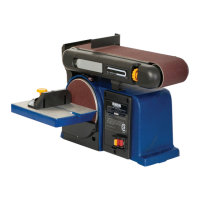
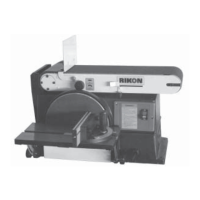
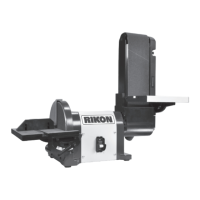
4 x 36 Belt / 8 Disc Sander
50-114
www.rikontools.com
50-114M1
Operators Manual
Record the serial number and date of purchase in your manual for future reference.
The serial number can be found on the specication label on the rear of your machine.
Serial Number: ___________________________ Date of purchase: _________________
For technical support or parts questions, email techsupport@rikontools.com or call toll free at (877)884-5167

Questions and Answers

  • S
    Spencer AndersonJul 28, 2025
    Why Rikon Power Tools Sander motor will not run?
    • C
      Christopher HayesJul 28, 2025
      If the Rikon Power Tools Sander motor won't run, there are several potential causes: * A defective ON/OFF switch, switch cord, or switch relay. Replace any broken or defective parts. * A blown house fuse. Replace the fuse and turn off other appliances and power tools on the same circuit. * A burned-out motor. Contact a Professional Service Station for repair, as attempting to repair it yourself can be hazardous unless you are a qualified technician.
  • S
    Sergio CarlsonAug 3, 2025
    What to do if Rikon Power Tools Sander motor does not develop full speed?
    • L
      lydiawatsonAug 3, 2025
      If the motor of your Rikon Power Tools Sander isn't reaching full speed, it could be due to: * An overloaded power line with too many lights or other tools. Try reducing the load on the power line. * Using a long or incorrect extension cord. Replace it with the correct one. * Incorrect fuses or circuit breakers in the power cord. Install the correct fuses or circuit breaker.
  • M
    Mr. Jeremiah Todd MDAug 9, 2025
    Why Rikon Power Tools 50-114 slows down while sanding?
    • T
      Tyrone HendersonAug 9, 2025
      If your Rikon Power Tools Sander slows down during use, consider these possibilities: * Too much pressure is being applied to the workpiece. Reduce the pressure. * The wheels are dirty. Clean the wheels. * The belt is worn or stretched. Replace the pulley belt.
  • C
    celliottAug 15, 2025
    How to prevent wood from burning while sanding with Rikon Power Tools 50-114 Sander?
    • R
      Regina BentonAug 15, 2025
      Wood burning while using your Rikon Power Tools Sander can be attributed to a couple of reasons: * The sanding disc or belt is glazed with sap. Replace the belt or disc. * You're applying excessive pressure to the workpiece. Reduce the pressure.
  • E
    Ethan WalkerAug 21, 2025
    What to do if Rikon Power Tools 50-114 motor overheats?
    • A
      Amanda MurphyAug 21, 2025
      If the motor of your Rikon Power Tools Sander overheats, it's likely due to motor overload. Reduce the motor load and allow it to cool off before restarting.

Summary

Safety Instructions

Safety Symbols

Explains safety alert symbols used in the manual, indicating danger, warning, or caution.

General Safety

Provides fundamental safety guidelines for operating power tools, including reading the manual and proper grounding.

Before Using Sander

Outlines crucial precautions and safety checks to perform before operating the sander.

Electrical Safety

Details essential electrical safety measures, including grounding requirements and extension cord usage.

Extension Cords

Offers guidelines for selecting and properly using extension cords with the power tool.

Specific Safety Instructions for Sanders

Lists safety rules specifically tailored for the operation of this sander model.

Specifications

Carton Contents

Unpacking and Checking Contents

Steps for carefully unpacking the machine and verifying all included items against the list.

Assembly

Mounting the Disc Table & Disc Cover

Instructions for attaching the disc table and its safety cover to the sander.

Mounting the Belt Table

Instructions for assembling the smaller worktable used with the sanding belt.

Mounting Belt; Disc Sander to Workbench or Stand

Guidance on how to securely mount the sander unit to a stable work surface.

Miter Gauge

Instructions for installing and adjusting the miter gauge for angle sanding.

Installing Dust Collection

Recommendations and steps for connecting a dust collection system.

Adjustments

Adjusting Disc Table Square with Sanding Disc

Procedure to ensure the disc table is set at a 90-degree angle to the sanding disc.

Adjusting Belt Table Square with Sanding Belt

Procedure to ensure the belt table is set at a 90-degree angle to the sanding belt.

Operation

On;Off Switch

Explanation of the power switch operation and its removable safety key.

Adjusting the Belt Frame for Vertical or Horizontal Sanding

How to change the belt station orientation between vertical and horizontal positions.

Tracking the Sanding Belt

Procedure for adjusting the tracking knob to ensure the sanding belt runs true.

Leveling the Sanding Belt

How to adjust the support rod to achieve the correct level for the sanding belt.

Operating Dust Exhaust

Recommendations for using the dust collection system effectively during sanding.

Horizontal Belt Sanding

Guidelines for performing surface or edge sanding using the belt in a horizontal position.

Sanding Inside Curves

Technique for freehand sanding of inside curves using the idler drum.

Sanding Outside Curves

Technique for freehand sanding of outside curves using the tables.

Maintenance

Replacing the Sanding Disc

Step-by-step instructions for removing and installing a new sanding disc.

Replacing the Sanding Belt

Detailed procedure for removing and installing a new sanding belt.

Lubrication

Information regarding lubrication for moving table parts and bearings.

Maintenance Required

A list of essential maintenance tasks and their recommended frequency of performance.

Wiring Diagram

Accessories

4 Dust Fitting Adapter Set

Description of an optional accessory set for enhanced dust collection.

Sanding Belts

List of available sanding belt sizes, grits, and quantities.

Sanding Discs

List of available sanding disc sizes, grits, and quantities.

Troubleshooting

Parts Diagram

Parts List

Warranty

Rikon Power Tools 50-114 Specifications

General IconGeneral
Sanding Disc Size6 inches
Sanding Belt Size4 x 36 inches
Belt Speed3100 FPM
Disc Speed3450 RPM
Dust Port2-1/2 inches
Table Tilt0-45 degrees

Related product manuals