EasyManua.ls Logo

Rikon Power Tools 50-151 - User Manual

Rikon Power Tools 50-151
20 pages
Print Icon
To Next Page IconTo Next Page
Loading...
50-151
www.rikontools.com
50-151M2
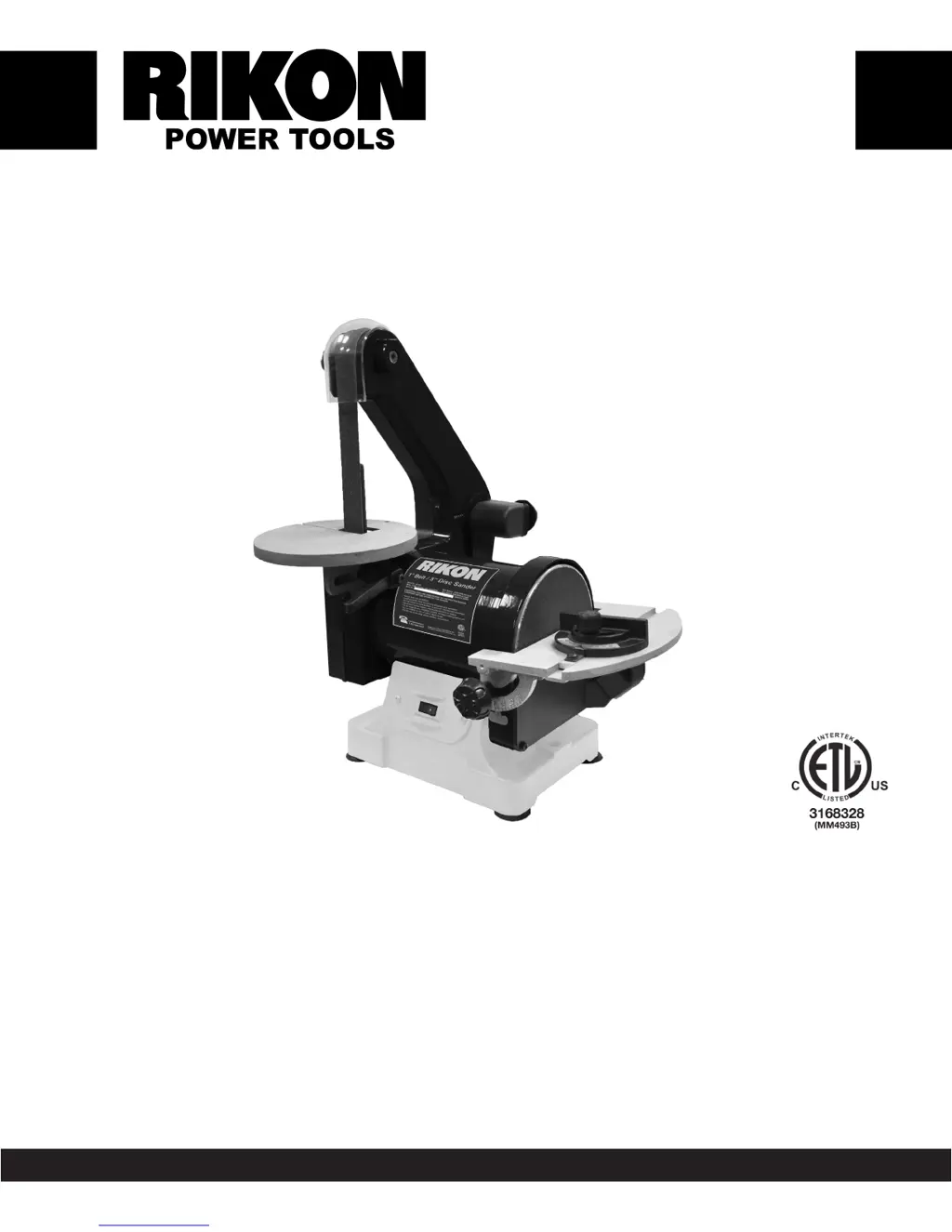
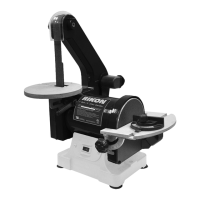
1” X 30” Belt / 5” Disc Sander
Operators Manual
Record the serial number and date of purchase in your manual for future reference.
Serial Number: _________________________ Date of purchase: _________________________
For technical support or parts questions, email techsupport@rikontools.com or call toll free at (877)884-5167

Questions and Answers

  • K
    Kelsey BrennanAug 16, 2025
    Why won't my Rikon Power Tools 50-151 Sander motor start?
    • J
      John WilliamsAug 16, 2025
      The motor may not start due to several reasons. It could be due to low voltage, so check the power source. Another cause might be an open circuit in the motor or loose connections, so inspect all lead connections on the motor. Lastly, a blown fuse or breaker could be the reason; this may indicate a short circuit.
  • C
    Christina Jones DVMAug 19, 2025
    What to do if my Rikon Power Tools 50-151 motor stalls and trips the circuit?
    • D
      Diane SanchezAug 19, 2025
      If your sander's motor stalls, runs slowly, and causes blown fuses or a tripped circuit, several factors could be at play. The motor might be overloaded, so reduce the load. There could be a short circuit in the motor or loose connections; in that case, inspect the connections. Low line voltage could be the issue; correct any low voltage conditions, such as an improper extension cord. Also, incorrect fuses or circuit breakers in the power line can cause this issue, so install the correct ones. The motor capacitor might have failed, so replace it. Finally, excessive belt tension could be the problem; decrease the belt tension.
  • K
    Kenneth HawkinsAug 22, 2025
    Why does my Rikon Power Tools 50-151 motor trip the circuit breaker when I start it?
    • S
      Sheila GutierrezAug 22, 2025
      If the fuses or circuit breakers trip or blow when starting the motor, it could be due to a short circuit in the line, cord, or plug, so inspect the cord or plug for damaged insulation and shorted wires. Another possibility is a short circuit in the motor or loose connections; inspect all connections on the motor for loose or shorted terminals and/or worn insulation. The issue might also stem from incorrect fuses or circuit breakers in the power line; install the correct fuses or circuit breakers or switch the tool to an appropriately sized circuit.
  • K
    Kimberly SmithAug 25, 2025
    How to prevent my Rikon Power Tools 50-151 Sander motor from overheating?
    • Q
      qwelchAug 26, 2025
      To prevent your sander's motor from overheating: first, reduce the load on the motor by decreasing pressure on the sandpaper. Second, ensure you're using an extension cord of appropriate gauge and length, or plug the tool directly into the outlet. Third, reduce the motor run time to improve air circulation around the motor.
  • D
    David HodgeAug 28, 2025
    Why is my Rikon Power Tools 50-151 Sander vibrating so much?
    • X
      xjonesAug 28, 2025
      Excessive vibration or noise in your sander can be caused by several issues. Ensure all fasteners are tightened to correct for incorrect motor mounting. Adjust the tension-adjustment knob if the sanding-belt tension is incorrect. A weak or broken belt tension spring may require replacement by a service technician. An idler roller that is too loose will need adjustment by a service technician. Replace a broken or defective sanding belt or disc. Finally, decrease belt tension if the drive belt is too tight.
  • T
    Taylor MckinneyAug 31, 2025
    How to avoid burn marks on wood with my Rikon Power Tools 50-151 Sander?
    • K
      Kathy WilliamsAug 31, 2025
      To avoid burn marks on your workpiece while sanding, ensure you're not using a sanding grit that is too fine; switch to a coarser-grit sandpaper. Also, reduce the pressure on the workpiece while sanding. Finally, avoid holding the workpiece still for too long against the sandpaper; keep it moving.
  • B
    Brenda MoyerSep 3, 2025
    What causes deep grooves when sanding with my Rikon Power Tools 50-151?
    • T
      Terry RogersSep 3, 2025
      Deep sanding grooves or scars in your workpiece can occur if the sanding belt/disc grit is too coarse for the desired finish; use a finer-grit sanding belt or disc. Also, sanding across the grain of the wood can cause this, so sand with the grain. Too much sanding force on the workpiece can also lead to grooves, so reduce pressure while sanding. Finally, holding the workpiece still against the belt-disc for too long can be a factor; keep the workpiece moving while sanding.
  • L
    Lucas FloresSep 6, 2025
    Why does my Rikon Power Tools 50-151 clog so fast?
    • A
      Anna SmithSep 6, 2025
      A sanding surface can clog quickly due to too much pressure against the belt or disc; reduce pressure on the workpiece while sanding. Also, sanding softwood or highly resinous woods can cause this; consider using different stock or sandpaper grits, or accept the need for frequent cleaning or replacement of belts and discs.
  • J
    Jaclyn HernandezSep 9, 2025
    Why is the sanding grain rubbing off my Rikon Power Tools 50-151 belt?
    • W
      William WilliamsSep 9, 2025
      Sanding grains may easily rub off the belt or disc if the sandpaper has been stored in an incorrect environment; ensure sandpaper is stored away from extremely hot & dry or damp/humid conditions. Also, sandpaper that has been damaged or folded can cause this; store sanding accessories flat – not bent or folded.
  • C
    Cassandra JacksonSep 12, 2025
    Why does the workpiece lift up when sanding on my Rikon Power Tools 50-151?
    • D
      Donald BradleySep 12, 2025
      The workpiece might lift up from the sanding disc-table if you are sanding on the “up”, right side of the disc, where rotation is up and away from the table. To avoid this, sand on the left side of the sanding disc, where the disc rotates down towards the table.

Summary

Safety Guidelines

Understanding Safety Symbols and Meanings

Explains various safety symbols like DANGER, WARNING, CAUTION, and NOTICE.

Safety Instructions

General Operational Safety

Essential safety practices for operating power tools and maintaining a safe work environment.

Pre-Operation Checks and Warnings

Crucial checks and warnings before operating the sander, including Proposition 65.

Electrical Safety

Sander Specific Safety

Belt and Disc Sander Precautions

Specific safety rules for operating belt and disc sanders to prevent injury.

Assembly and Installation

Sanding Table Adjustments

Changing Sanding Accessories

Troubleshooting Guide

Common Issues and Solutions

Identifies common problems and provides corrective actions for the sander.

Wiring Diagram

Electrical Connections Overview

Visual representation of the sander's electrical components and wiring.

Warranty Information

5-Year Limited Warranty Details

Terms, conditions, exclusions, and claim process for the RIKON 5-year limited warranty.

Rikon Power Tools 50-151 Specifications

General IconGeneral
Model50-151
TypeBelt / Disc Sander
Sanding Disc Size6"
Voltage120V
Motor1/2 HP
Disc Speed3450 RPM
Base Dimensions12" x 10"

Related product manuals