5
Battery charging – Connection
Charging a battery within a vehicle
1. Ensure the AC power lead is disconnected from the AC mains supply before commencing
2. Charging a negatively grounded (earth) battery
Connect the red (+) battery clip to the red (+) post on the battery
3. Connect the black (-) battery clip to the vehicle chassis, away from the battery and fuel line.
As designated in vehicle handbook
Charging a battery removed from a vehicle
1. Ensure the AC power lead is disconnected from the AC mains supply before commencing
2. Connect the red (+) battery clip to the red (+) post on the battery
3. Connect the black (-) battery clip to the black (-) post on the battery
Battery charging – Operation
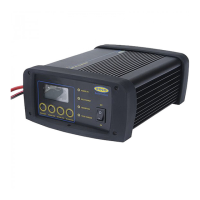
1. Ensure the SmartChargePro is connected safely and correctly to the battery
2. Connect the SmartChargePro AC power lead to the AC power supply
- RSCPR7, RSCPR10 and RSCPR15 the AC power LED indicator lights up
- RSCPR25, RSCPR35, RSCPR50 and RSCPR824 – turn on ‘ON/OFF’ switch the AC power LED
lights up.
3. When charging is complete the ‘Fully Charged’ LED lights up
4. The SmartChargePro can be left safely connected to a battery for an indefinite period
5. To disconnect remove the AC plug from the AC supply.
- RSCPR25, RSCPR35, RSCPR50 and RSCPR824 – Turn off ‘ON/OFF switch
Following this remove the red (+) clip from the battery followed by the black (-) clip.
6. Store the SmartChargePro in a safe dry place
Polarity protection
If the battery leads are connected the wrong way around the following will display:
RSCPR7, RSCPR10 and RSCPR15 – ‘Power’ LED flashes
RSCPR25, RSCPR35, RSCPR50 and RSCPR824 – ‘ERR’ will display on LCD display and an audible
alarm will sound


 To Next Page