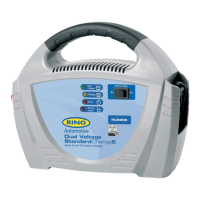
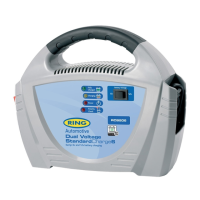
The Ring SmartChargePro is a range of multi-stage battery chargers designed for various battery types and capacities, offering features for safe, efficient, and prolonged battery life.
Function Description:
The SmartChargePro chargers are designed to charge and maintain lead-acid (wet), Gel, AGM, and calcium batteries with 6 cells. They automatically adjust the charge rate, stop charging when the battery is full, and resume charging as the battery naturally discharges, ensuring continuous optimal charge. The range includes models with different charging capacities and voltage outputs (12V and 24V). Some models also offer a power supply mode, providing a constant voltage for appliances or vehicle diagnostic equipment.
Charging Stages:
The SmartChargePro utilizes a multi-stage charging process to optimize battery health and performance:
- Desulphation: Pulse charges the battery to break down lead sulphate crystals that can form when a battery is discharged or unused.
- Soft Start: A slow, steady build-up of the charging process, limiting current until the battery voltage is above 12V.
- Bulk Charge: The main charging phase where 80% of the required charge is applied.
- Absorption: Charges to full capacity with a declining current to allow the battery to absorb more power.
- Equalisation: An additional stage for calcium batteries, designed to remove acid stratification.
- Battery Test: The charger conducts an automatic discharge test. If more charging is needed, the recondition function is selected. If fully charged, it enters the float stage.
- Recondition: An automatic charging stage to recover deeply discharged batteries.
- Float: Maintains the battery at 100% charge without overcharging, allowing the charger to be connected indefinitely. This is ideal for intermittently used batteries (e.g., motorcycles, caravans, boats, classic cars).
Important Technical Specifications:
The SmartChargePro range includes several models, each with specific technical details:
-
RSCPR7:
- Input: 230VAC, 50Hz
- Input Power: 216W
- Output Voltage: 12V
- Charge Rates: 7A
- Minimum Start Voltage: 2.5V
- Battery Capacity: 50-140Ah
- Dimensions: 182L x 108B x 61H
- Weight: 0.97 kg
- Fuse (for permanent connection): 15amp
-
RSCPR10:
- Input: 230VAC, 50Hz
- Input Power: 288W
- Output Voltage: 12V
- Charge Rates: 10A
- Minimum Start Voltage: 2.5V
- Battery Capacity: 70-200Ah
- Dimensions: 202L x 108B x 61H
- Weight: 1.15 kg
- Fuse (for permanent connection): 20amp
-
RSCPR15:
- Input: 230VAC, 50Hz
- Input Power: 408W
- Output Voltage: 12V
- Charge Rates: 15A
- Minimum Start Voltage: 2.5V
- Battery Capacity: 85-300Ah
- Dimensions: 252L x 108B x 61H
- Weight: 1.5 kg
- Fuse (for permanent connection): 30amp
-
RSCPR25:
- Input: 230VAC, 50Hz
- Input Power: 792W
- Output Voltage: 12V
- Charge Rates: 2, 6, 12, 25A
- Minimum Start Voltage: 2.5V
- Battery Capacity: 14-500Ah
- Dimensions: 248L x 176B x 86H
- Weight: 2.5 kg
- Fuse (for permanent connection): 30amp
-
RSCPR35:
- Input: 230VAC, 50Hz
- Input Power: 1080W
- Output Voltage: 12V
- Charge Rates: 2, 8, 16, 35A
- Minimum Start Voltage: 2.5V
- Battery Capacity: 14-700Ah
- Dimensions: 328L x 176B x 86H
- Weight: 3.56 kg
- Fuse (for permanent connection): 50amp
-
RSCPR50:
- Input: 230VAC, 50Hz
- Input Power: 1488W
- Output Voltage: 12V
- Charge Rates: 2, 6, 12, 25, 50A
- Minimum Start Voltage: 2.5V
- Battery Capacity: 14-1000Ah
- Dimensions: 328L x 176B x 86H
- Weight: 3.56 kg
- Fuse (for permanent connection): 100amp
-
RSCPR824:
- Input: 230VAC, 50Hz
- Input Power: 480W
- Output Voltage: 24V
- Charge Rates: 2, 4, 6, 8A
- Minimum Start Voltage: 4.5V
- Battery Capacity: 14-160Ah
- Dimensions: 248L x 176B x 86H
- Weight: 2.32 kg
- Fuse (for permanent connection): 12amp
All models are suitable for charging Lead acid (wet), Gel, AGM, and Calcium battery types.
Usage Features:
-
Safety:
- RISK OF EXPLOSION: Only connect battery leads when the mains supply is disconnected. Prevent flames and sparks, and ensure adequate ventilation during charging due to explosive gasses.
- Indoor Use Only: Designed for indoor use.
- Battery Compatibility: Not suitable for non-rechargeable batteries.
- Polarity Protection: If battery leads are connected incorrectly, RSCPR7, RSCPR10, and RSCPR15 models will flash the 'Power' LED. RSCPR25, RSCPR35, RSCPR50, and RSCPR824 models will display 'ERR' on the LCD and sound an audible alarm.
- Temperature Compensation (RSCPR25, RSCPR35, RSCPR50, RSCPR824): Monitors battery temperature via a sensor to prevent overheating and adjusts output accordingly. The sensor cable length is 1.8m.
-
Charging Connection:
- Within a Vehicle: Disconnect AC power. Connect the red (+) battery clip to the red (+) post on the battery. Connect the black (-) battery clip to the vehicle chassis (away from battery/fuel line) as per the vehicle handbook.
- Removed from a Vehicle: Disconnect AC power. Connect the red (+) battery clip to the red (+) post. Connect the black (-) battery clip to the black (-) post.
-
Operation:
- Ensure the charger is safely and correctly connected to the battery.
- Connect the AC power lead to the mains supply. For RSCPR7, RSCPR10, RSCPR15, the AC power LED lights up. For RSCPR25, RSCPR35, RSCPR50, RSCPR824, turn on the 'ON/OFF' switch, and the AC power LED lights up.
- The 'Fully Charged' LED illuminates when charging is complete.
- The charger can be left connected indefinitely for maintenance charging.
- To disconnect, remove the AC plug. For RSCPR25, RSCPR35, RSCPR50, RSCPR824, turn off the 'ON/OFF' switch first. Then remove the red (+) clip, followed by the black (-) clip.
-
Battery Chemistry Selection:
- RSCPR7, RSCPR10, RSCPR15: With AC connected, press 'Select' (all LEDs light up, then turn off). Press 'Mode' repeatedly to select the correct battery type (Gel, AGM, Lead Acid (Wet), Calcium).
- RSCPR25, RSCPR35, RSCPR50, RSCPR824: With AC connected and 'ON/OFF' switch ON, press the 'Battery type selection switch' (LCD flashes current setting). Press repeatedly to select the correct battery type.
- Gel: Max charge 14.1V (RSCPR824: 28.2V).
- AGM: Max charge 14.4V (RSCPR824: 28.8V).
- Lead Acid (Wet): Bulk/absorption 14.7V (RSCPR824: 29.4V), recondition up to 16V (RSCPR824: 32V).
- Calcium: Bulk/absorption 14.7V (RSCPR824: 29.4V), Equalisation/Recondition up to 16V (RSCPR824: 32V). Calcium mode takes longer due to the equalisation stage, which applies constant current until 16V (or 32V for 24V batteries) is reached, rejuvenating cells.
-
Charge Rate Selection (RSCPR25, RSCPR35, RSCPR50, RSCPR824):
- Press the 'Charge Rate' select switch (LCD flashes previous setting). Press repeatedly to set the desired charge rate. The charger retains the last setting used.
- A table provides recommended battery sizes (Ah) and CCA for each charge rate.
-
Manual Reconditioning (RSCPR25, RSCPR35, RSCPR50, RSCPR824):
- Restores deeply discharged batteries by equalizing cells, improving performance. Recommended periodically for battery health.
- If electrolyte levels need checking, perform reconditioning with the battery removed from the vehicle.
- Press the 'Manual Recondition' button. The charger stays in this mode for 4 hours (LCD displays rapid horizontal lines). After reconditioning, a normal charging cycle begins.
-
Power Supply Mode (Battery Support Unit):
- Provides a constant voltage (13.8V; RSCPR824: 27.6V) to maintain battery voltage when appliances or diagnostic equipment are connected.
- RSCPR7, RSCPR10, RSCPR15: Operates with or without a battery in the vehicle.
- RSCPR25, RSCPR35, RSCPR50, RSCPR824: Requires a battery in the vehicle.
-
LCD Display (RSCPR25, RSCPR35, RSCPR50, RSCPR824): Displays battery voltage (V), charging current (A), battery type, charging/charged icon, recondition/equalisation modes, power supply mode, and error codes ('Err' for short circuit/reverse polarity, 'F01' for bulk charging timeout).
-
LED Indicators (RSCPR7, RSCPR10, RSCPR15):
- Power (Red LED): Solid for power on, flashing for 'Err' or 'F01' fault codes.
- Charging (Blue LED): Fast flash during desulphation, slow flash during soft start, solid during bulk/absorption/equalisation, slow flash during analyse/recondition.
- Full (Green LED): Solid when fully charged.
-
LED Indicators (RSCPR25, RSCPR35, RSCPR50, RSCPR824):
- Bulk Charge (Blue LED): Fast flash during desulphation, slow flash during soft start, solid during bulk.
- Absorption (Blue LED): Solid during absorption, slow flash during analyse/recondition.
- Full Charged (Green LED): Solid when fully charged.
- Power (Red LED): Solid for power on, flashing for 'Err' or 'F01' fault codes.
-
Remote Control (RSCPRC - Sold Separately):
- Compatible with RSCPR25, RSCPR35, RSCPR50, RSCPR824.
- Monitors and controls charger performance. Ideal for hard-to-access batteries.
- Features a bi-colour LED indicator (Green flashing for charging, Green solid for fully charged/power supply mode, Red flashing for reverse polarity, Red solid for bulk charging timeout).
- Displays battery voltage (volts) or charging rates (amps) on an LCD screen.
- Includes battery type selection switch, charge rate select switch, and manual recondition function.
- Cable length: 2.9m.
Maintenance Features:
- Mounting: End plates include 3.5mm mounting holes for permanent fixing.
- Positioning: Place in a dry, well-ventilated area with at least 10cm clearance from end plates for cooling fan. Keep clean and free of dust.
- Permanent Connection: Advised to connect to battery terminals with a ring terminal connection. Ensure all sensor wires run parallel to positive and negative cables. Include an in-line fuse on the red (+) cable between the battery and SmartChargePro (specific fuse ratings per model).
- Storage: Store the SmartChargePro in a safe, dry place.
- Cord Damage: The supply lead cannot be replaced. If the cord is damaged, the SmartChargePro should be replaced.

 Need help?
 General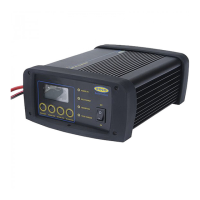

 To Next Page