Need help?
Do you have a question about the ring Keypad 2nd Generation Z-Wave and is the answer not in the manual?
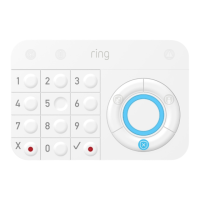
Overview of the Ring Alarm Keypad, its functions, and integration requirements.
Steps to set up the Keypad using the Ring mobile application.
Physical installation guidelines for mounting and placing the Keypad.
Details on Z-Wave device type, role, and specific types for the Keypad.
Step-by-step guide for adding the Keypad to a Z-Wave network using SmartStart.
Method for adding the Keypad when the controller does not support SmartStart.
Procedure for removing the Keypad from a Z-Wave network.
Steps to restore the Keypad to its original factory settings.
Statement regarding compliance with FCC rules for the device.
Statement regarding compliance with Canadian ISED regulations.
Important warnings regarding operation, modifications, electrical shock, and battery handling.
 General
| Connectivity | Z-Wave |
|---|---|
| Power Source | Battery |
| Battery Life | Up to 3 years |
| Number of Buttons | 15 |
| Operating Temperature | 32°F to 104°F (0°C to 40°C) |
| Indoor Use | Yes |
| Compatibility | Ring Alarm system |
| Features | emergency button |
| Mounting Options | Wall mount |

 To Next Page