Need help?
Do you have a question about the ring Keypad and is the answer not in the manual?
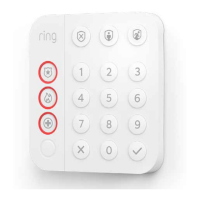
Introduction to the Ring Keypad and its home security features.
Guide to initiating the setup process within the Ring mobile application.
Instructions for pairing the Keypad with the Base Station, including LED indicators.
Guidance on placing and mounting the Keypad in a convenient location.
Steps for adding the Keypad using the Smart Start method via QR code.
Steps for adding the Keypad manually using DSK PIN and button press.
Procedure to remove the Keypad from the Z-Wave network via app and button press.
Details on the Keypad's association group for receiving system notifications.
Steps to perform a factory reset on the Keypad using button and pinhole.
 General
| Connectivity | Z-Wave |
|---|---|
| Compatibility | Ring Alarm Security System |
| Mounting | Wall mount or tabletop |
| Buttons | emergency buttons |
| Power | AC Adapter, Rechargeable Battery |
| Battery Life | Up to 1 year (depending on usage) |
| Operating Temperature | 32°F to 120°F (0°C to 49°C) |

 To Next Page