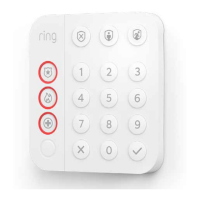
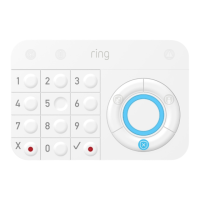
Ring Alarm Keypad User Manual
Ring Alarm Keypad – 2
nd
Generation
Introduction
Ring Alarm Keypad is a wireless accessory for the Ring Alarm system which provides users the
ability to arm and disarm their system, view system status, and manage alarm conditions. After
installing the Keypad and setting up the Keypad in the Ring app, perform arming and disarming
actions as well as receive system indications for different status updates and events. The Ring
Alarm Base Station is required to enable Keypad features and functions within the Ring app.
Notes:
1. This product can be operated in any Z-Wave
TM
network with other Z-Wave certified devices
from other manufacturers. All mains operated nodes within the network will act as
repeaters regardless of vendor to increase reliability of the network.
2. SmartStart enabled products can be added into a Z-Wave network by scanning the Z-
Wave QR Code present on the product with a controller providing SmartStart inclusion. No
further action is required and the SmartStart product will be added automatically within 10
minutes of being switched on in the network vicinity.
Installation & Set Up
Ring Alarm Keypad – Basic Setup & Installation
In-app Setup
1. Ensure your Ring Alarm system is disarmed.
2. In the Ring app, tap Set Up a Device and find the Keypad in the Security Devices menu.
3. Follow the in-app instructions to complete setup. Plug in the Keypad to trigger setup mode.

 Need help?

 To Next Page
 General