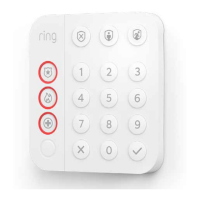
Ring Keypad – Exclusion
Removing a Keypad to a Z-Wave Network
Exclusion Instructions:
1. Initiate remove keypad flow in the Ring Alarm mobile application – Select the settings icon from device details page and choose
“Remove Device”
2. Press and hold “1” key for three seconds
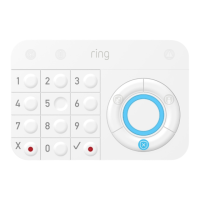
3. When the exclusion process in complete, the LED on the keypad will be solid blue, then go out.
4. Test the Keypad. Any button presses would not beep
Ring Keypad – Lifeline
Association
This keypad has one Association group with 1 node. Group 1 is a lifeline group who will receive unsolicited messages relating to
entry control notifications, notifications reports, battery report notifications, and device reset locally notifications
Ring Keypad – Reset
Factory Default Instructions
1. Press and hold “5” key and using a pointed end of a paperclip, gently press and release reset button via the reset pin hole found at the
back of the keypad
2. Red network LED at the top left-hand corner will start to blink rapidly
3. Wait for the red LED to stop blinking then release the “5” key


 To Next Page