ELECTRIC SCOOTER / ENG
7
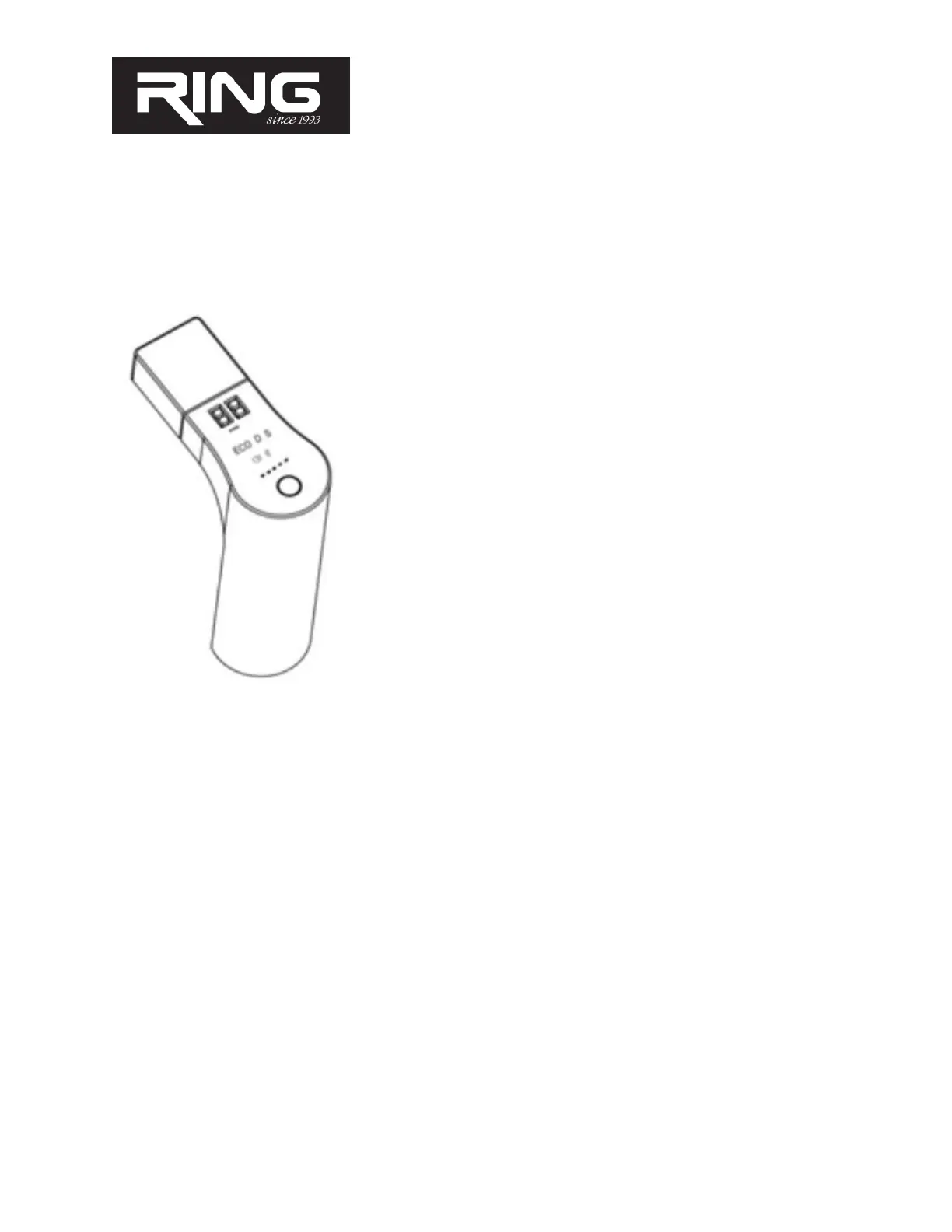
COMPUTER INSTRUCTIONS
ATTENTION! First, make sure that you have limited maximum speeds in the application by
modes, lest you think it's the real maximum speed of a scooter
1. The computer has 5 diodes indicating the battery charge level.
While using the scooter and consuming battery, the indicator will
slowly turn off one by one, and it will start to flash. If all 5
LEDs are turned on, battery level is 100%-86%; if 4 LEDs are
turned on and one is flashing, charge level is 85%-71%. Keep in
mind that the scooter self-charges during ride, so the battery level
may drop sharply, and during break the level returns for one or 2
lines above.
2. The computer turns on by briefly pressing the middle button and
shuts down by long press
3. There are three driving modes, (ECO), normal mode (S) and
Sport mode (D). Double click on on/off button to switch from one
to the other mode. Remember that in Eco mode usually the max
speed is set to 15 km/h. In ECO mode battery is consumed less and
we recommend it. It is a little slower and the scooter is ‘lazier’ but
the battery lasts the longest of all modes. In other modes the
max speed is 25 km/h. Drive mode is the middle most often
and Sport mode is for speed rides, and in it the battery life is much
shorter than expected.
4. When riding longer at a single speed, the computer itself
switches to cruise mode where you do not need to press
accelerator to maintain that speed
5. The computer also shows the riding speed. Speed is achieved
depending on riding conditions, user weights etc.
6. In the dark, please turn on the light which is activated by short
pressing the on / off button when the computer is on.


 To Next Page