THIS DEVICE COMPLIES WITH PART 15 OF THE FCC RULES. OPERATION IS SUBJECT TO THE FOLLOWING TWO CONDITIONS:
(1) THIS DEVICE MAY NOT CAUSE HARMFUL INTERFERENCE
(2) THIS DEVICE MUST ACCEPT ANY INTERFERENCE RECEIVED, INCLUDING INTERFERENCE THAT MAY CAUSE UNDESIRED
OPERATION
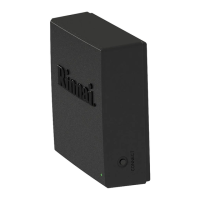
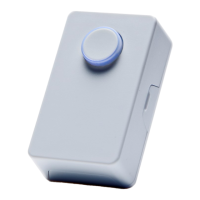
3. Pair the Moon Sensor with the Control-R™ Module (called Pairing Mode) by following the steps below.
IMPORTANT: You have 5 minutes to pair the Motion Sensor with the Control-R™ Module before Pairing Mode times out. If
Pairing Mode times out, you must repeat the steps below.
©2016 Rinnai America Corporaon. Rinnai America Corporaon connually updates materials, and as such, content is subject to change without
noce. Local, state, provincial, federal and naonal fuel gas codes must be adhered to prior to and upon installaon.
100000421(01)
9/2016
Connect buon on
Moon Sensor PCB.
4. Replace the Moon Sensor front cover by ghtening the screw.
5. Select the Moon Sensor locaon. Read the Installaon Requirements secon above prior
to selecng a locaon.
6. Install the wall mount bracket in the selected locaon using the two supplied screws. Next,
install the posioning joint into the wall mount bracket.
Restore Factory Sengs
To restore the Moon Sensor sengs to a fresh state:
1. Remove the Moon Sensor baery.
2. Press and hold the “Connect” buon on the Moon Sensor PCB while reinserng the baery.
3. When the baery is inserted, release the “Connect” buon. The Moon Sensor LED will turn on.
4. When the Moon Sensor resets successfully, the LED will turn o.
5. The LED will begin to ash every 1 second to show the Moon Sensor is in an idle state and is
ready to be joined to a network.
On the Control-R™ Module, press and hold down the “Connect” button until the
LED turns green. Then, release the button.
The Moon Sensor LED light ashes once every 5 seconds to indicate the Moon
Sensor is not paired with the Control-R™ Module. To enter Pairing Mode, press
and hold the “Connect” buon on the Motion Sensor PCB unl the LED
double-ashes. Then, release the buon.
When the Motion Sensor successfully pairs with the Control-R™ Module, the
Motion Sensor LED will remain on for approximately 5 seconds and then turn o.
The Control-R™ Module LED ashes green and then returns to the previous mode
(Blue = connected to Internet; Red = not connected to Internet). A small delay is
normal when the module is ashing green and returning to its original mode.
The Motion Sensor is now paired with the Control-R™ Module.
LED
Connect buon on
Control-R™ Module.
7. Slide the Moon Sensor down onto the wall mount assembly ensuring the sensor is in the correct orientaon.
8. Control-R™ Moon Sensor pairing and installaon is complete.
Connect buon


 To Previous Page
 Loading...