Copyright © 2018 Rinnai America Corporaon. All Rights Reserved. Page 5
Press Up arrow unl 04A appears in display.
04A
Press On/O buon on water heater controller to
turn ON water heater.
❺
Press On/O buon unl 04 appears in display.
Press Up arrow unl 05A appears in display.
05A
Comfort mode is selected.
To select addional parameters, see Appendix A.
When parameter sengs are complete, press and
hold down A buon on PC Board for one second to
exit parameters. The controller turns OFF.
Replace water heater front panel.
COMPLETE REMAINING STEPS ONLY AFTER
5-MINUTE TIMER IS FINISHED FROM STEP 8 ON
PAGE 4.
ON
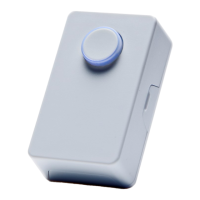
Press push buon. Module LED blinks GREEN and
pump turns on.
GREEN
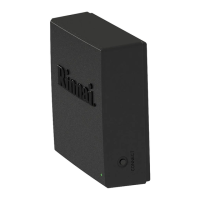
Instrucons for pairing one push buon are
complete.
To pair addional push buons, follow the steps
below.
• Press On/O buon on water heater controller to turn
OFF water heater.
• Unplug water heater power cord from outlet and then
plug it back in.
• Repeat steps 3-6 from pages 3 and 4.
• Press On/O buon on water heater controller to turn
ON water heater.
• Press push buon. Pump turns on.
Press On/O buon unl 05 appears in display.
05


 To Next Page
 Loading...