19
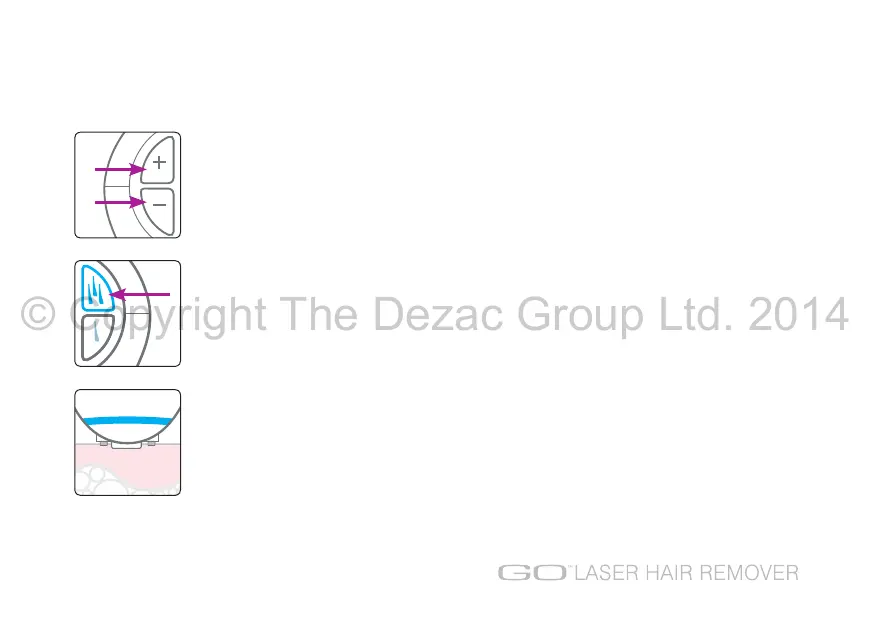
4. Use the +/- buttons to select the correct power level for your skin type. Refer to the
power
level guide
on page 12 to determine what level is suitable for your skin type.
Note: Each time the power level is adjusted you will need to repress the scan mode button
or single mode button to continue.
5. Select the treatment mode, either scan mode or single hair mode.
(see treatment modes on page 17).
Note: When switching between treatment modes, you will hear the laser resetting.
6. Place the unit onto the skin over the area you wish to treat ensuring the touch pins are in
contact with the skin. Go Laser has a skin detect feature; when correctly positioned the blue
treatment light will illuminate.
HOW TO USE
© Copyright The Dezac Group Ltd. 2014


 To Next Page