16
INSTRUCTIONS FOR USE
STEP 4
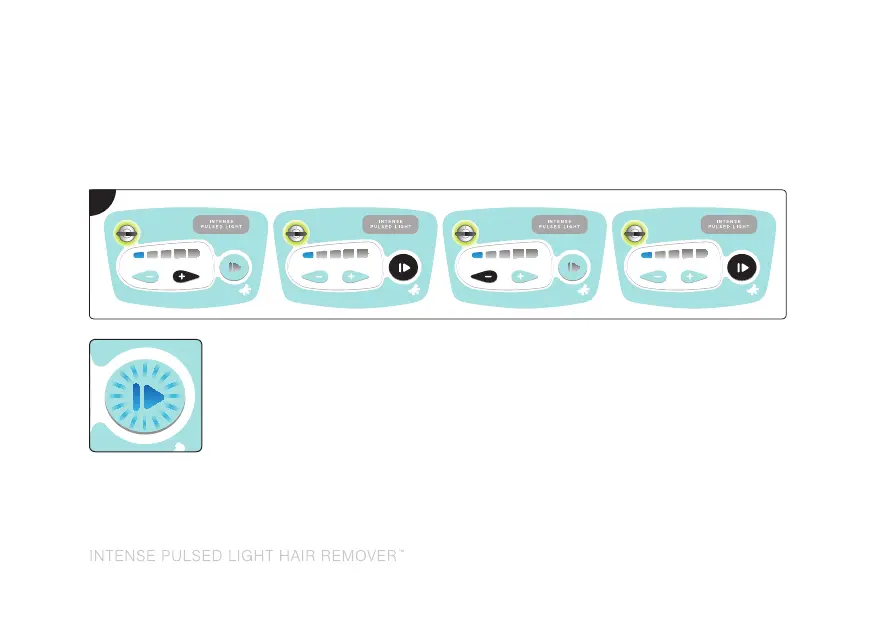
Enter the security code by pressing the buttons (highlighted in black) in the following order:
The unit will emit 2 beeps and the keyswitch will stop flashing and illuminate
green. A series of self-checks will be performed. During this time, the power
levels will illuminate up and down. When completed, the lowest power level
will illuminate and the enable button will flash blue ready for selection.
Note: The unit will power off if the code is incorrectly entered (the keyswitch will change from
flashing green to flashing orange and the unit will emit two low beeps). Turn the key off, wait a
few seconds and then turn the key back on and enter the correct security code.
4



 To Next Page