5
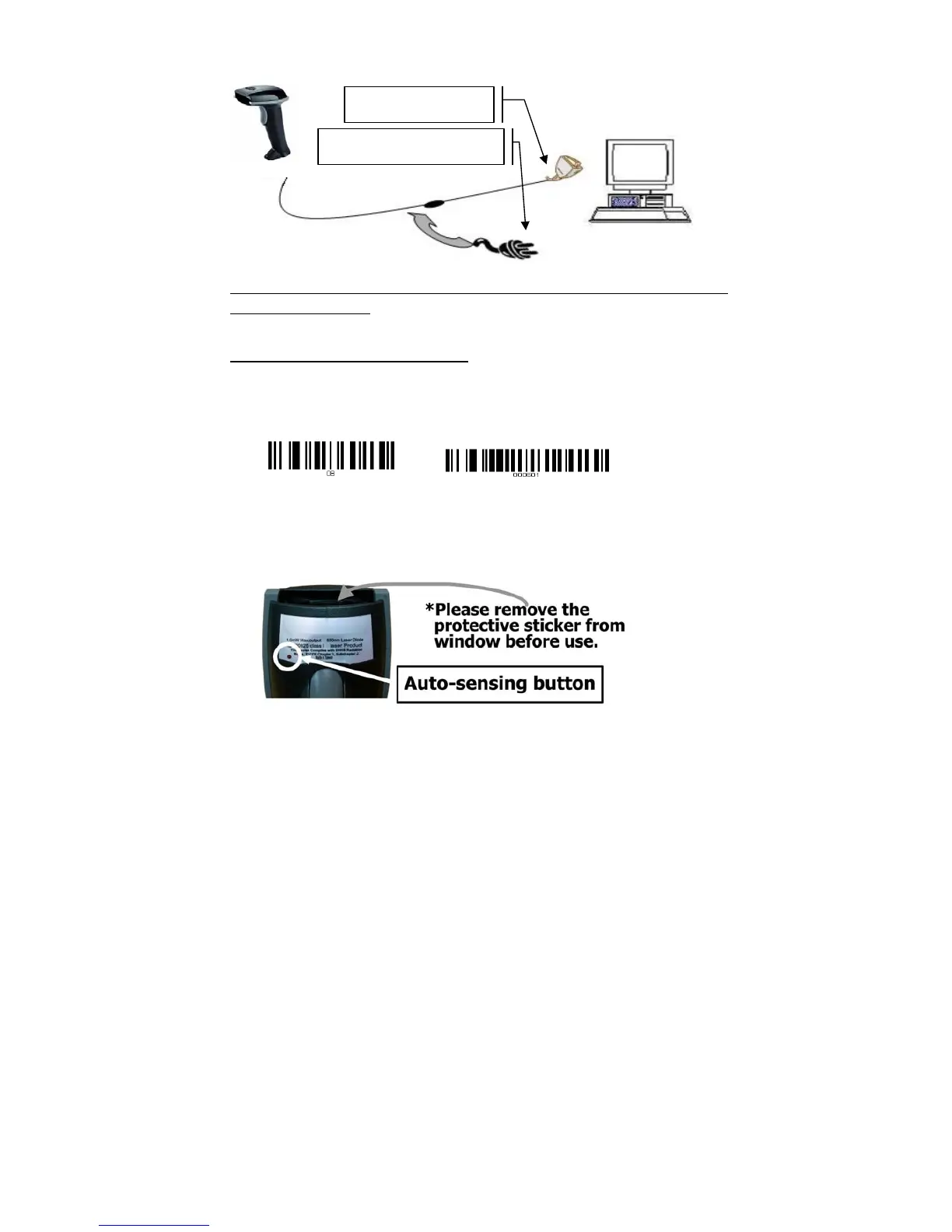
3. RS232 cable Connection:
NOTE: for Serial port (RS232 cable), please plug the power connector of 5V power
adapter to RS232 cable.
Reset Configuration to Defaults
If you are unsure of the scanner configuration or have scanned the incorrect codes,
please scan the “Reset Configuration to Defaults” barcode. This will reset the scanner to
its factory defaults settings. Then “000601” for RS232 serial setting.
4. Auto-sensing setup
For some scanners have auto-sensing function. There is an auto-sensing function button
shown on below photo. Default is ON.
*Auto-sensing normally is ON. Press once is OFF, Press once again is ON.
Connect with host
Require adapter for power supply



 To Next Page